

Planner
Bring calendars, tasks, projects, appointments, booking requests, reminders, and workload checks into one working plan.
At a glance
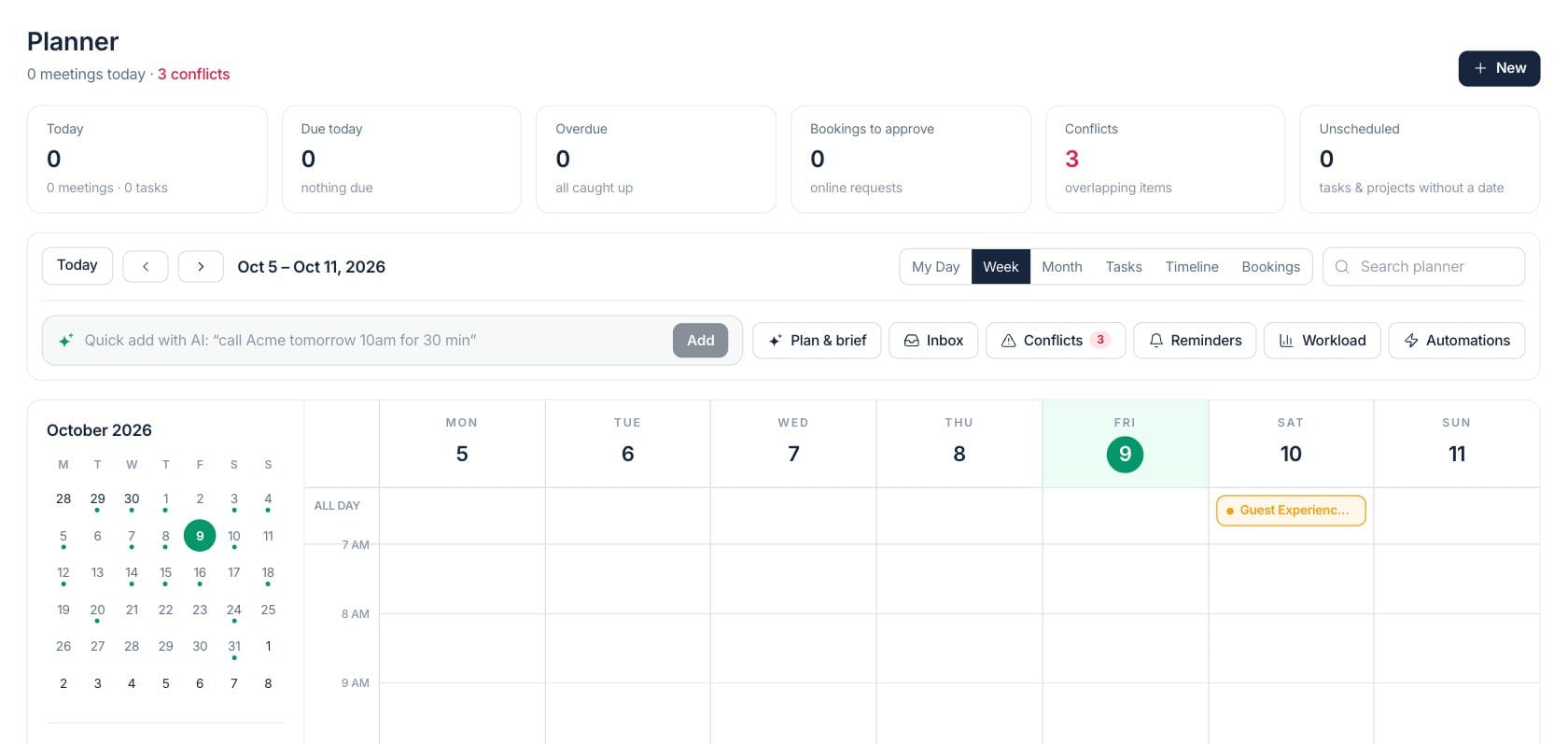
The numbers on your screen, explained
What each Planner number means and where it comes from — so you know where to act.
Today counts meetings and tasks scheduled for the selected day in Planner.
Due today counts tasks and commitments with a due date on the selected day.
Bookings to approve are online booking requests waiting for review in the Planner bookings view.
Conflicts are overlapping planner items found across events, appointments, tasks, and projects.
Sample numbers from a demo workspace.
Calendar
Plan the week or month with every commitment visible
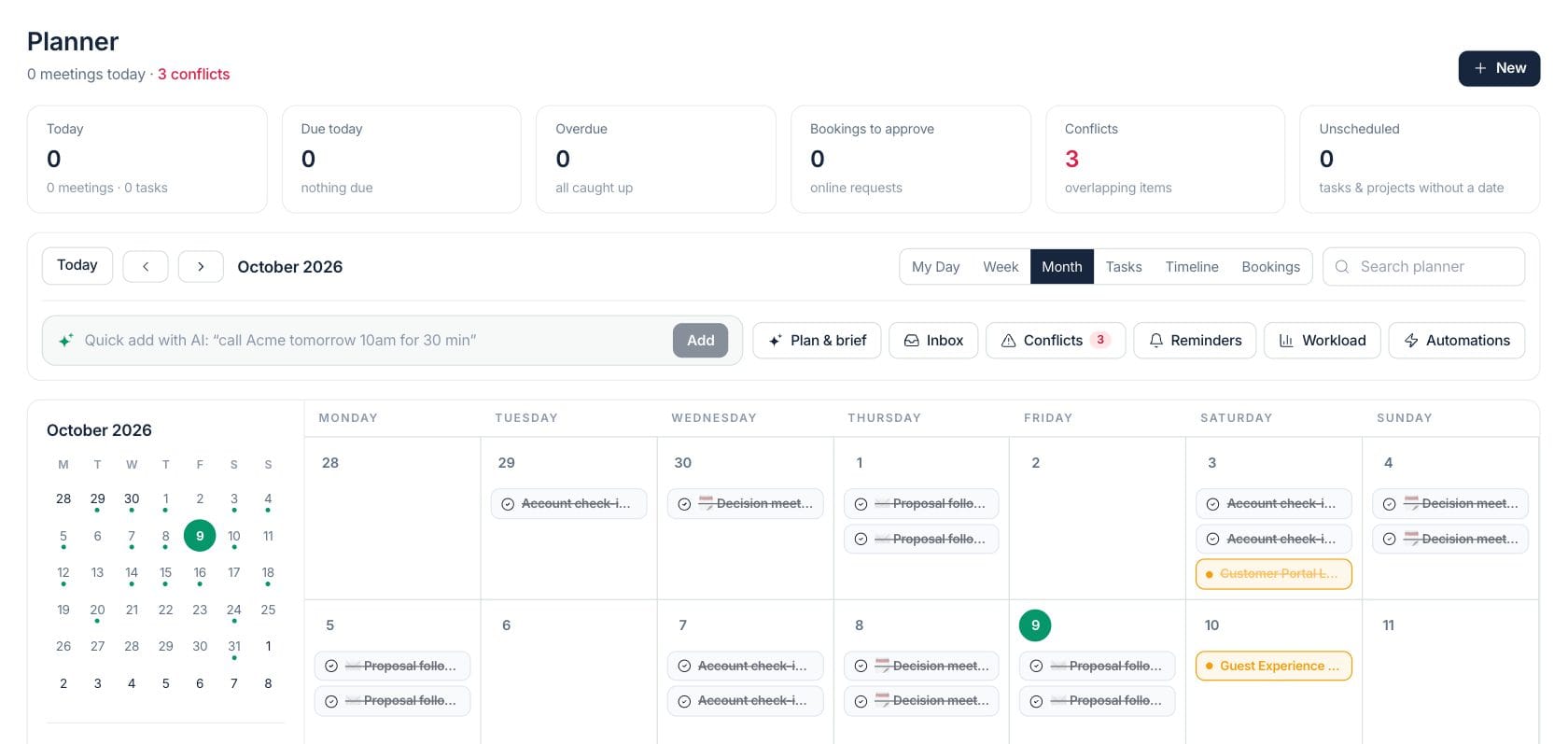
Planner combines calendar events, tasks, appointments, and project dates into day, week, and month views, with filters, search, and clear source colors.
- Switch between My Day, Week, Month, Tasks, Timeline, and Bookings
- Quick add with AI turns plain text into a draft task or event
- Conflicts, reminders, workload, inbox, and automations sit beside the calendar
Bookings
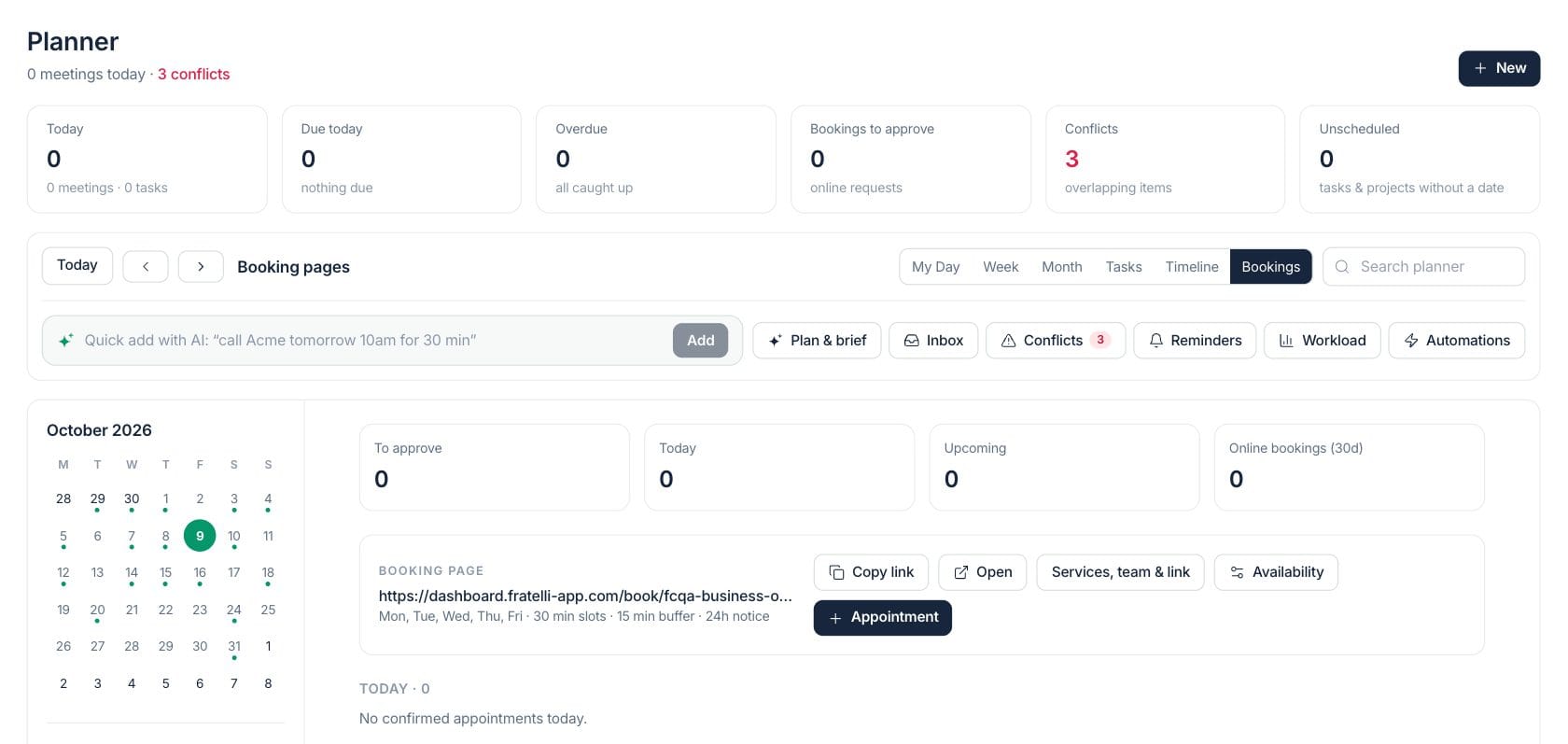
Review online booking requests and share a booking page
The Bookings view shows requests to approve, today’s appointments, upcoming appointments, online booking counts, booking page links, services, team links, and availability rules.
- Copy or open the public booking link
- Edit services, team routing, and availability from Planner
- Create an appointment without leaving the booking queue
Tasks
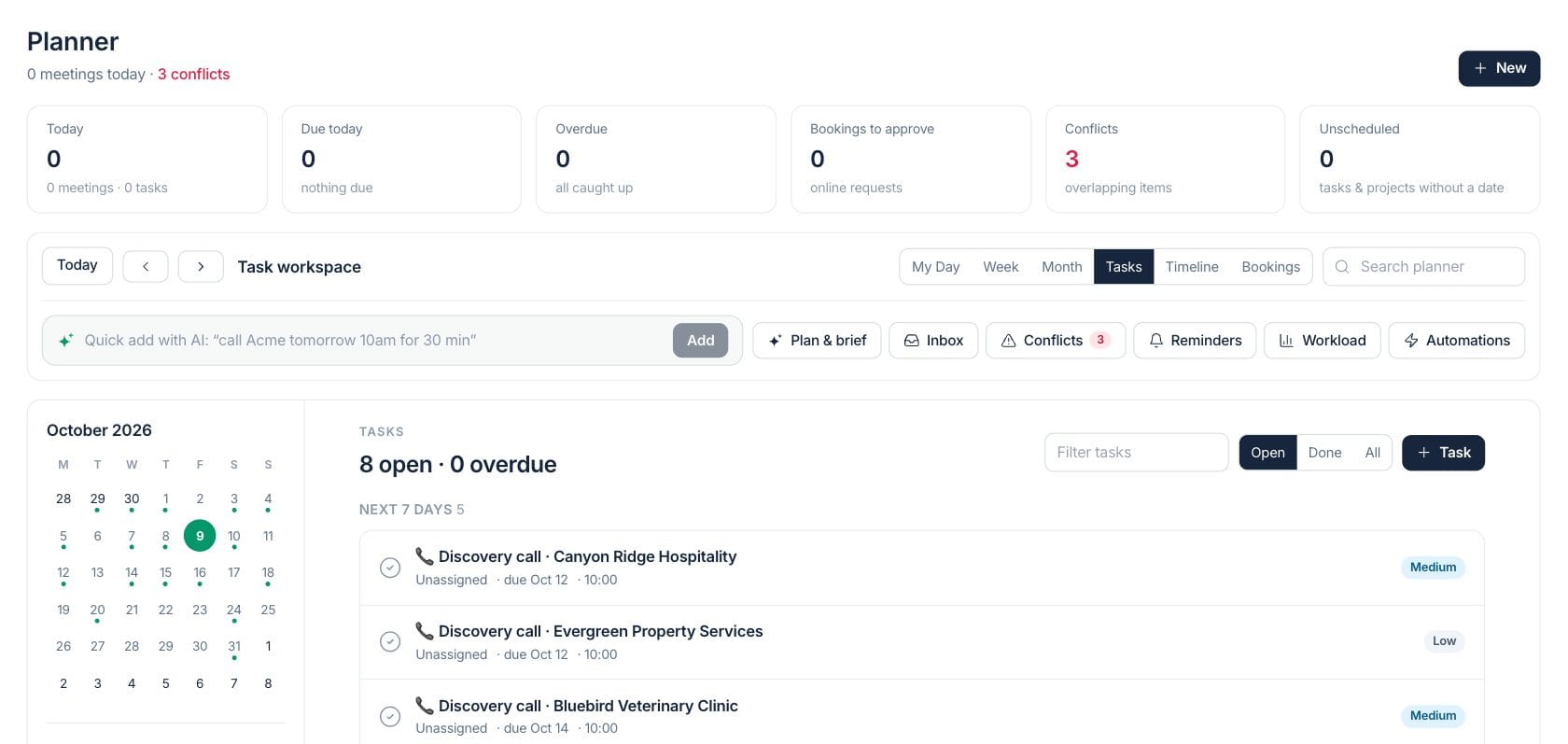
Turn loose work into scheduled time
Task boards group work by overdue, today, next seven days, later, and no due date. Unsheduled tasks can be placed into the next free slot.
- Filter by owner, status, and keyword
- Schedule an open task into available working time
- Track subtasks, priority, due dates, and completion
Everything included
Everything in Planner
Use it to plan the week, resolve scheduling conflicts, and prepare the next day.
Day, week, and month views
Move from daily detail to monthly planning without losing linked records.
Task planning
Group tasks by urgency, owner, due date, status, and priority.
Free-slot scheduling
Place unscheduled tasks into available working time from the planner tools.
AI quick add
Type natural language such as “call Acme tomorrow 10am” and create a draft.
Planner inbox
Review items that need dates, owners, or a decision before they belong on the schedule.
Conflict checks
Overlapping commitments are surfaced so you can fix schedule pressure.
Booking page controls
Copy the booking link, open it, and manage services, team links, and availability.
Automations entry point
Open reminders and automations from the planner tools when scheduling needs follow-up.
How it works
Planner, step by step
- 01
Choose the planning view
Start with My Day, Week, Month, Tasks, Timeline, or Bookings depending on the decision you need to make.
- 02
Add or review work
Create tasks, events, appointments, or projects, or use quick add to draft work from a plain sentence.
- 03
Resolve pressure
Use conflicts, workload, inbox, and reminders to spot overlaps or commitments without a clear place.
- 04
Confirm the plan
Open the linked task, appointment, event, project, or booking when you need to update the source record.
Connected
Works with the rest of Fratelli
The same records flow between these workspaces automatically.
FAQ
Planner questions
Can’t find what you need? Our team is happy to help.
No. It includes calendar views, tasks, booking requests, project timelines, planning tools, conflict checks, and quick actions tied to the original records.
Yes. Planner includes a bookings view with a booking page link, appointment creation, and controls for services, team routing, and availability.
It creates a draft from natural language so you can review before saving the event or task.
Try Planner with the rest of Fratelli
Start free in minutes and bring the rest of your team when you are ready.