

Accounting
Keep the ledger, chart of accounts, journal entries, trial balance, fiscal periods and tax context connected to the work that created them.
At a glance
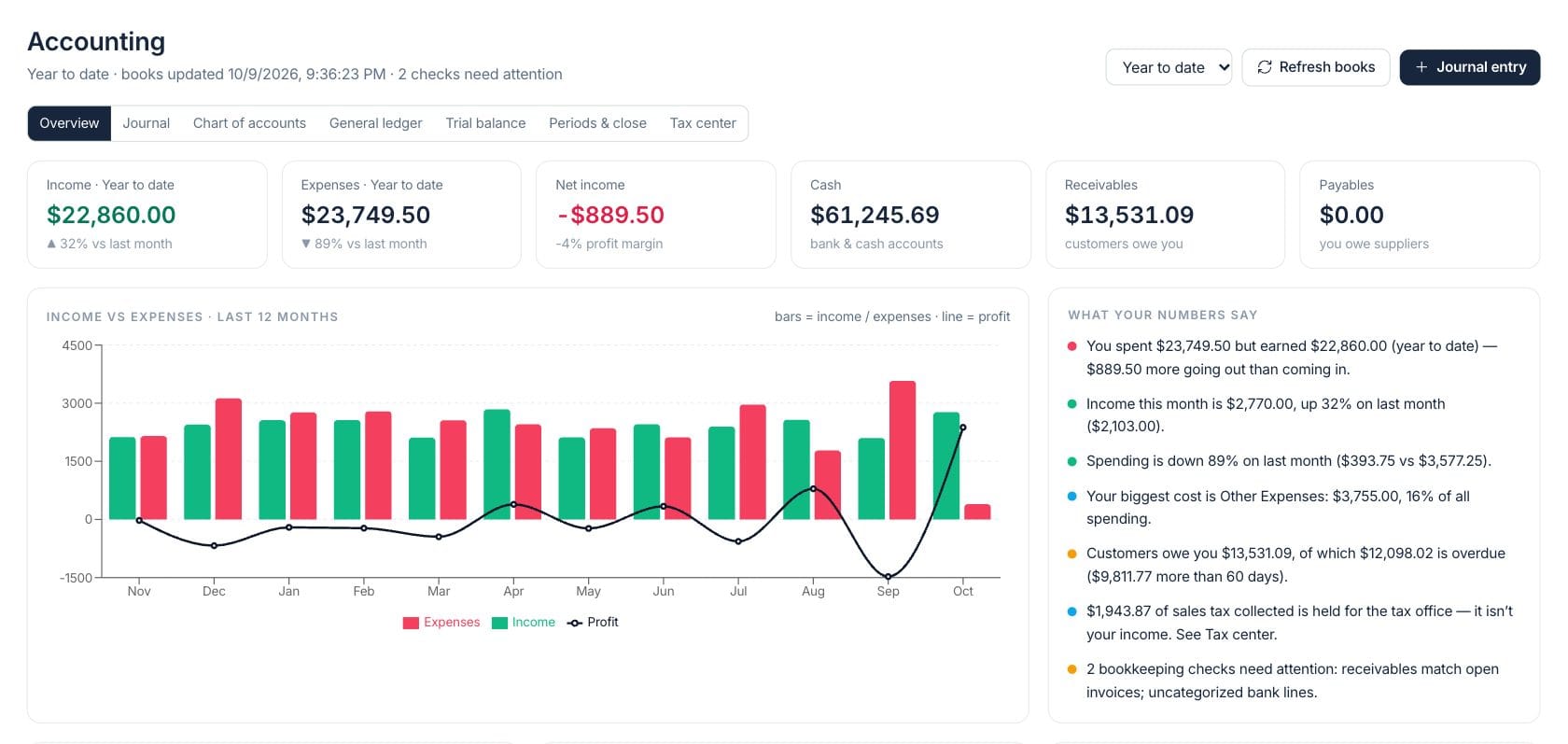
The numbers on your screen, explained
What each Accounting number means and where it comes from — so you know where to act.
Revenue posted from source records during the selected accounting period.
Expense activity posted from bills, expenses, purchases and other source records in the period.
Income minus expenses for the selected period, with profit margin shown when revenue exists.
The current balance of cash and bank accounts in the books.
Sample numbers from a demo workspace.
Accounts
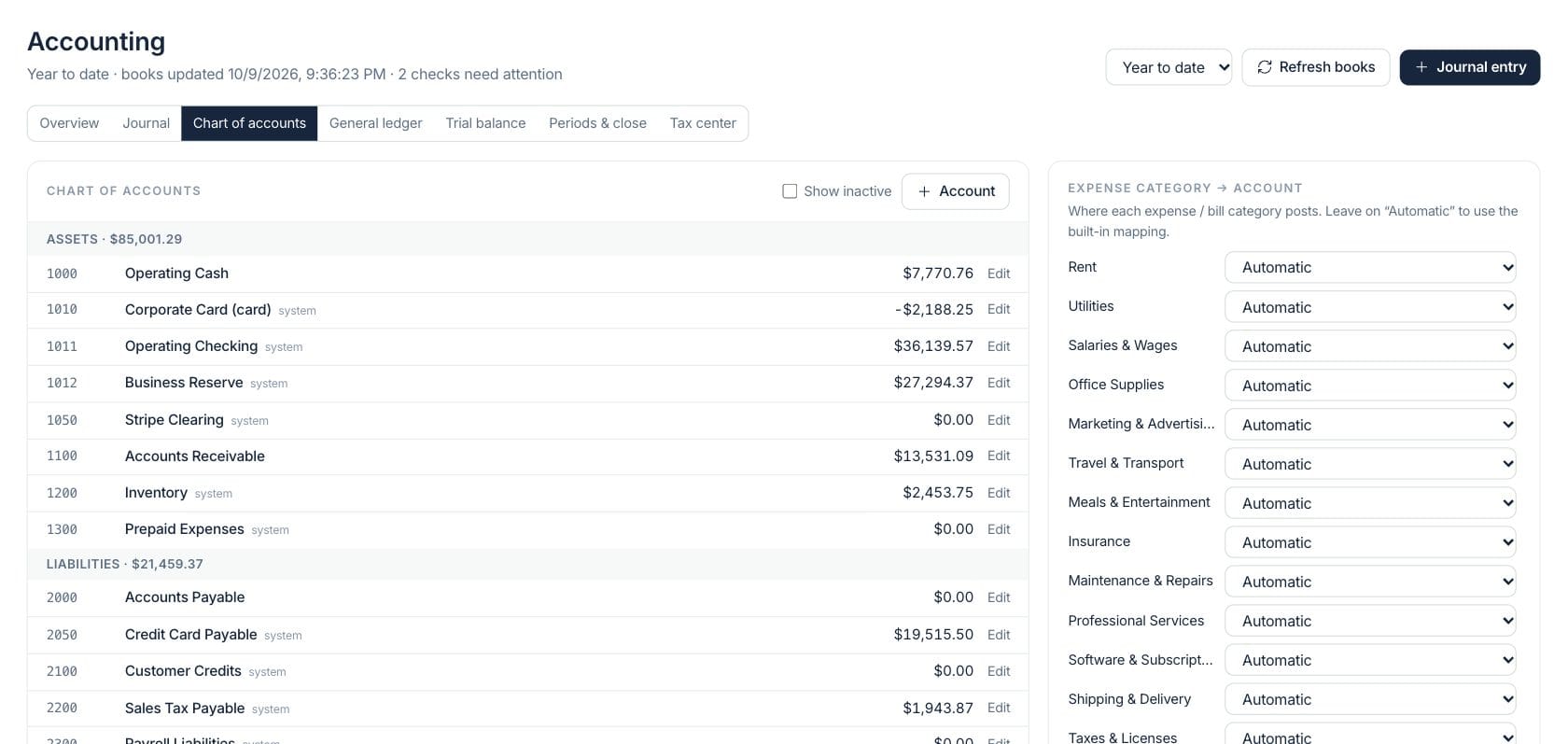
Maintain the chart of accounts without losing source context
The chart groups assets, liabilities, equity, revenue and expenses with balances, system accounts and category-to-account mapping for expenses and bills.
- Edit active accounts and show inactive ones
- Map expense categories to posting accounts
- Open ledger detail from account balances
Journal
Post adjustments with balanced debit and credit lines
Manual journals support drafts, posting, reversing and voiding, with project or cost-center tags on each line when needed.
- Save draft entries before posting
- Add balancing lines automatically
- Tag lines to projects or cost centers
Controls
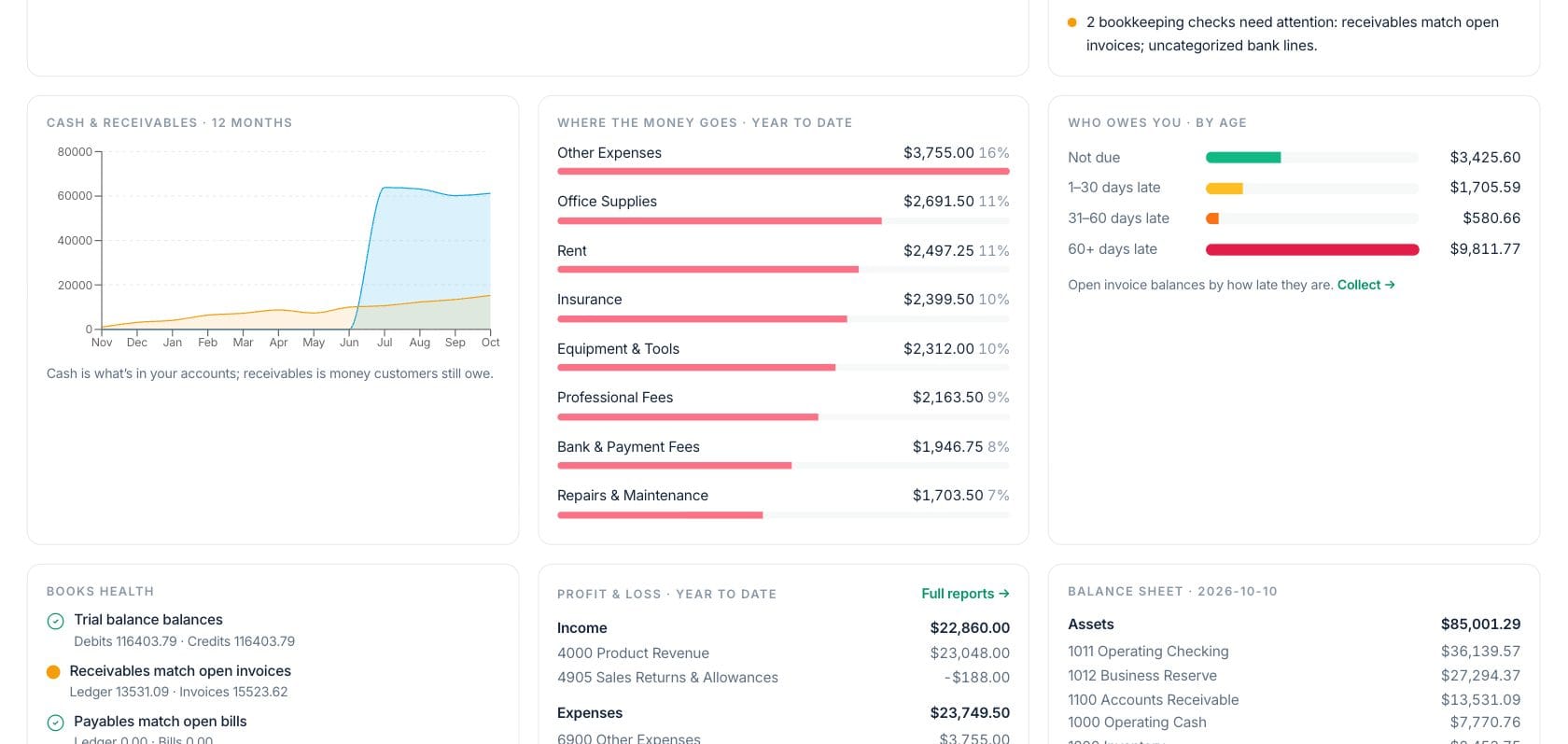
Review books, trial balance, periods and tax in one place
Accounting includes overview explanations, general ledger, trial balance, period close controls and a tax center for sales tax and remittance context.
- Refresh books from connected source records
- Review bookkeeping checks that need attention
- Use period and close tools for fiscal controls
Everything included
Everything in Accounting
Use it for transaction review, adjustments, period work, and financial control.
Double-entry books
Accounting entries stay balanced across debits and credits.
Chart of accounts
Manage account codes, types, balances and system posting accounts.
Journal entries
Create adjustments, accruals, corrections and owner transactions with draft and post controls.
Source-linked activity
Open invoices, expenses, bills, bank transactions, payroll, returns and purchase orders from entries.
Trial balance
Review debit and credit totals by account for the selected period.
Period close
Use fiscal-period tools to support monthly or yearly accounting controls.
Tax center
Track sales tax collected, purchase tax, remittances and the tax balance held.
Cost-center tags
Tag journal lines with project or cost-center context for management reporting.
How it works
Accounting, step by step
- 01
Pick the reporting period
Choose this month, last month, quarter, year to date, last year or a custom date range.
- 02
Review automatic entries
Invoices, payments, returns, expenses, bills, bank activity and payroll keep accounting context connected.
- 03
Post manual adjustments
Create balanced journal entries for corrections, accruals, depreciation or owner contributions.
- 04
Check reports and controls
Use overview, ledger, trial balance, periods and tax panels to finish accounting review.
Connected
Works with the rest of Fratelli
The same records flow between these workspaces automatically.
FAQ
Accounting questions
Can’t find what you need? Our team is happy to help.
You can save a draft while it is incomplete, but posting requires equal debits and credits.
Automatic entries update from their source documents. Manual journals can be edited, posted, reversed, voided or deleted based on status and permissions.
Try Accounting with the rest of Fratelli
Start free in minutes and bring the rest of your team when you are ready.