

Products
Keep product details, pricing, margin, supplier context, and live stock status together so the team can sell and replenish from the same catalog.
At a glance
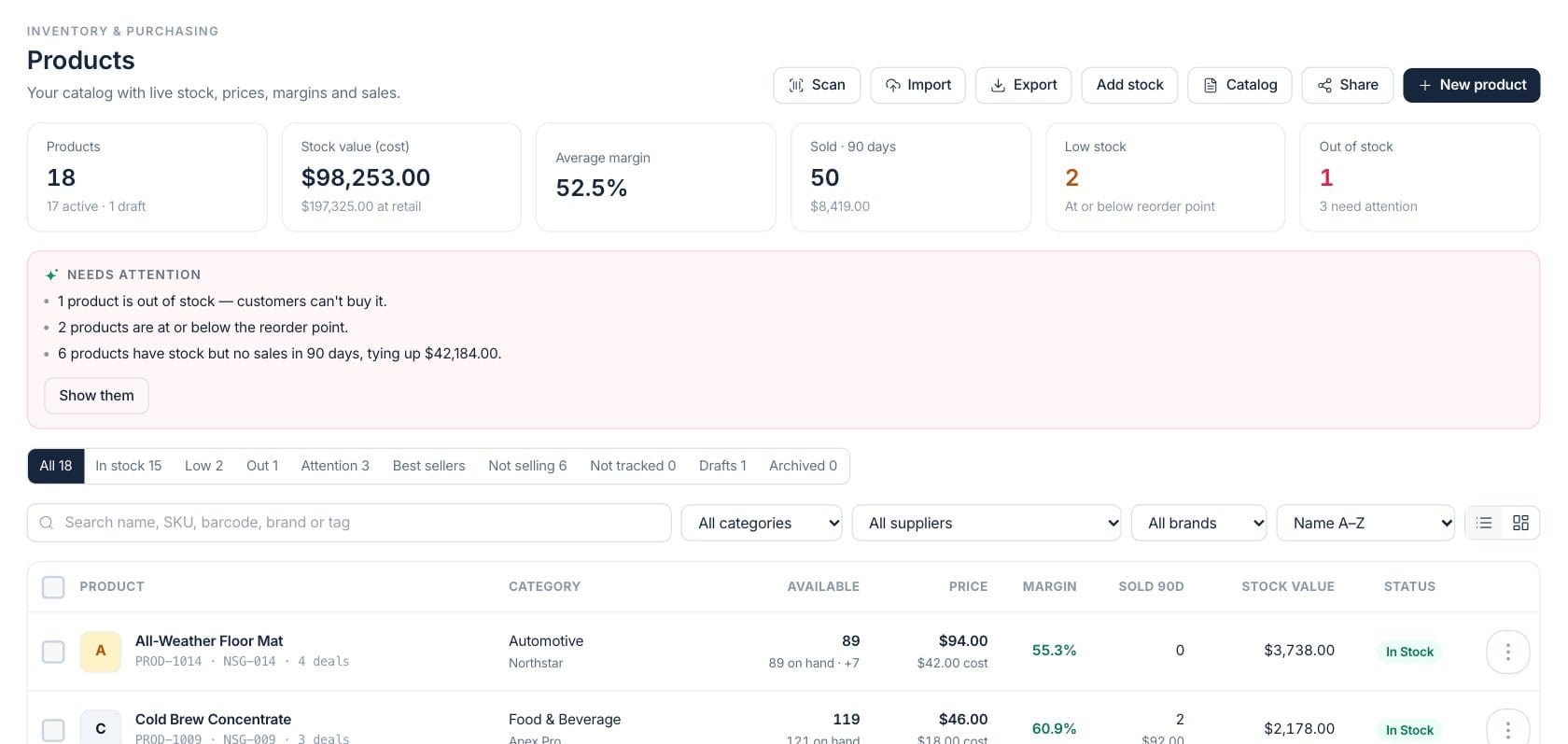
The numbers on your screen, explained
What each Products number means and where it comes from — so you know where to act.
Total catalog records in the current view, including active and draft products.
The current cost value of tracked inventory, with retail value shown when price access is available.
Average margin compares sell price with product cost across products where both numbers are available.
Products with no available stock; the hint includes other catalog records needing review.
Sample numbers from a demo workspace.
Catalog
Find every product with stock, price, margin, and status visible
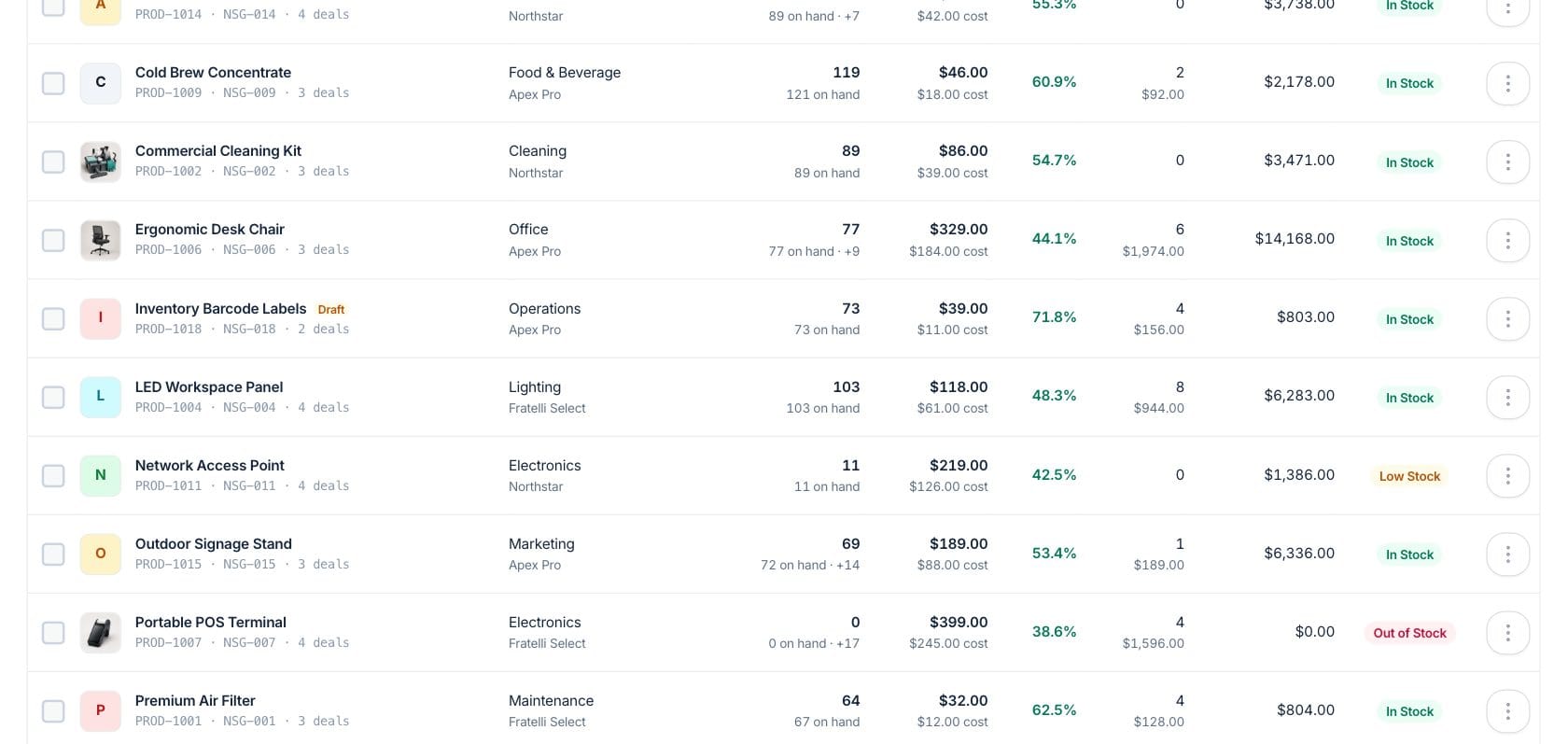
The product list combines search, filters, table or grid views, supplier and brand filters, bulk actions, CSV export, and attention views for low, out, slow, draft, and untracked items.
- Search by name, SKU, barcode, brand, or tag
- Filter by category, supplier, brand, and stock state
- See available units, price, margin, 90-day sales, and status
Product 360
Open one item to understand stock, sales, purchasing, and margin
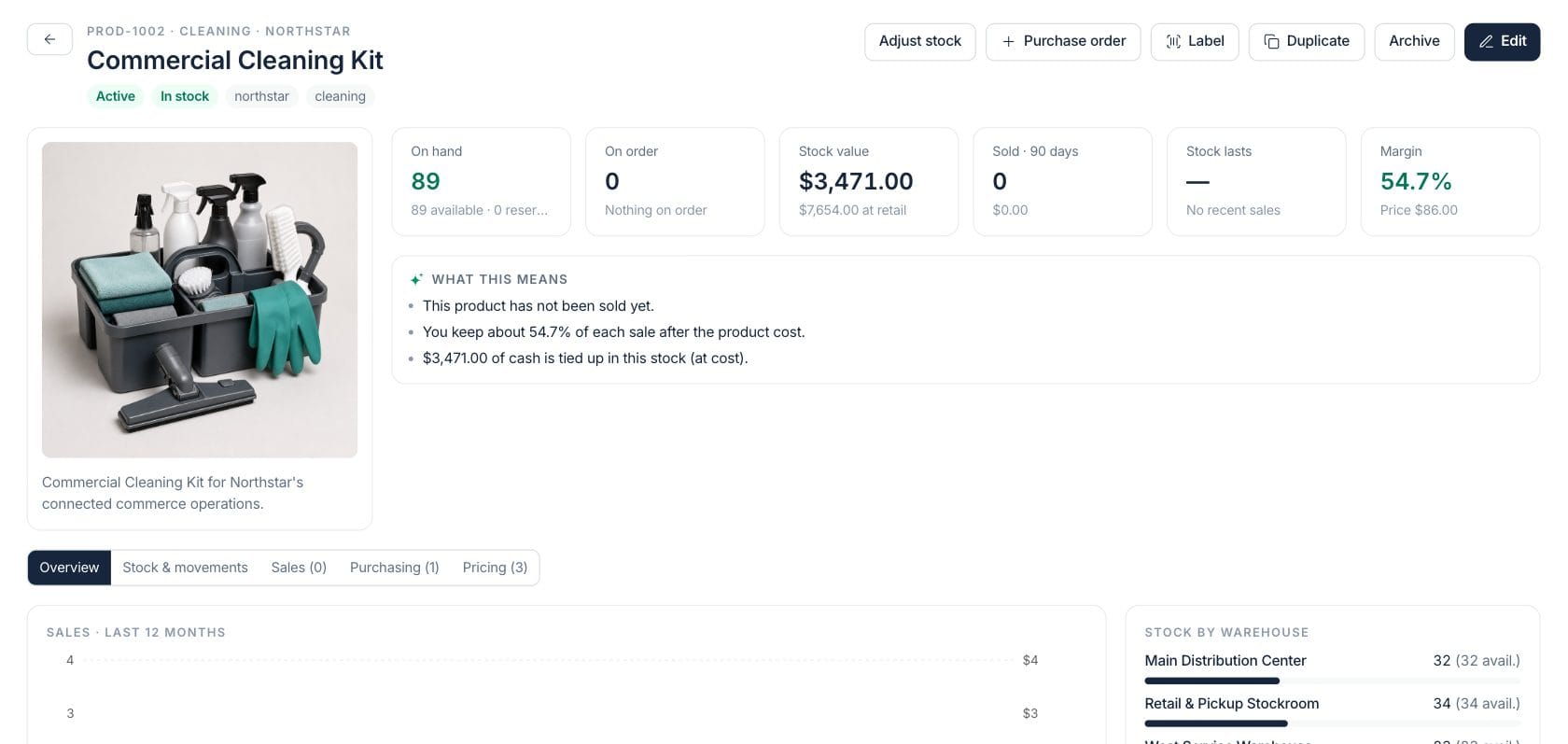
A product detail page shows photography, variants, stock by warehouse, 90-day sales, open purchase order lines, pricing deals, and plain-language notes about what the numbers mean.
- Review on hand, available, reserved, and on order units
- Track stock value, retail value, margin, and days of cover
- Jump to stock movements, purchasing, sales, or pricing tabs
Setup
Create products with variants, reorder points, suppliers, and portal visibility
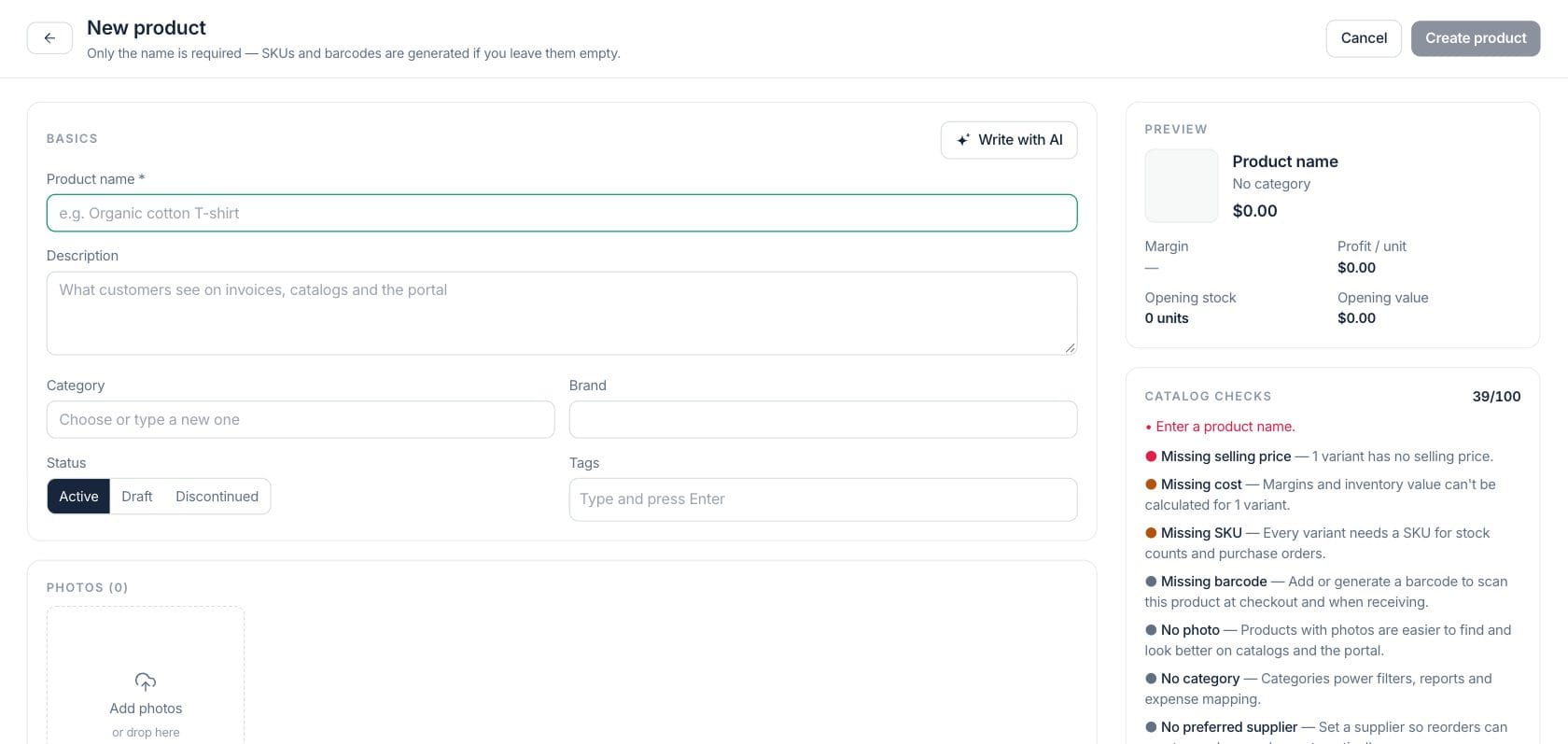
The editor stores the operational fields the catalog depends on: SKU, barcode, cost, price, category, tax, reorder point, lead time, preferred supplier, warranty, dimensions, and whether the item appears in the customer portal.
- Add opening stock by warehouse when creating variants
- Set reorder and max-stock fields for planning
- Hide internal products from customer-facing catalog pages
Everything included
Everything in Products
Use it for catalog management, availability review, product setup, and margin context.
Product and variant records
Track SKUs, barcodes, categories, brands, images, descriptions, costs, prices, and variant-specific stock settings.
Barcode-ready catalog
Search by barcode, generate labels from product records, and keep physical identifiers tied to the catalog.
Warehouse availability
See where stock sits, what is reserved, what is incoming, and which sites are low or out.
Pricing and margin context
Review price, cost, average margin, retail value, and configured deals from the product workspace.
Attention filters
Switch to low stock, out of stock, not selling, not tracked, drafts, or archived records without exporting a report.
Import and export
Bring product data in by CSV and export catalog views for review, cleanup, or supplier coordination.
Purchasing handoff
Create a purchase order from a product and review open PO lines from the product detail page.
How it works
Products, step by step
- 01
Create or import the catalog
Add products one by one, scan, or import a CSV with product names, SKUs, prices, costs, and categories.
- 02
Set stock rules and suppliers
Add variants, opening stock, reorder points, lead times, max stock, and preferred suppliers.
- 03
Review attention views
Use low stock, out of stock, slow-moving, draft, and untracked views to decide what needs cleanup or replenishment.
- 04
Open the product record
Drill into stock, purchasing, sales, and pricing history before editing, reordering, duplicating, or archiving.
Connected
Works with the rest of Fratelli
The same records flow between these workspaces automatically.
FAQ
Products questions
Can’t find what you need? Our team is happy to help.
Yes. Products can be untracked or service-like, while stocked products use variants, warehouse quantities, reorder points, and movement history.
Existing on-hand quantities are changed through Adjust stock, stock counts, purchase receipts, transfers, and returns so the movement is recorded.
Yes. Product setup includes customer portal visibility, so internal-only products can stay out of customer-facing catalog pages.
Try Products with the rest of Fratelli
Start free in minutes and bring the rest of your team when you are ready.