

Invoices
Create a branded invoice in a minute, email it with a Pay now link and the PDF, and let reminders and AI follow up until it is paid.
At a glance
The numbers on your screen, explained
What each Invoices number means and where it comes from — so you know where to act.
Everything customers still owe you, from sent invoices that are not fully paid.
Unpaid invoices past their due date — one click sends a reminder with a payment link.
Open invoices the AI expects to be paid late, based on how each customer has paid before.
How long customers take from invoice to payment. Payment links and reminders bring it down.
Sample numbers from a demo workspace.
Create
Build an invoice with a live preview of what the customer sees
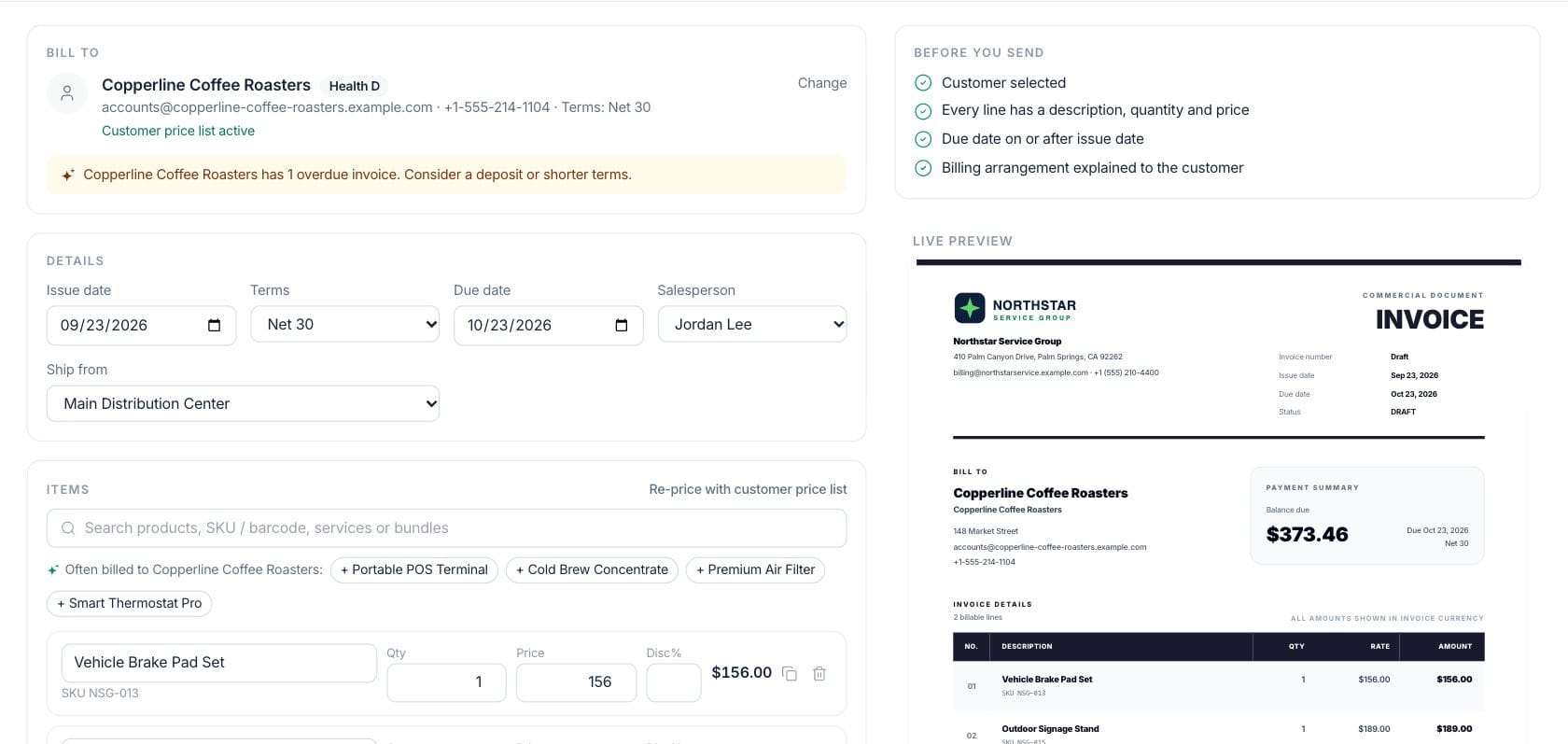
Pick the customer and their price list applies automatically. Add products, services or bundles, set terms and a salesperson, and check the document update on the right as you type.
- Customer price lists, offers, promo codes and per-line discounts
- Terms, due date, salesperson and ship-from location
- A pre-send checklist catches missing details
- Turn any invoice into a recurring schedule or payment plan
Send
Email it with a Pay now link and the PDF attached
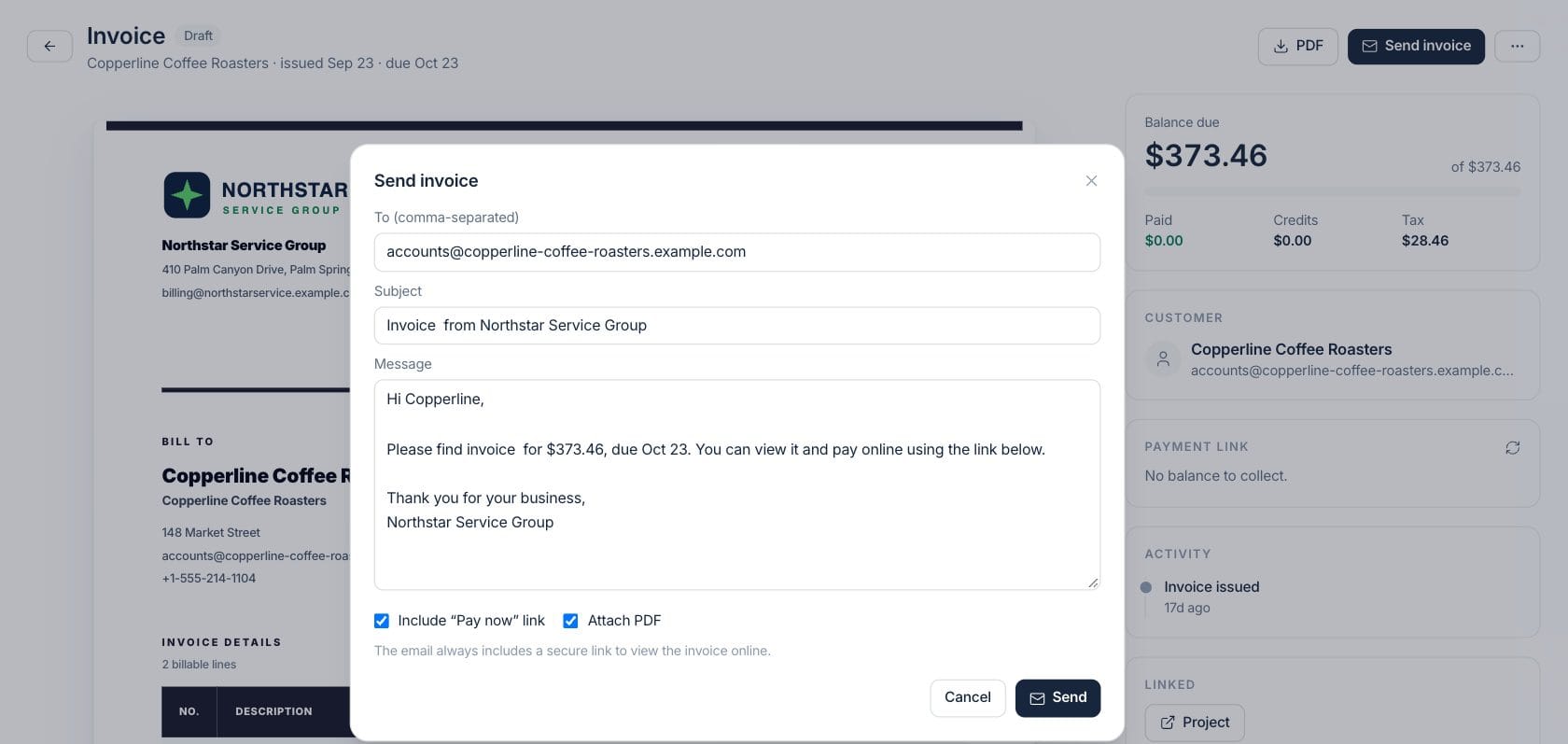
Send from your business name with a friendly message already written. The email links to the invoice online, includes a secure Pay now button and attaches a PDF copy.
- Recipients, subject and message prefilled from the customer record
- Pay now link and PDF attachment you can switch on or off
- Resend, copy the customer link or print at any time
Get paid
Payment links customers pay by card, wallet or bank
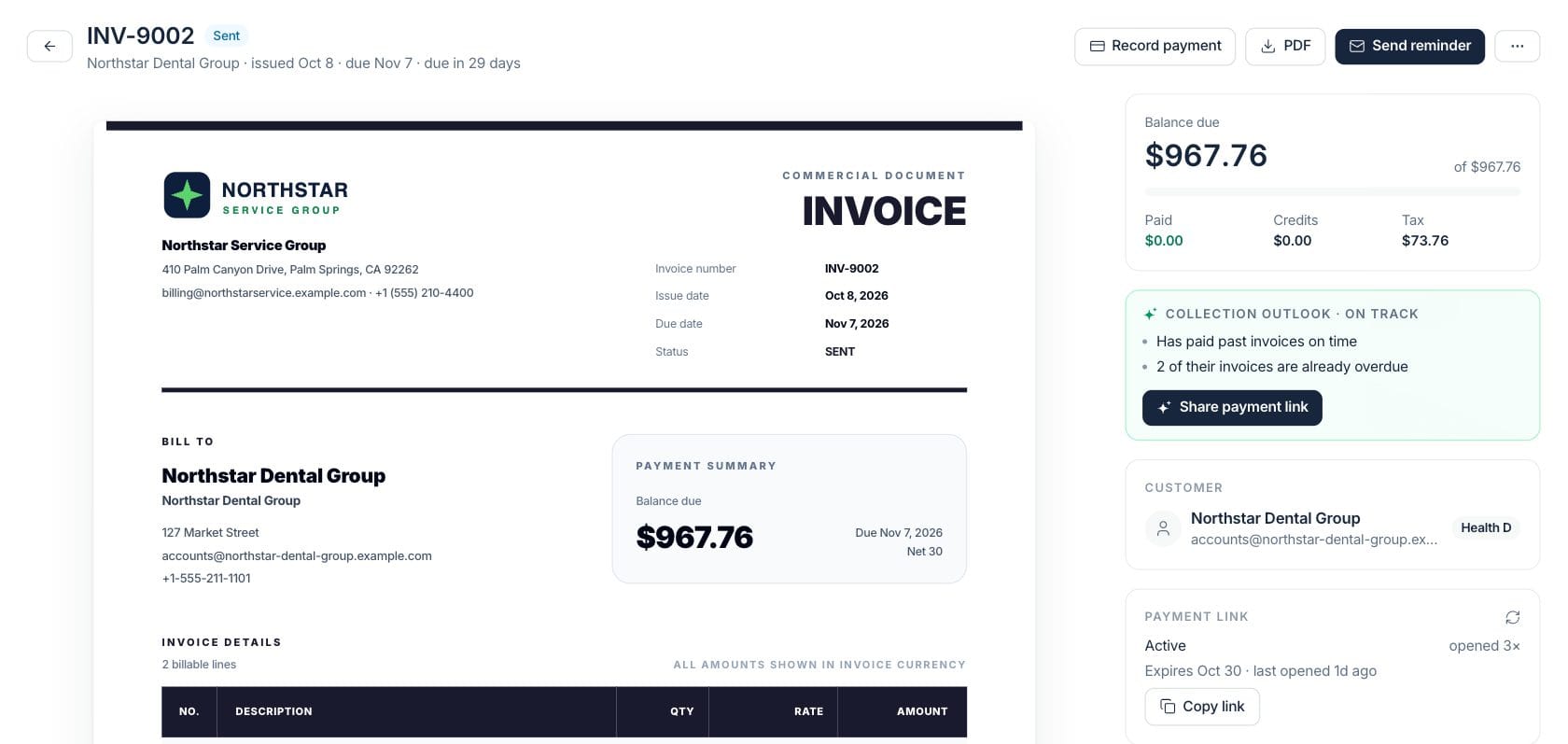
Each sent invoice gets a secure payment link. See when the customer opened it, when it expires, and copy it into a text or chat. When they pay, the invoice is marked paid and the payout is matched for you.
- Card, Apple Pay, Google Pay and bank payments through Stripe
- Link status, views and expiry on the invoice
- Receipts and payouts recorded without re-typing
Follow up
Know who will pay late — and send the right reminder
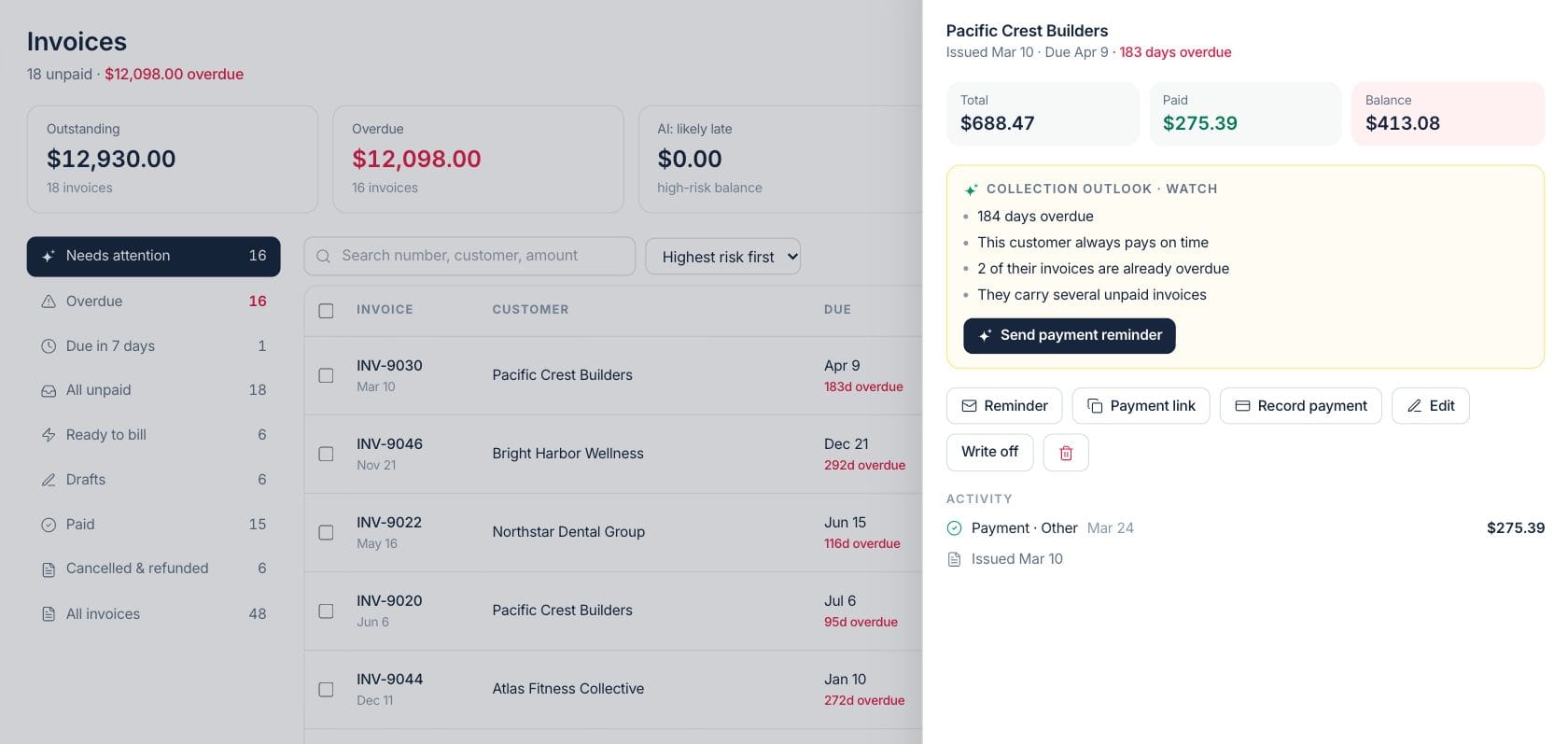
Every open invoice gets a collection outlook built from the customer’s payment history. Draft a reminder in a friendly, firm or final-notice tone, review it, and send it with the payment link.
- AI risk score and plain-language reasons per invoice
- Reminder drafts in four tones, edited before they send
- Bulk reminders for every overdue invoice at once
Report
See what is owed and who to chase first
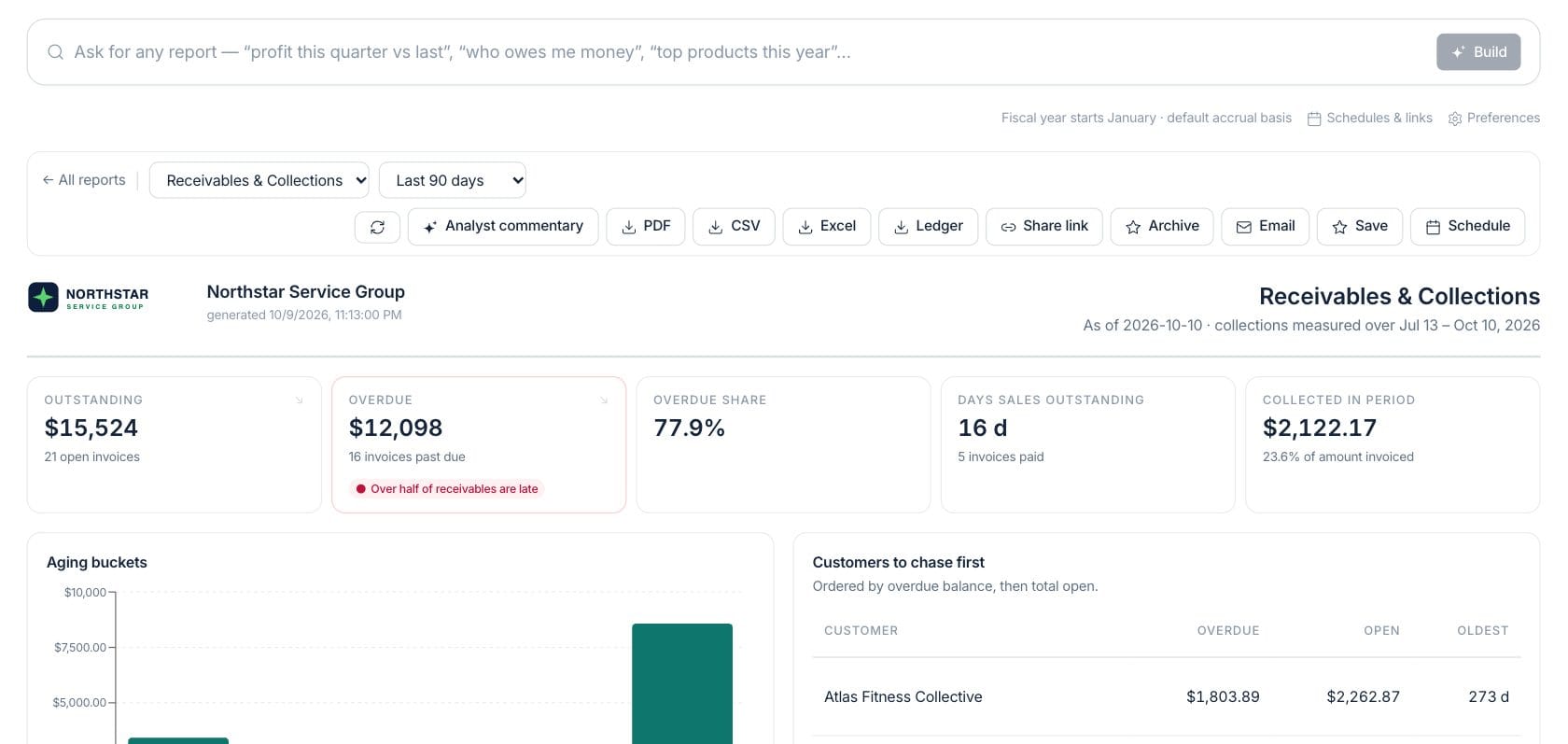
The receivables report shows what is outstanding and overdue, how many days customers take to pay, and the customers to call first — with an AI-written summary you can share as a PDF or send every month.
- Aging buckets from current to 90+ days
- Customers ranked by overdue balance
- Share, export or schedule the report by email
Everything included
Everything in Invoices
Use it for one-time billing, progress billing, credits, and receivables follow-up.
Branded templates
Choose from professional invoice designs with your logo, colours and business details.
Email from your business
Send invoices and reminders with your name, wording and a PDF copy attached.
Online payments
Secure payment links for card, wallet and bank payments, matched to the invoice automatically.
AI collection outlook
A late-payment risk score with reasons, from each customer’s real payment history.
Reminders in your tone
Friendly, firm or final-notice reminders drafted for you and sent when you approve.
Recurring and payment plans
Bill on a schedule or split a balance into instalments from the same editor.
Payments and write-offs
Record cash, check or bank payments, issue credit notes and write off small balances.
PDF, print and share
Download, print or share a secure customer link to any invoice.
Receivables reporting
Aging, days to get paid and collection trends, ready to share or schedule.
How it works
Invoices, step by step
- 01
Create the invoice
Start from a customer, a quote, an order or a blank invoice. Prices, tax and terms fill in from your records.
- 02
Send it with a payment link
Email it from your business with a Pay now button and the PDF attached — or copy the link into a message.
- 03
Get paid and stay matched
When the customer pays online, the invoice is marked paid, the receipt is sent and the payout is matched.
- 04
Follow up on what is late
The AI flags invoices likely to be late and drafts reminders you review before they go out.
Connected
Works with the rest of Fratelli
The same records flow between these workspaces automatically.
FAQ
Invoices questions
Can’t find what you need? Our team is happy to help.
Every sent invoice can include a secure Pay now link. Customers pay by card, Apple Pay, Google Pay or bank transfer through Stripe, and the invoice is marked paid automatically. You can still record cash, check or bank payments yourself.
Yes. Pick a template in Settings → Invoices & Branding, add your logo and colours, and set the default email wording and delivery options. Every invoice and PDF uses them.
You stay in control. Fratelli drafts reminders in the tone you choose and you review them before they send. You can also set up automations that send reminders on a schedule.
Try Invoices with the rest of Fratelli
Start free in minutes and bring the rest of your team when you are ready.