

Projects
Plan delivery work with owners, milestones, budgets, hours, tasks, billing context, and profitability visible in one project workspace.
At a glance
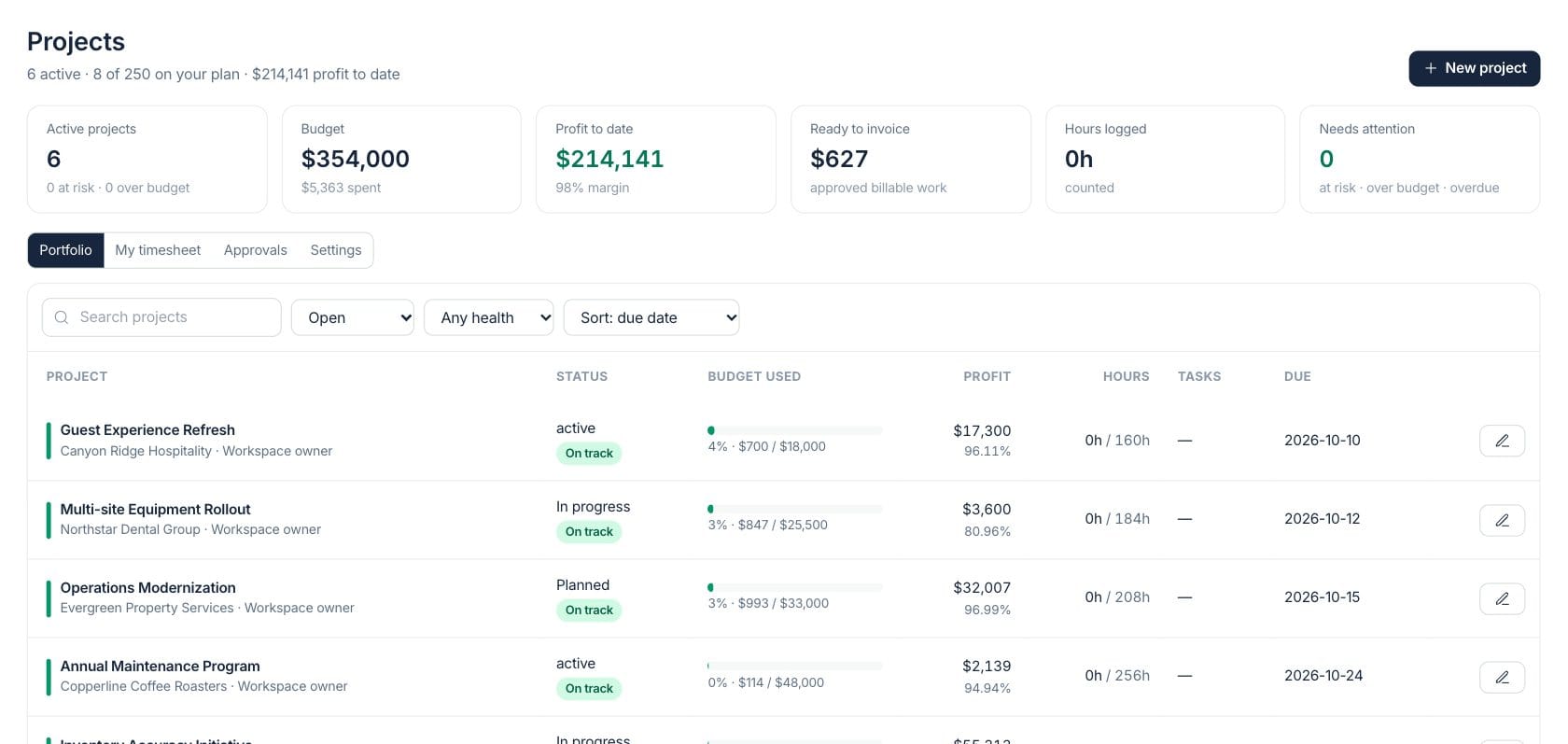
The numbers on your screen, explained
What each Projects number means and where it comes from — so you know where to act.
Counts projects that are not completed or cancelled, with risk and budget exceptions in the hint.
Totals project budgets where financial access is available and compares them with project cost.
Shows revenue basis minus project costs for the visible portfolio.
Totals counted project time and shows pending hours still waiting for approval.
Sample numbers from a demo workspace.
Portfolio
Sort active work by budget, margin, due date, and health
The Projects workspace shows active projects, budget burn, profit, hours, task status, due dates, and health filters in one portfolio table.
- Open and all-status filters
- Health and due-date sorting
- Budget used and profit columns
- Tasks and hours side by side
Detail
Open a project for progress, budget, profit, hours, and billing
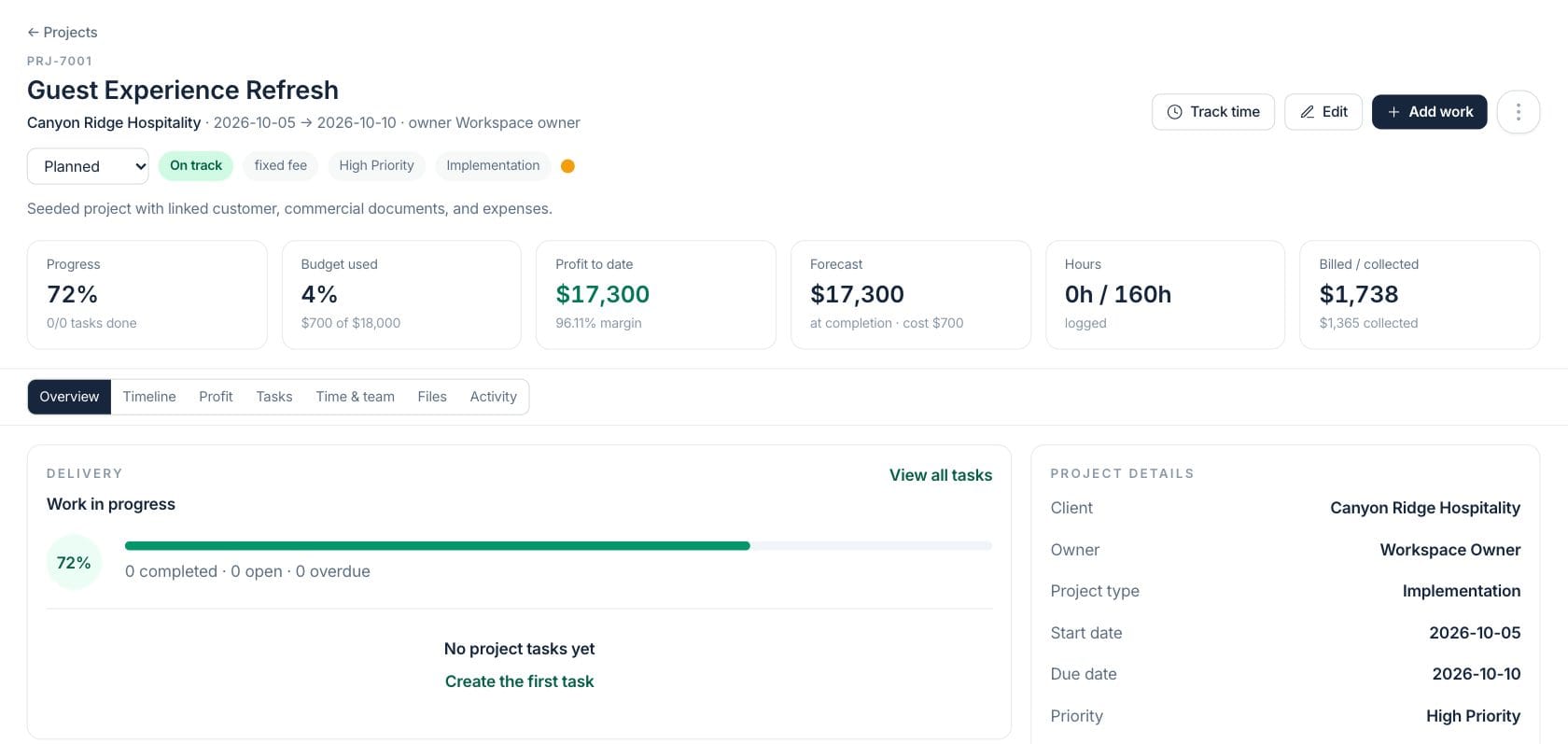
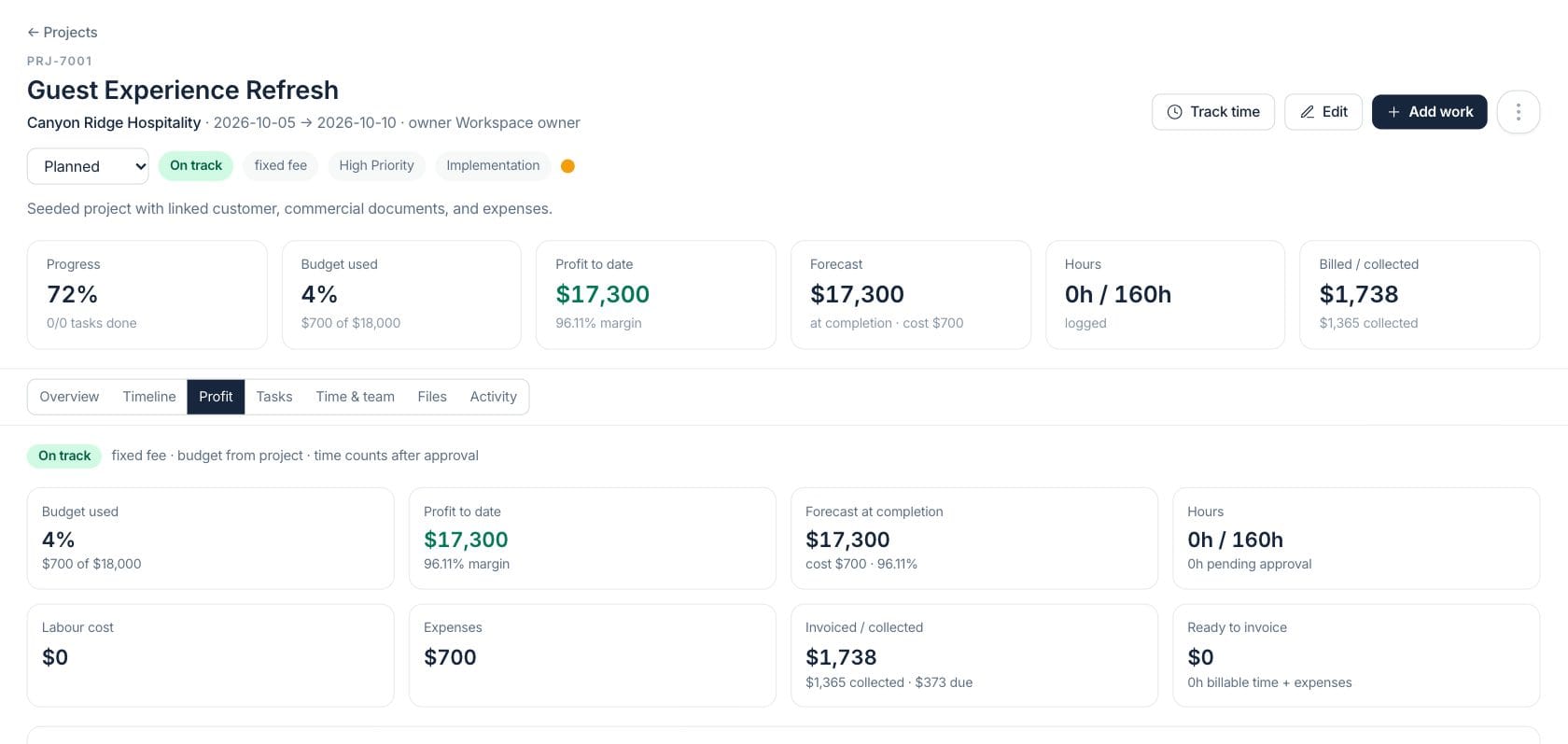
Project detail pages show progress, budget used, profit to date, forecast, hours, billed and collected amounts, plus tabs for timeline, profit, tasks, time, files, and activity.
- Progress and task completion
- Budget and profit cards
- Hours and billing status
- Overview, timeline, profit, tasks, and files tabs
Deliver
Coordinate milestones, tasks, time, and approvals
Projects connect planned work with task lists, timeline views, time tracking, approval queues, and settings for labor rates and billable work.
- Milestones and timeline view
- Task ownership and due dates
- My timesheet and approvals
- Labor rates and billable settings
Everything included
Everything in Projects
Use it for client engagements, internal initiatives, installations, and multi-step delivery.
Portfolio dashboard
Review active projects, risk, budget, profit, invoice readiness, hours, and attention counts.
Profitability view
See budget, cost, profit, margin, forecast, and billing context when financial access allows.
Time tracking
Track project hours and route pending time for approval.
Tasks and milestones
Plan deliverables with tasks, dates, milestones, status, and owners.
Ready to invoice
Surface approved billable work that can move into invoicing.
Team assignments
Connect team members and labor rates to project work.
Files and activity
Keep project files and activity history attached to the project record.
Needs attention
Highlight at-risk, over-budget, and overdue projects for review.
How it works
Projects, step by step
- 01
Create the project
Add customer, type, priority, budget, dates, estimated hours, and billing model.
- 02
Plan the work
Add milestones, tasks, owners, due dates, and timeline context.
- 03
Track time and cost
Log hours, approve time, and compare actual cost against budget.
- 04
Review billing readiness
Use profit, billed, collected, and ready-to-invoice figures during project reviews.
Connected
Works with the rest of Fratelli
The same records flow between these workspaces automatically.
FAQ
Projects questions
Can’t find what you need? Our team is happy to help.
Yes. The Projects workspace shows financial figures only when the viewer has project financial access.
Approved time is used in project work calculations, with payroll pay rates or project labor-rate settings informing labor cost.
Try Projects with the rest of Fratelli
Start free in minutes and bring the rest of your team when you are ready.