

Campaigns
Plan customer communication, audience segments, campaigns, lifecycle flows, and recent outreach activity from one marketing workspace.
At a glance
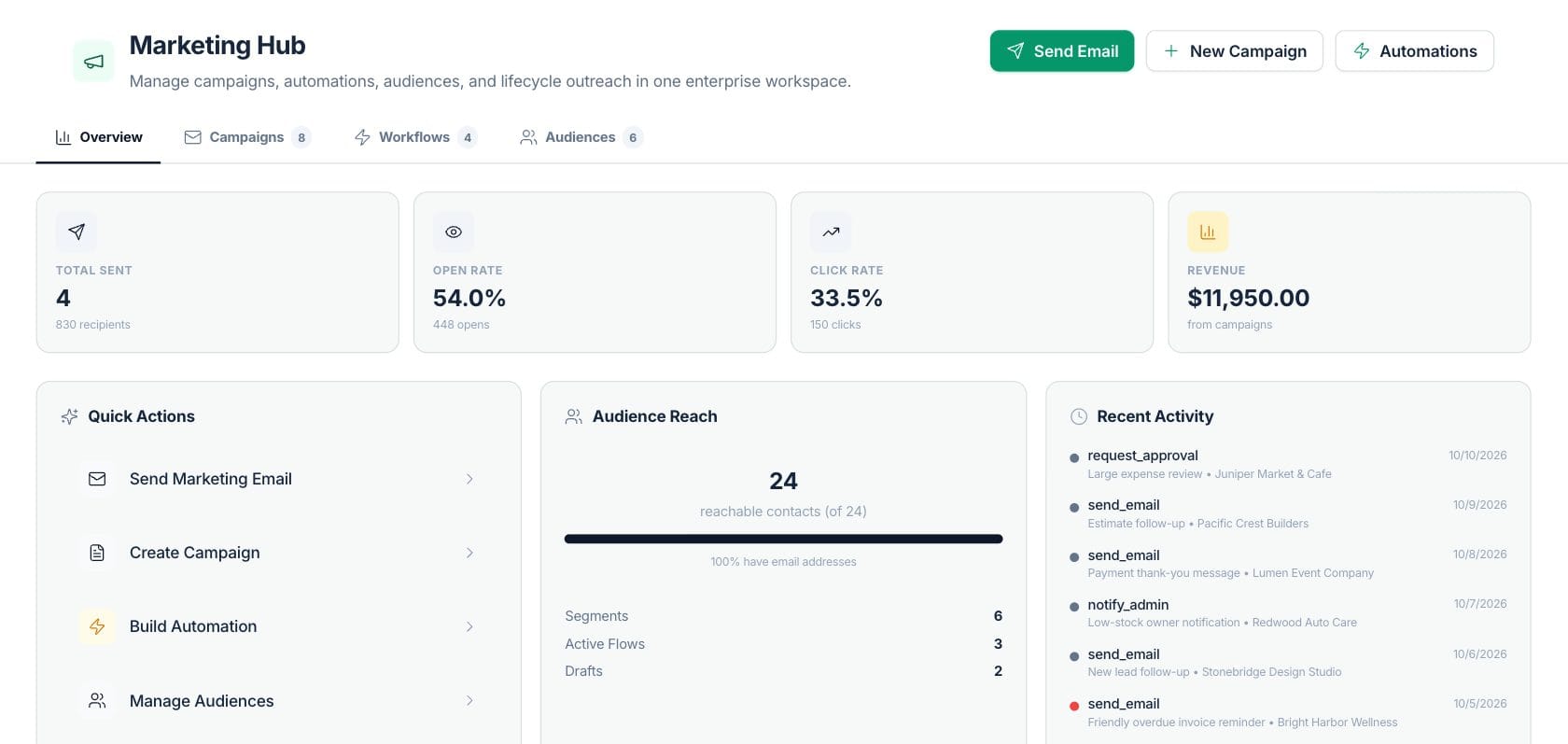
The numbers on your screen, explained
What each Campaigns number means and where it comes from — so you know where to act.
Sent campaigns counted from campaign records, with total recipient count underneath.
Email opens divided by sent recipients for campaigns with analytics data.
Campaign clicks divided by sent recipients for campaigns with analytics data.
Campaign-attributed revenue shown from campaign analytics data.
Sample numbers from a demo workspace.
Plan
Run campaigns, audiences, and workflows together
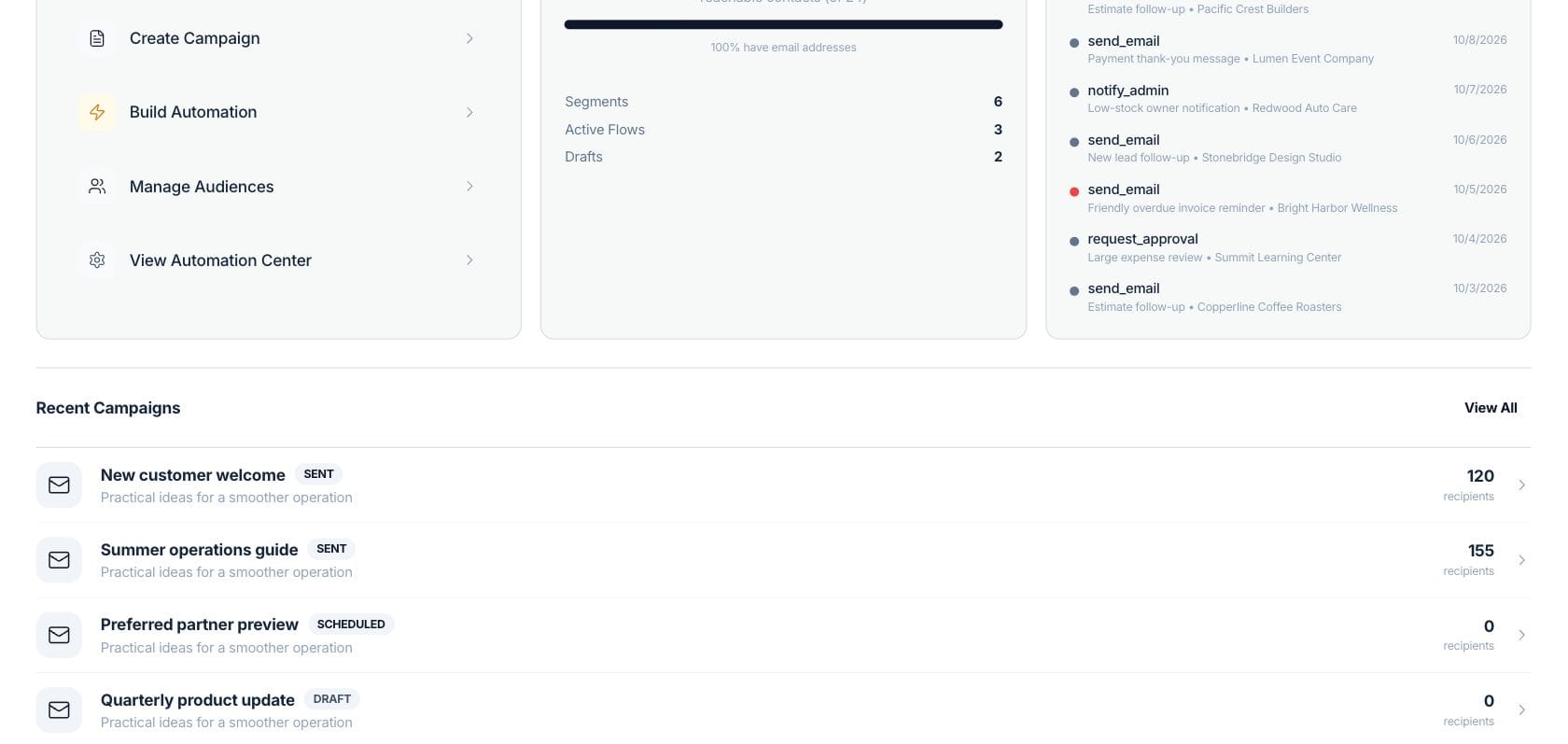
Marketing Hub combines campaigns, workflow sequences, audience segments, quick actions, and recent automation activity so outreach stays connected to customer records.
- Create a campaign, send an email, or build an automation from quick actions
- Track audience reach and reachable contacts
- Review recent campaign and automation activity
Target
Build audiences from customer and invoice context
Audience tools help group customers for announcements, follow-up, and re-engagement using data already in the workspace.
- Manage audience segments from the Marketing Hub
- Send email to a selected segment
- See how many contacts are reachable by email
Automate
Connect lifecycle communication to flows
Marketing workflows and sequences help teams standardize repeated customer communication such as follow-ups, reminders, and lifecycle messages.
- Build email and delay steps into sequences
- Review active flows and drafts
- Keep automation logs visible next to campaign work
Everything included
Everything in Campaigns
Use it for announcements, promotions, newsletters and win-back offers.
Campaign dashboard
Review sent campaigns, drafts, scheduled messages, and recent campaign activity.
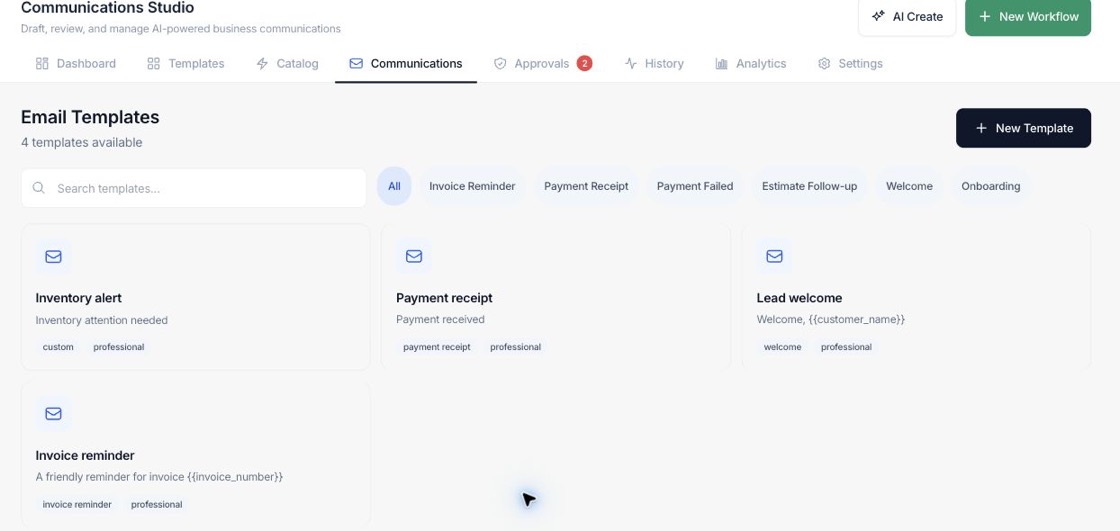
Marketing email
Compose customer emails with templates, branding context, and selected recipients.
Audience segments
Create and manage customer groups for targeted outreach.
Lifecycle workflows
Build email sequences and automation-backed customer follow-up.
Campaign analytics
Track recipients, opens, clicks, and revenue for sent campaigns.
Recent activity
See recent marketing and automation actions in one feed.
Campaign search
Search and filter campaigns by status.
How it works
Campaigns, step by step
- 01
Define the audience
Use existing customers, segments, or reachable contacts to decide who should receive the message.
- 02
Create the message or campaign
Write the subject and content, use templates, and choose campaign settings.
- 03
Send or schedule the outreach
Run a one-time campaign or connect the message to a lifecycle workflow.
- 04
Review performance
Use opens, clicks, revenue, audience reach, and recent activity to decide the next follow-up.
Connected
Works with the rest of Fratelli
The same records flow between these workspaces automatically.
FAQ
Campaigns questions
Can’t find what you need? Our team is happy to help.
Yes. Marketing receives clients, invoices, products, segments, sequences, templates, campaigns, and automation logs from the workspace.
Yes. The Audiences tab and Audience Manager let you manage segments and send an email to a selected segment.
Yes. Marketing includes workflow sequences and an Automation Center, and recent automation activity appears in the dashboard.
Try Campaigns with the rest of Fratelli
Start free in minutes and bring the rest of your team when you are ready.