

Pipeline & Deals
Manage qualified opportunities on a drag-and-drop pipeline with AI win chance, risk, stage gates, list controls, and close-month forecast.
At a glance
The numbers on your screen, explained
What each Pipeline & Deals number means and where it comes from — so you know where to act.
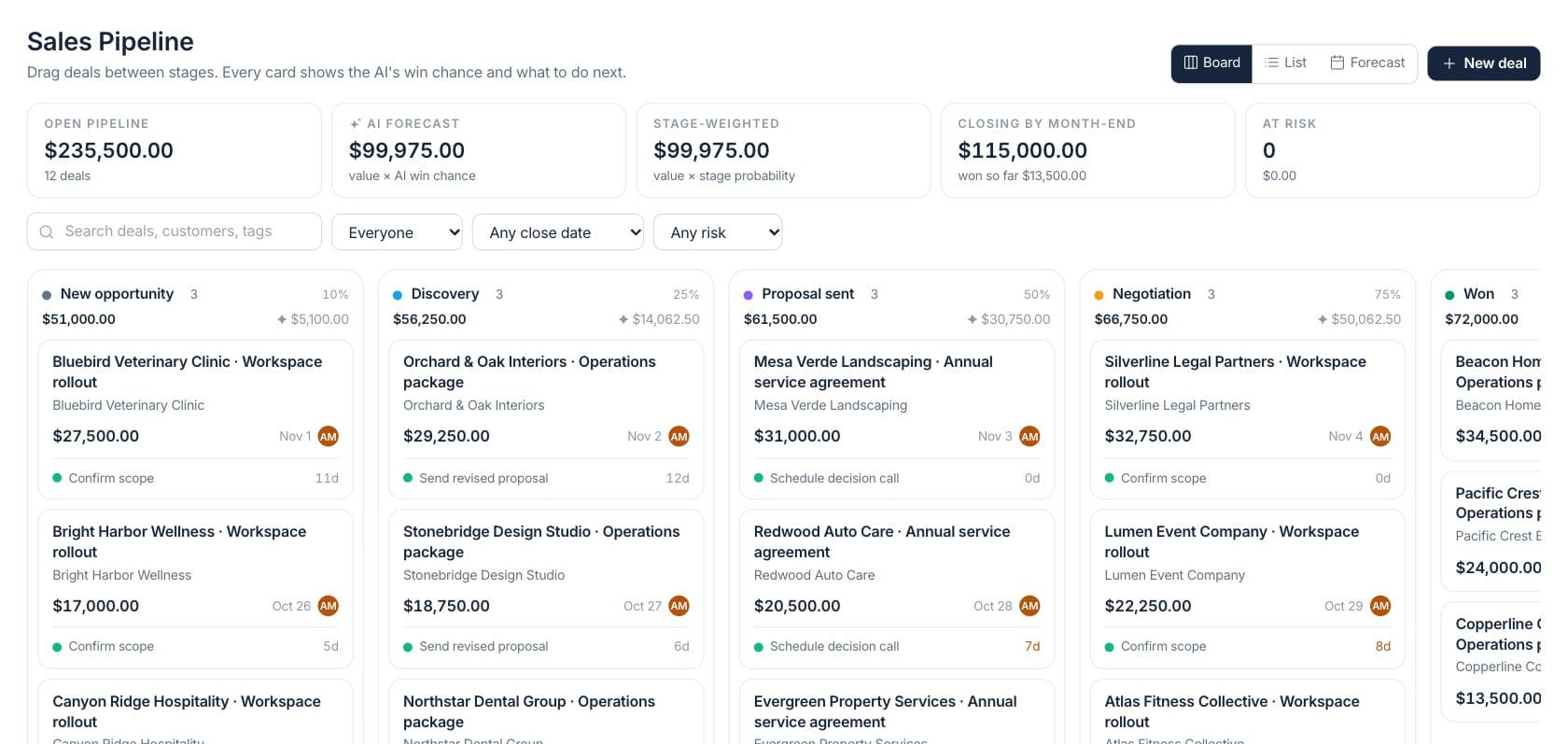
Total value of currently open deals that match the selected filters.
Open deal value multiplied by each deal’s AI win chance.
Open deal value with expected close dates in the current month, plus won value in the hint.
Open deals marked high risk by the deal intelligence model.
Sample numbers from a demo workspace.
Board
Move deals through stages with the context still on each card
The board shows deal value, customer, close date, owner, AI win chance, risk, next step, and days in stage. Teams can drag cards between stages or into won and lost zones.
- Drag-and-drop stage movement
- AI win chance and risk on deal cards
- Next step and days-in-stage visible
- Quick add inside each stage column
Forecast
Plan the month from commit, best case, and AI-weighted views
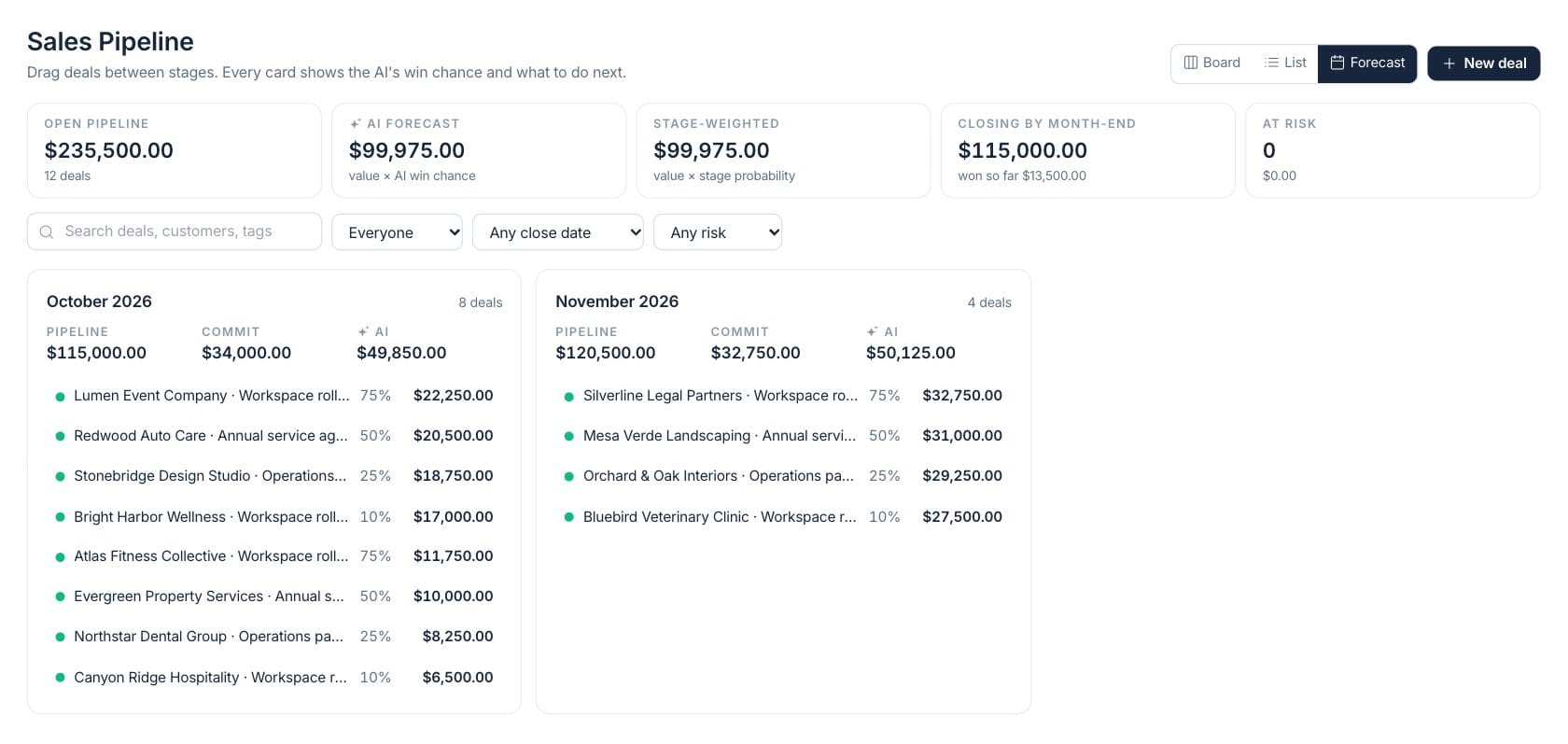
The forecast tab groups open deals by close month and compares pipeline, commit, AI, and deal count so managers can separate reliable revenue from upside.
- Month cards for current and future closes
- Commit and AI forecast values
- Deal lists with probability and value
- Filters for owner, close date, and risk
List control
Bulk update deals when board work is too slow
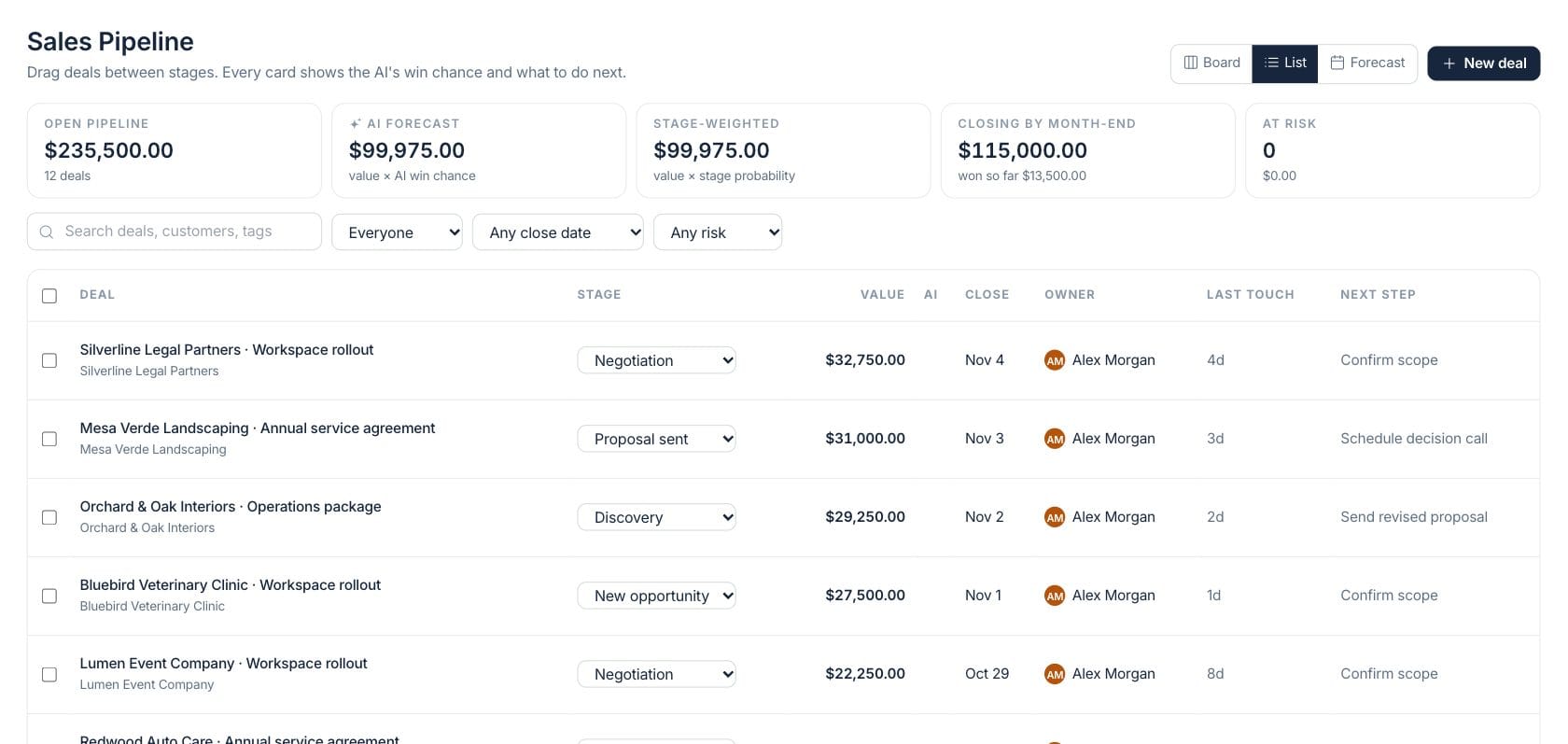
The list view lets managers compare every open opportunity in rows, change stage, set close dates, assign owners, and spot missing next steps quickly.
- Bulk assign, move, or set close date
- Inline stage changes
- AI column with win chance and risk
- Search by deal, customer, or tags
Everything included
Everything in Pipeline & Deals
Use it to manage opportunity reviews, forecast categories, and close plans.
Kanban pipeline
Drag deals between configured stages and keep stage totals visible.
AI win chance
Each open deal can show predicted win chance, risk, reasons, and a next action.
Weighted forecast
Compare AI forecast, stage-weighted value, and close-month totals.
Close-date filters
Filter to deals closing this month, past close date, or missing a close date.
Owner filters
Review everyone’s deals, only your deals, or a selected owner’s pipeline.
Bulk list actions
Assign, move, and date selected deals without editing them one by one.
Risk review
Filter to high-risk or medium-risk opportunities when forecast quality matters.
Undo-friendly moves
Stage moves use a guided flow with validation and undo support.
How it works
Pipeline & Deals, step by step
- 01
Add or import opportunities
Create deals with customer, value, owner, expected close date, and next step.
- 02
Move deals through the board
Drag opportunities between stages as conversations progress or close.
- 03
Check forecast quality
Use AI forecast, stage-weighted value, close-month cards, and risk filters before forecast meetings.
- 04
Clean up in list view
Bulk assign owners, update close dates, and fill missing next steps from the list.
Connected
Works with the rest of Fratelli
The same records flow between these workspaces automatically.
FAQ
Pipeline & Deals questions
Can’t find what you need? Our team is happy to help.
The pipeline uses configured CRM stages. The default setup includes common stages, and the board respects the active pipeline and its stage settings.
AI forecast multiplies each open deal’s value by its AI win chance, then sums those weighted values.
Yes. The list view supports stage changes and bulk actions for assignment, stage moves, and close dates.
Try Pipeline & Deals with the rest of Fratelli
Start free in minutes and bring the rest of your team when you are ready.