

Quotes & Orders
Move from quote to customer decision to order without losing pricing, scope, owner, or the billing handoff.
At a glance
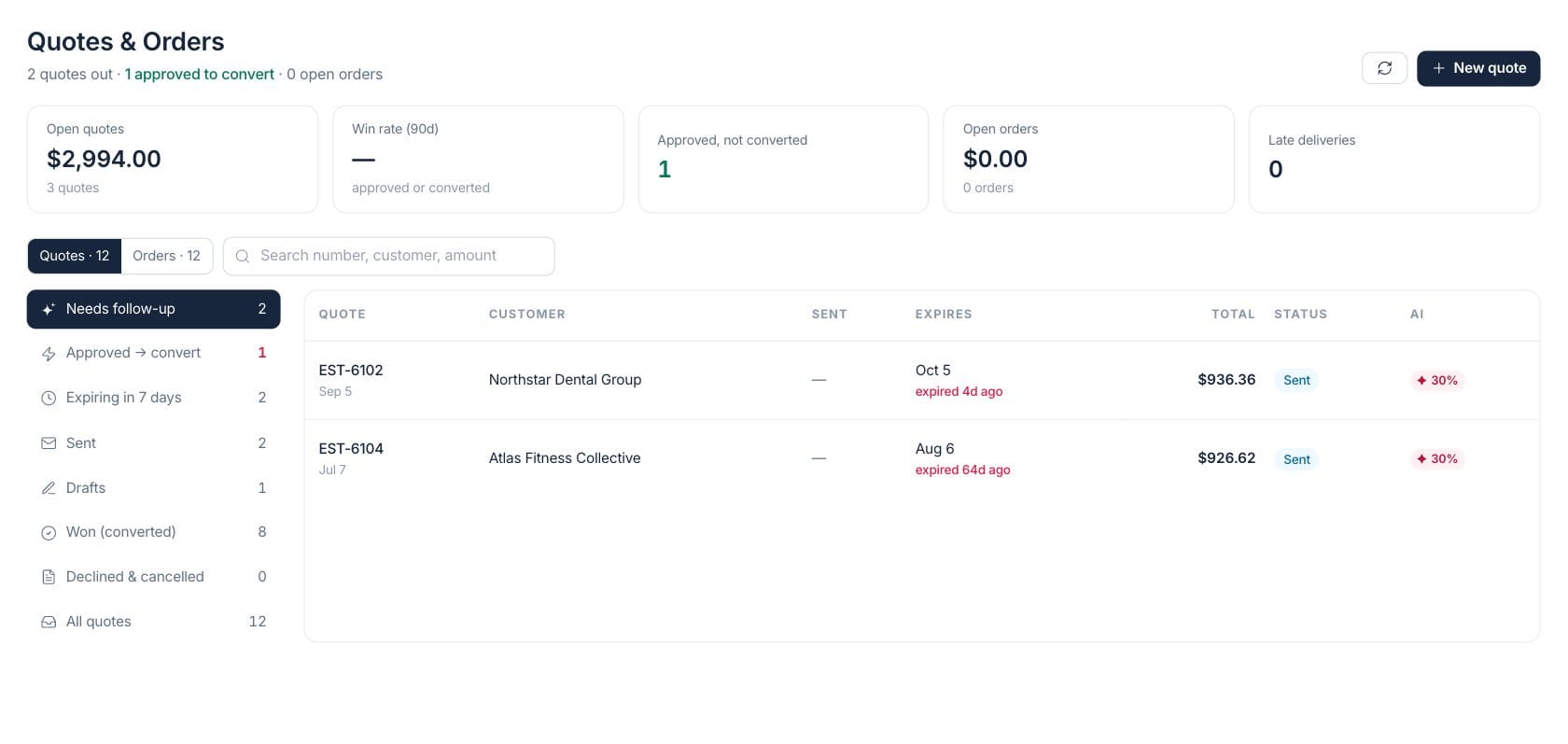
The numbers on your screen, explained
What each Quotes & Orders number means and where it comes from — so you know where to act.
The value of quotes that are still draft, sent, or awaiting conversion.
The share of quotes from the last 90 days that were approved or converted when enough history exists.
Quotes accepted by the customer that have not yet been turned into orders or billing work.
Open sales orders whose expected delivery date has passed.
Sample numbers from a demo workspace.
Quote follow-up
Know which quotes need a decision
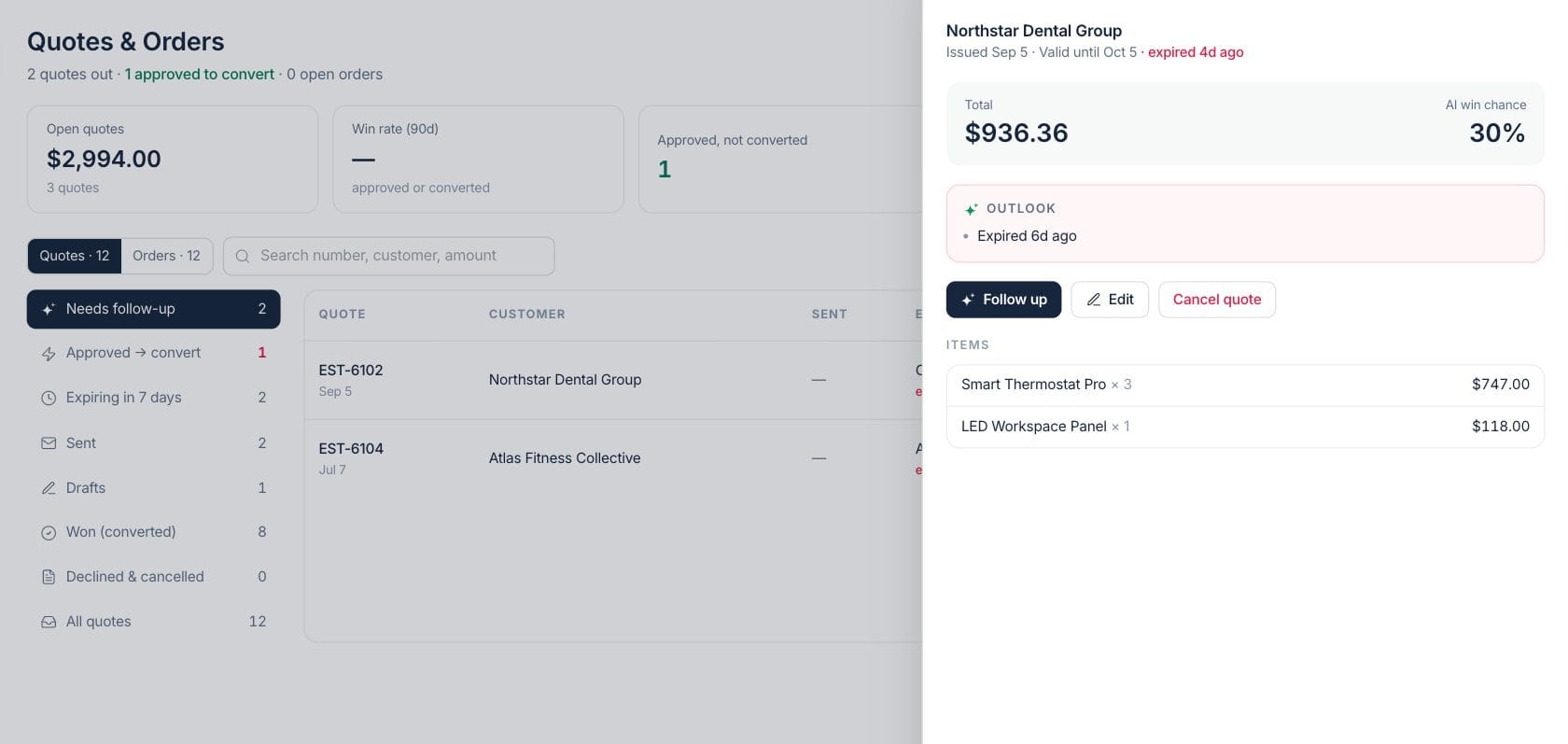
The quote inbox groups sent, expiring, approved, won, and lost quotes. AI win chance and follow-up cues help the team decide whether to nudge, edit, cancel, or convert.
- Needs follow-up and expiring views
- AI win chance on open quotes
- Quote drawer with items and outlook
- Follow-up draft from the quote record
Order handoff
Turn approved terms into fulfillment and invoices
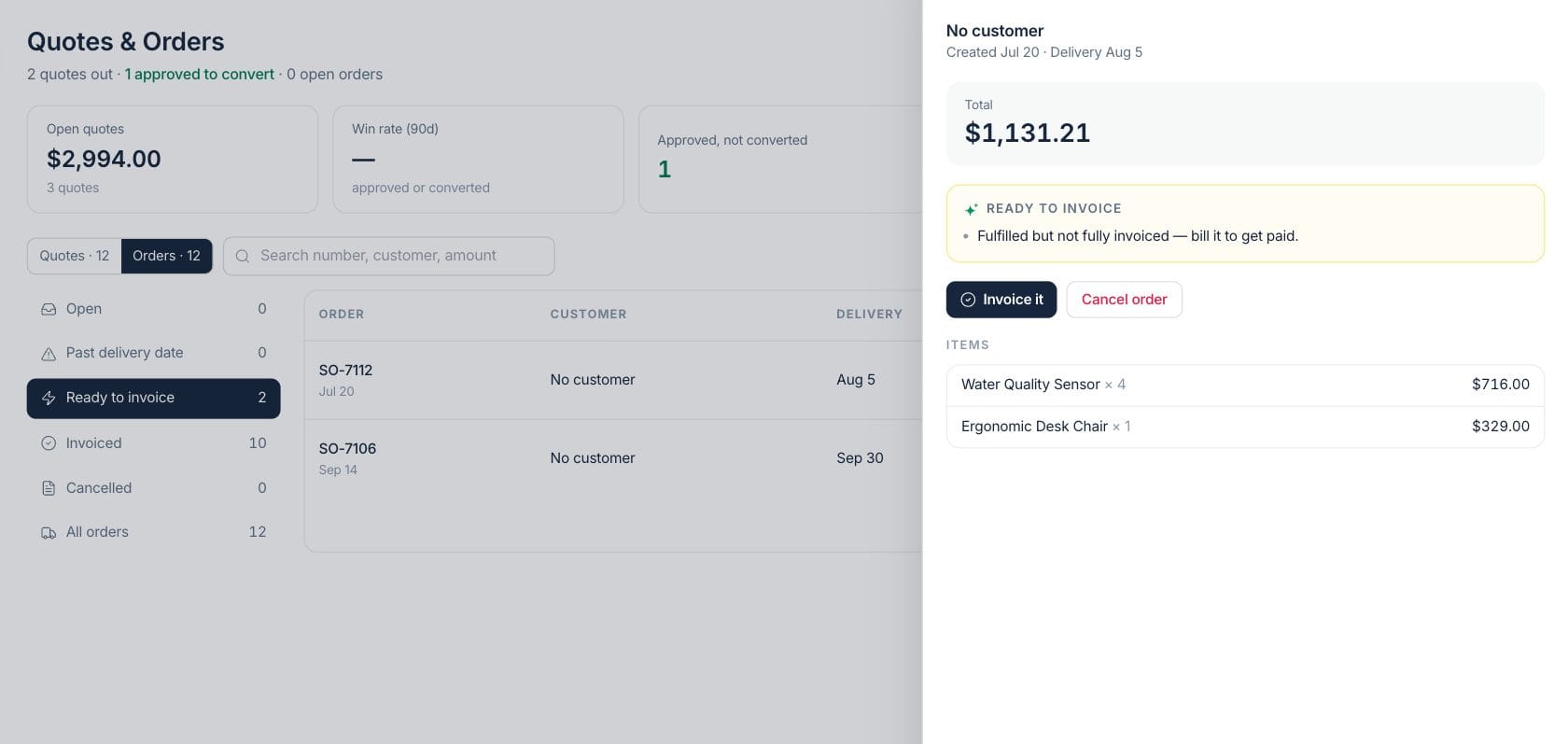
Orders keep customer, delivery, item, and invoice context together. When work is fulfilled but not billed, the workspace calls it out with an Invoice it action.
- Open, late, ready-to-invoice, and invoiced views
- Order detail with delivery date and items
- Start fulfillment or fulfill and invoice
- Linked invoices remain visible from the order
Create
Build a quote from customers, products, offers, and price lists
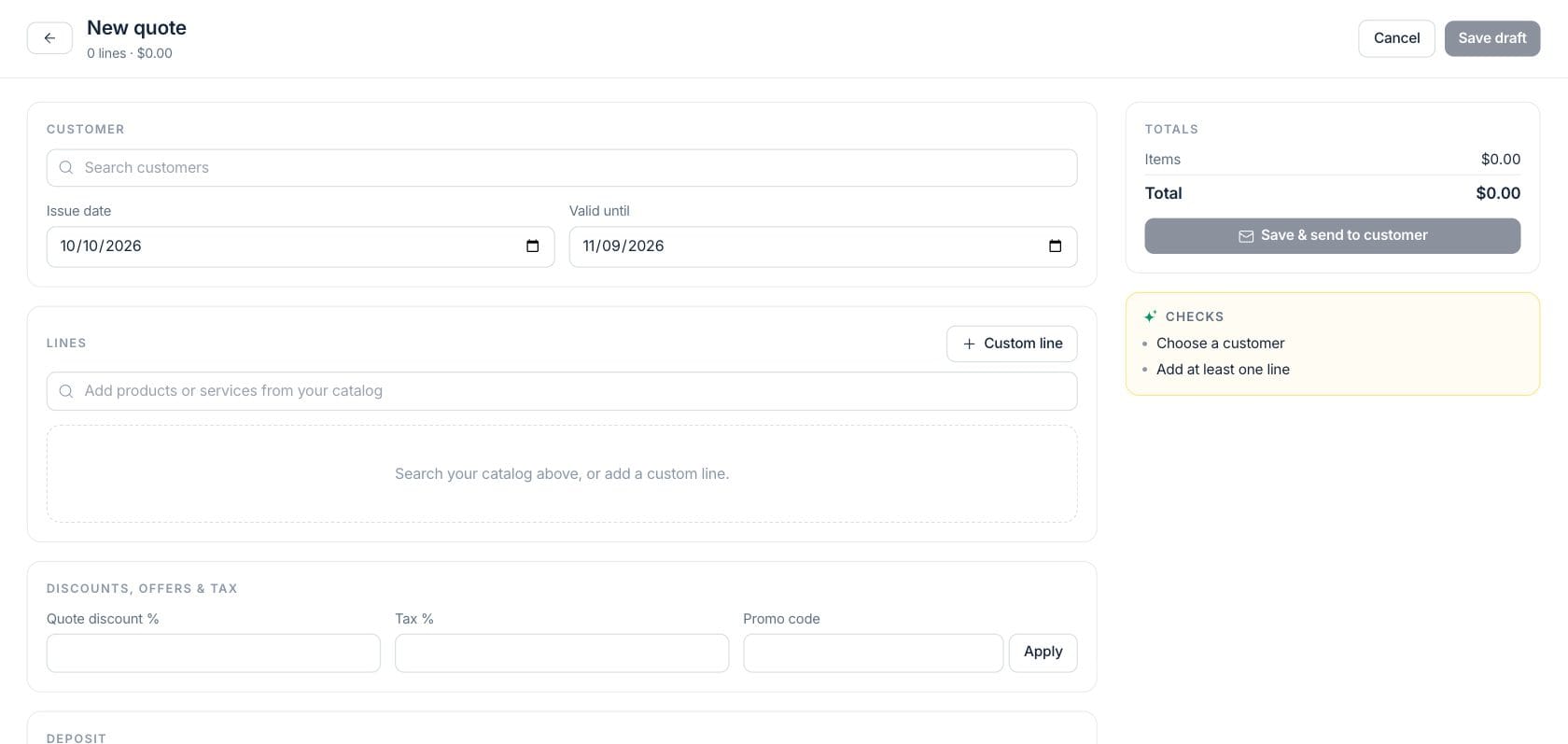
The quote composer uses existing customer and product data, supports editing or duplicating a quote, and can open the saved quote detail for sending or conversion.
- New quote action from the workspace
- Create, edit, or duplicate quote flows
- Customer and product context carried forward
- Approved quotes convert into order work
Everything included
Everything in Quotes & Orders
Use it when pricing, scope, or approval must be confirmed before delivery begins.
Quote pipeline
Review draft, sent, expiring, approved, won, and lost quotes from one workspace.
AI win chance
Open quotes show win probability and risk signals when the model has enough context.
Follow-up drafts
Prepare a quote follow-up email from the quote record before sending it.
Quote-to-order conversion
Accepted quotes can move into the connected sales order workflow.
Fulfillment status
Orders are grouped by open, late, ready to invoice, invoiced, and cancelled states.
Invoice handoff
Fulfilled or partially invoiced orders are flagged so the team can bill them.
Fast search
Find quotes and orders by number, customer, or amount.
Live recompute
Refresh quote intelligence and sales billing metrics when the team needs current figures.
How it works
Quotes & Orders, step by step
- 01
Create the quote
Choose the customer, add products or services, review totals, and save the proposal.
- 02
Work the decision queue
Use follow-up, expiring, and approved views to keep quotes from going stale.
- 03
Convert accepted work
Move approved terms into a sales order so fulfillment can begin with the same context.
- 04
Invoice when ready
Use ready-to-invoice signals to bill completed work without re-entering the order.
Connected
Works with the rest of Fratelli
The same records flow between these workspaces automatically.
FAQ
Quotes & Orders questions
Can’t find what you need? Our team is happy to help.
Yes. Approved quotes can be converted into the sales order workflow, preserving the commercial context for fulfillment and billing.
Yes. The workspace shows AI win chance and follow-up signals on quote records where there is enough data.
Orders that are ready to bill show invoice actions so the team can move fulfillment into billing.
Try Quotes & Orders with the rest of Fratelli
Start free in minutes and bring the rest of your team when you are ready.