

Sales Overview
Run the week from one sales and billing view: AI brief, revenue target, receivables, open quotes, and the customer actions that need attention.
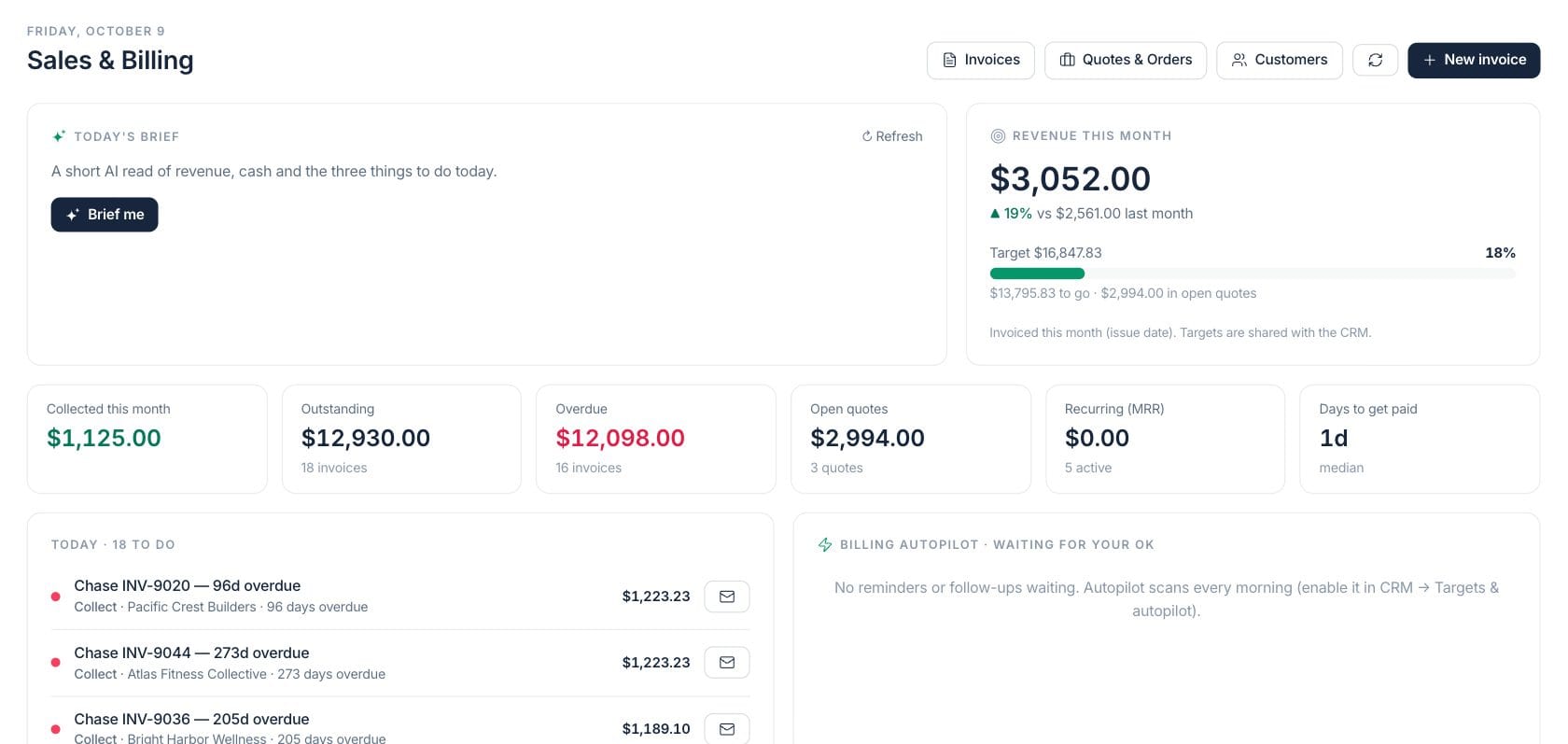
At a glance
The numbers on your screen, explained
What each Sales Overview number means and where it comes from — so you know where to act.
Payments collected during the current month from paid invoices and recorded payments.
Open receivables across sent, partially paid, and overdue invoices.
Open invoice balances past their due date.
The total value of quotes still waiting for a customer decision or internal conversion.
Sample numbers from a demo workspace.
Daily focus
Start with the commercial work that needs action today
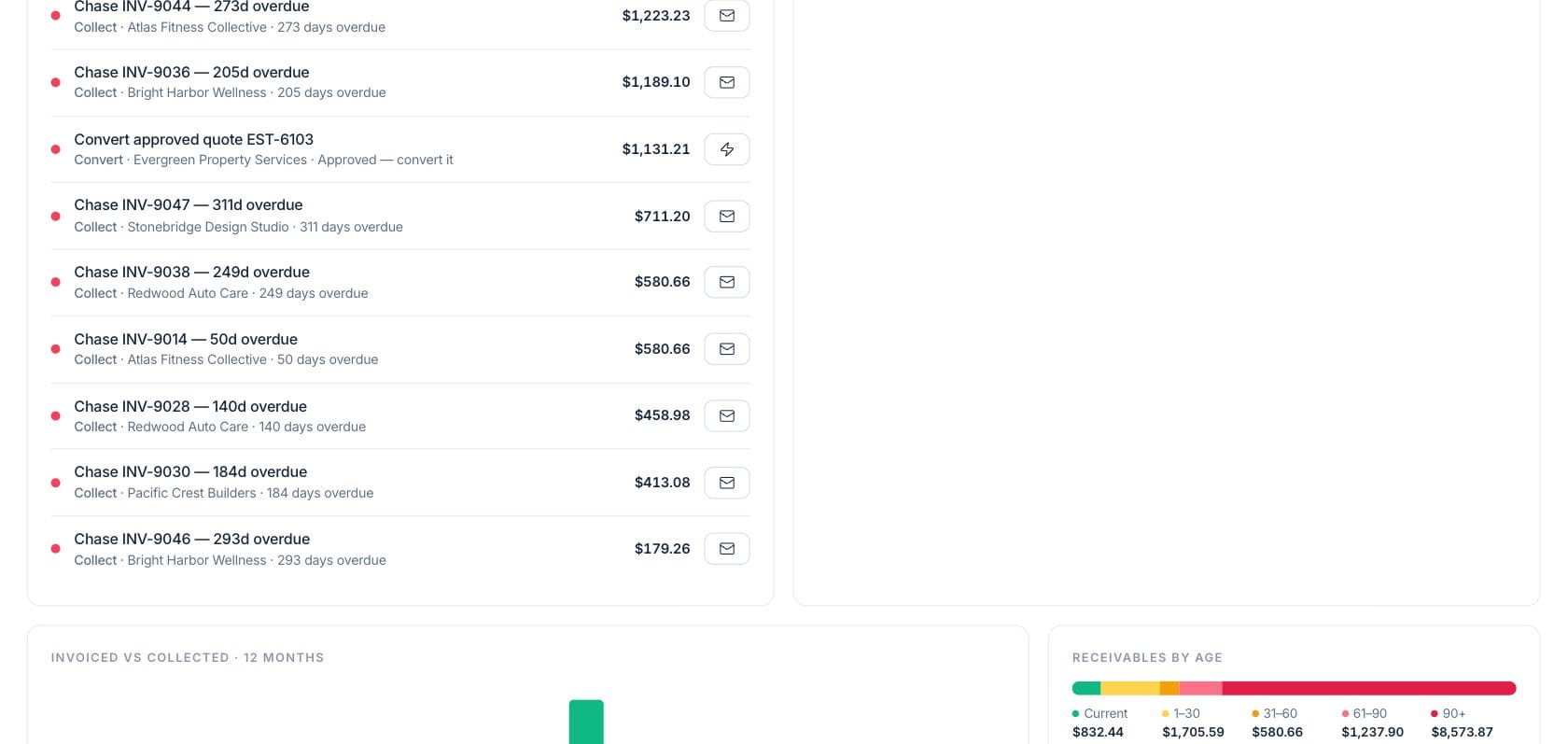
The overview turns billing, quotes, and customer follow-up into a ranked worklist. Owners can chase overdue invoices, convert approved quotes, and open the right record without searching through separate screens.
- Overdue invoice chases with customer and age
- Approved quotes surfaced for conversion
- One-click shortcuts to email, convert, or review
- Billing autopilot approvals beside manual tasks
Revenue watch
Track target progress, cash collection, and aging together
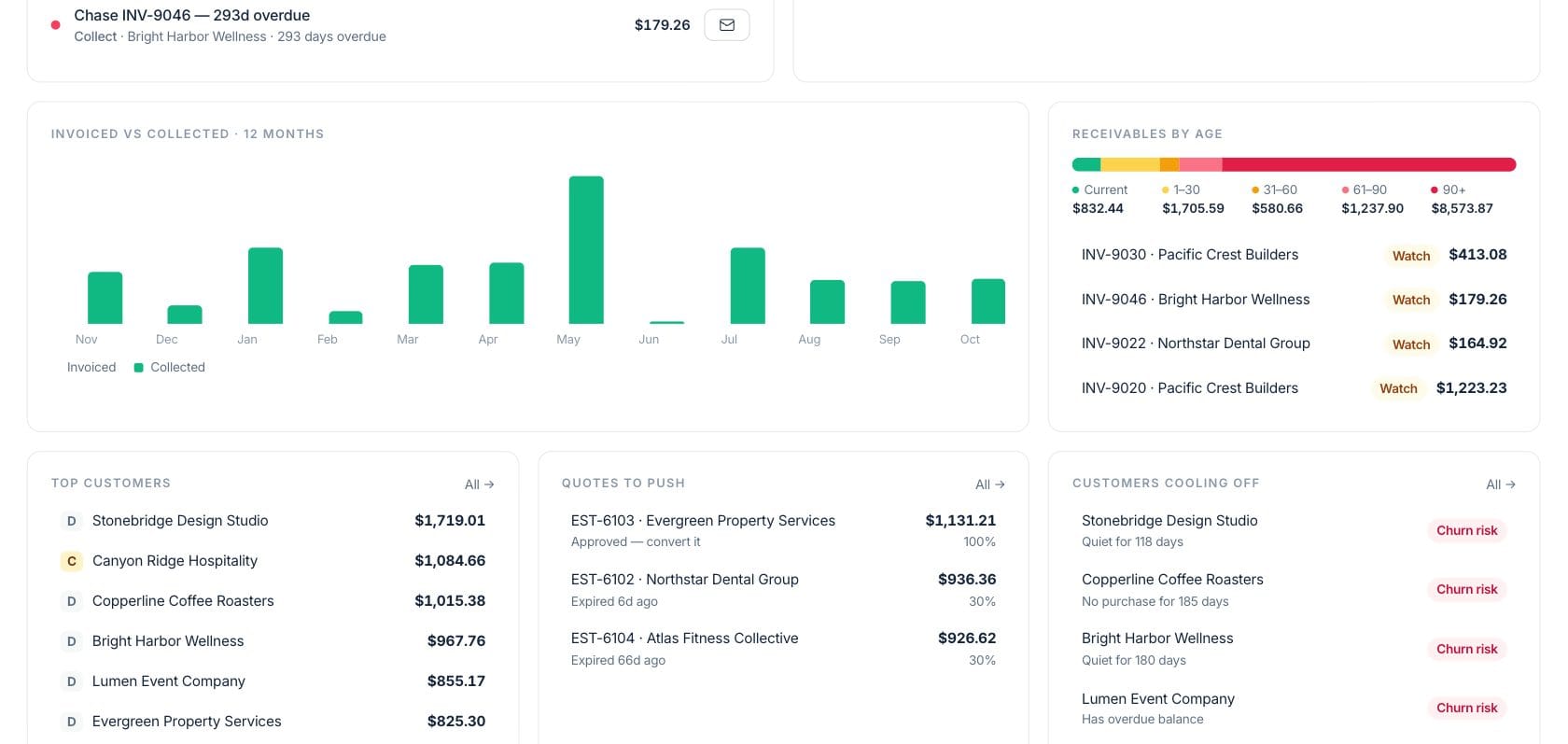
Revenue this month, target attainment, open quote value, receivable aging, and top customer value sit in one review. Leaders can see whether the gap is a sales issue, a collection issue, or both.
- Target progress with amount left to go
- Invoiced vs collected history
- Receivables grouped by aging band
- Top customers and quotes to push
AI brief
Ask for a short read before a sales meeting
The sales brief summarizes revenue, cash, and three priorities for the day from the same numbers on the page. It is designed for managers who need a fast read before stand-up or follow-up blocks.
- Brief me action on the overview
- Focus items tied to real records
- Shared target context with CRM
- Refresh when the team needs a new read
Everything included
Everything in Sales Overview
Use it for weekly reviews, forecast preparation, and team prioritization.
Monthly target tracker
See revenue this month, last month, target progress, and the amount still needed.
Receivables snapshot
Outstanding and overdue invoice totals stay visible beside collection progress.
Quote follow-up
Open quote value and approved quotes point the team toward revenue waiting on a decision.
Today queue
A prioritized list gathers collection, quote, and billing actions in one place.
AI sales brief
Generate a short read of revenue, cash, and the most important actions for today.
Twelve-month history
Review invoiced versus collected trends to spot timing gaps and seasonality.
Customer momentum
Top accounts and cooling customers are visible without leaving the sales review.
Autopilot approvals
Review suggested invoice reminders and quote follow-ups before they go out.
How it works
Sales Overview, step by step
- 01
Review the brief and target
Start with the AI brief and revenue target to understand the month’s position.
- 02
Work the highest-priority actions
Use the today queue to chase overdue balances, convert approved quotes, or open the related record.
- 03
Check aging and customer signals
Use receivable aging, top customers, and cooling-off accounts to choose the next conversations.
- 04
Hand off to the right workspace
Jump into invoices, quotes, customers, or CRM when a task needs deeper follow-through.
Connected
Works with the rest of Fratelli
The same records flow between these workspaces automatically.
FAQ
Sales Overview questions
Can’t find what you need? Our team is happy to help.
No. It summarizes important sales and billing signals, then links into invoices, quotes, customers, and CRM when you need to act on the details.
Sales targets are shared with CRM targets. The revenue card compares current-month invoiced revenue against that monthly target.
The brief summarizes priorities. Autopilot suggestions such as reminders and follow-ups appear separately for review and approval.
Try Sales Overview with the rest of Fratelli
Start free in minutes and bring the rest of your team when you are ready.