

Offers & Discounts
Create controlled promotions with clear eligibility, discount value, usage limits, channels, and health signals that show whether an offer needs review.
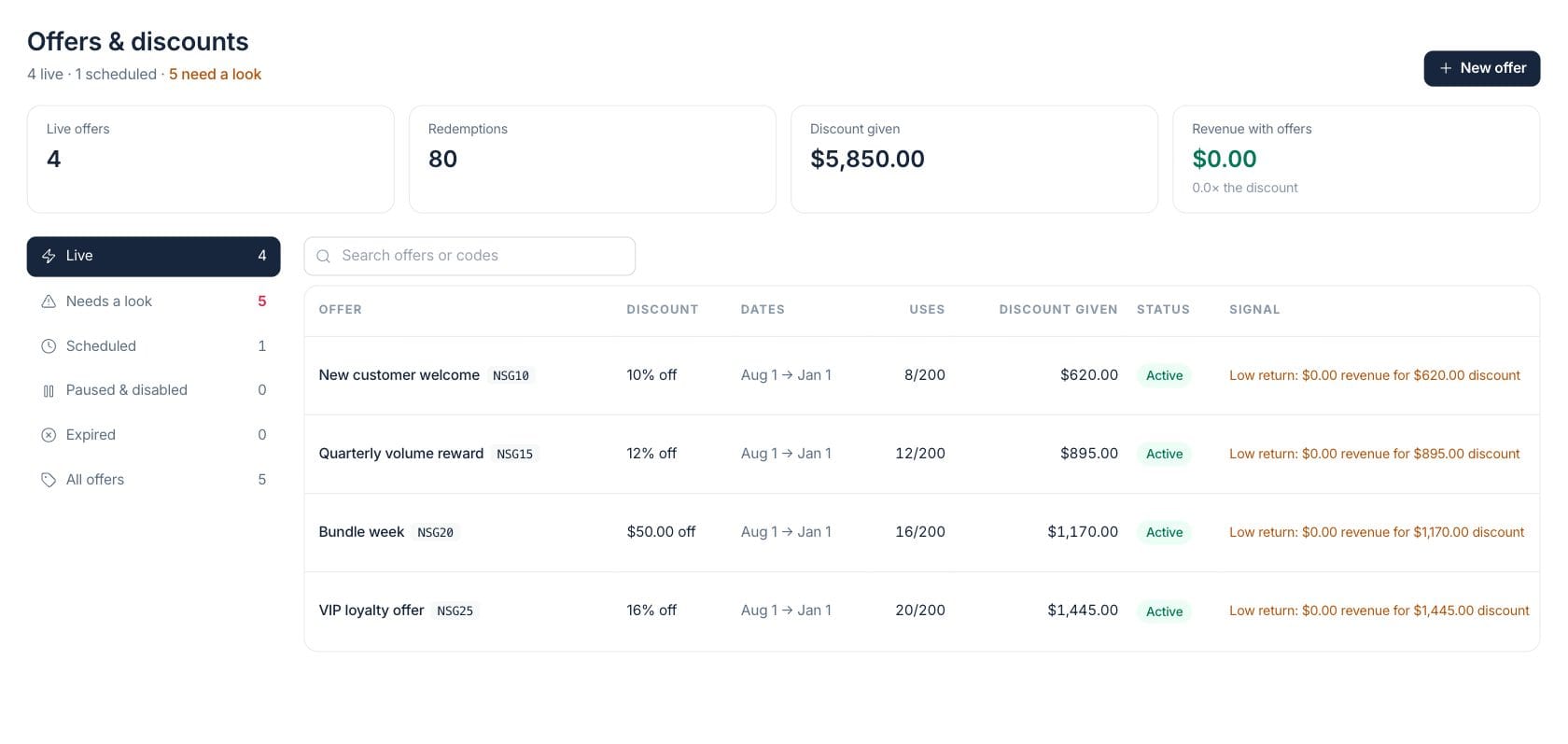
At a glance
The numbers on your screen, explained
What each Offers & Discounts number means and where it comes from — so you know where to act.
Offers with an active status are counted as live and available according to their rules.
Applied offers are counted from invoice, estimate, and sales-order activity that records a redemption.
The total discount amount attributed to offers shows how much revenue was reduced by promotions.
Revenue on documents that used offers is summed, with the hint comparing revenue to discount value.
Sample numbers from a demo workspace.
Rules
Define exactly how a discount can be used
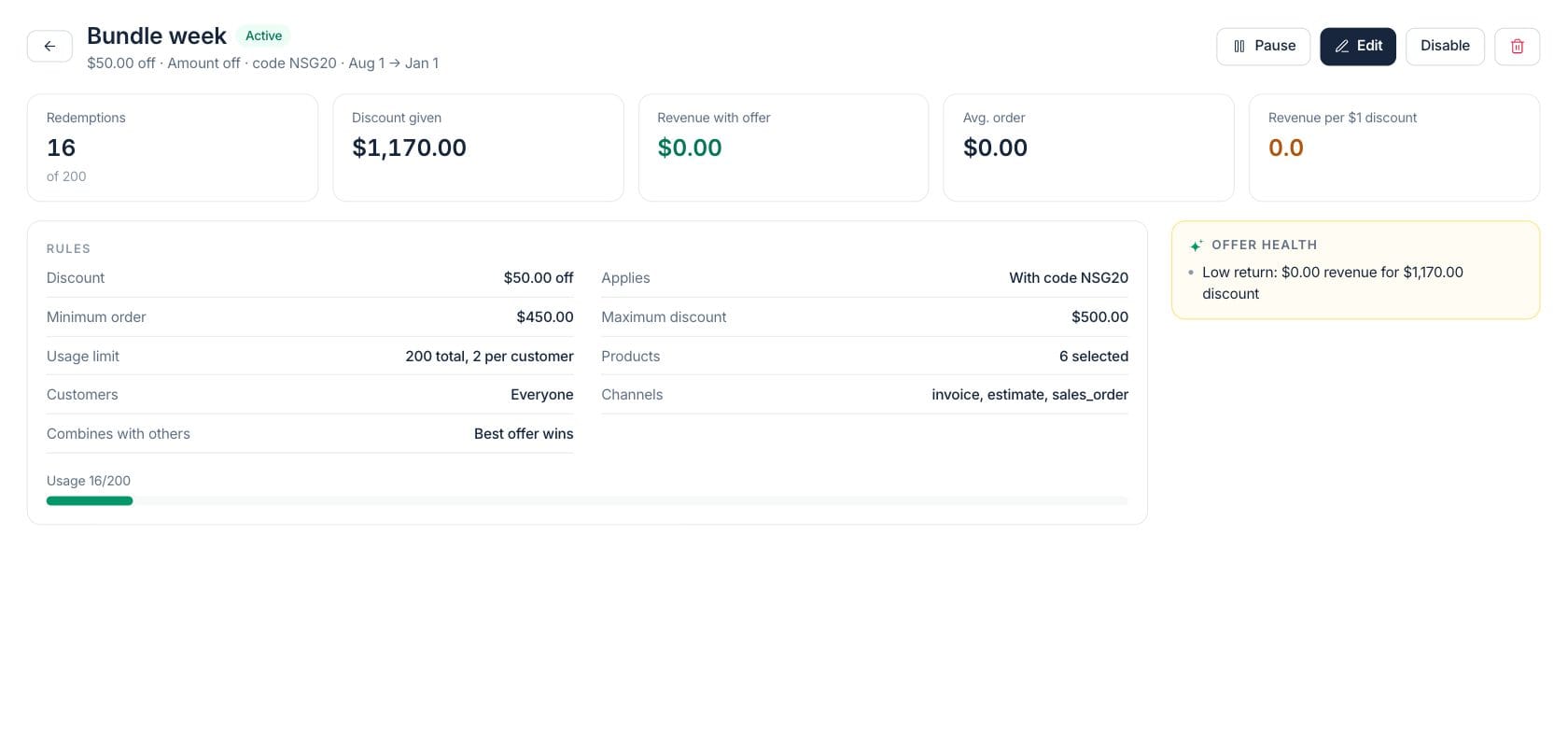
Offer detail shows the value, minimum order, caps, usage limits, products, customers, channels, and stacking behavior so teams know what the promotion will do.
- Amount, percentage, first-order, and code-based offers
- Minimum order and maximum discount controls
- Product, customer, customer-group, and channel scope
Guardrails
Review eligibility and stacking before launch
Eligibility controls help prevent discounts from applying to the wrong customers or combining in ways that hurt margin.
- Usage limits per offer and per customer
- Exclusive, stackable, or best-offer-wins behavior
- Scheduled, paused, disabled, and expired statuses
Measure
See whether a promotion is creating healthy revenue
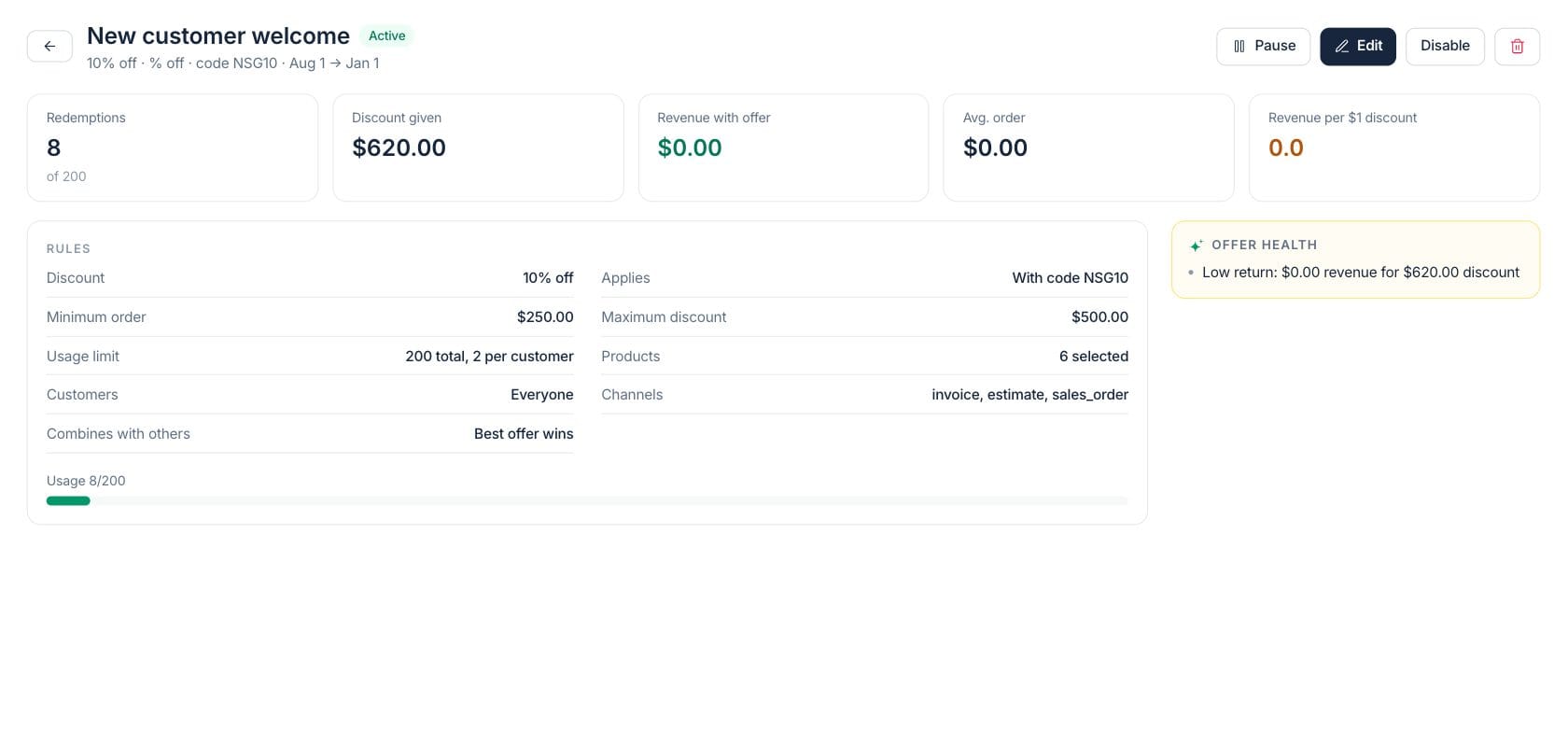
Offer performance compares redemptions, discount given, revenue with offer, average order, and revenue per discount dollar, with warnings for uncapped or low-return offers.
- Health notes call out low return or exhausted usage
- Last-30-day redemption context
- Pause, activate, disable, or edit from the detail page
Everything included
Everything in Offers & Discounts
Use it for campaigns, negotiated discounts, limited offers, and customer incentives.
Flexible discounts
Create amount-off, percent-off, and other promotional terms with clear values.
Offer codes
Use a code or configure an offer to apply automatically when its rules match.
Eligibility controls
Limit offers by product, customer, customer group, channel, minimum order, and usage count.
Stacking rules
Choose whether an offer stacks, stays exclusive, or lets the best offer win.
Scheduling
Run offers for defined date ranges and review scheduled, live, paused, expired, or disabled status.
Offer performance
Track redemptions, discount given, revenue with offer, average order, and return per discount dollar.
Health warnings
Surface uncapped discounts, low return, exhausted usage, or stale live offers.
Lifecycle actions
Pause, activate, disable, edit, or delete offers while preserving past redemptions.
How it works
Offers & Discounts, step by step
- 01
Set the offer value
Choose the discount type, amount, code, and dates so the commercial terms are clear.
- 02
Add eligibility guardrails
Limit the offer by order size, products, customers, channels, usage, and stacking behavior.
- 03
Launch and monitor
Use live and needs-a-look views to see redemptions, discount given, and offer health.
- 04
Pause or retire
Adjust the offer lifecycle when the campaign ends, reaches its cap, or needs a pricing review.
Connected
Works with the rest of Fratelli
The same records flow between these workspaces automatically.
FAQ
Offers & Discounts questions
Can’t find what you need? Our team is happy to help.
Yes. Offers can target selected products, customers, customer groups, and channels, with optional minimum order and maximum discount rules.
The offer rules include stacking behavior. You can make an offer exclusive, allow stacking, or let the best offer win.
It shows redemptions, discount given, revenue with the offer, average order, and revenue per discount dollar, plus health warnings for risky rules.
Try Offers & Discounts with the rest of Fratelli
Start free in minutes and bring the rest of your team when you are ready.