

Price Lists
Manage contract, wholesale, regional, or customer-specific pricing with price rules, assignments, effective dates, and margin checks before teams quote or invoice.
At a glance
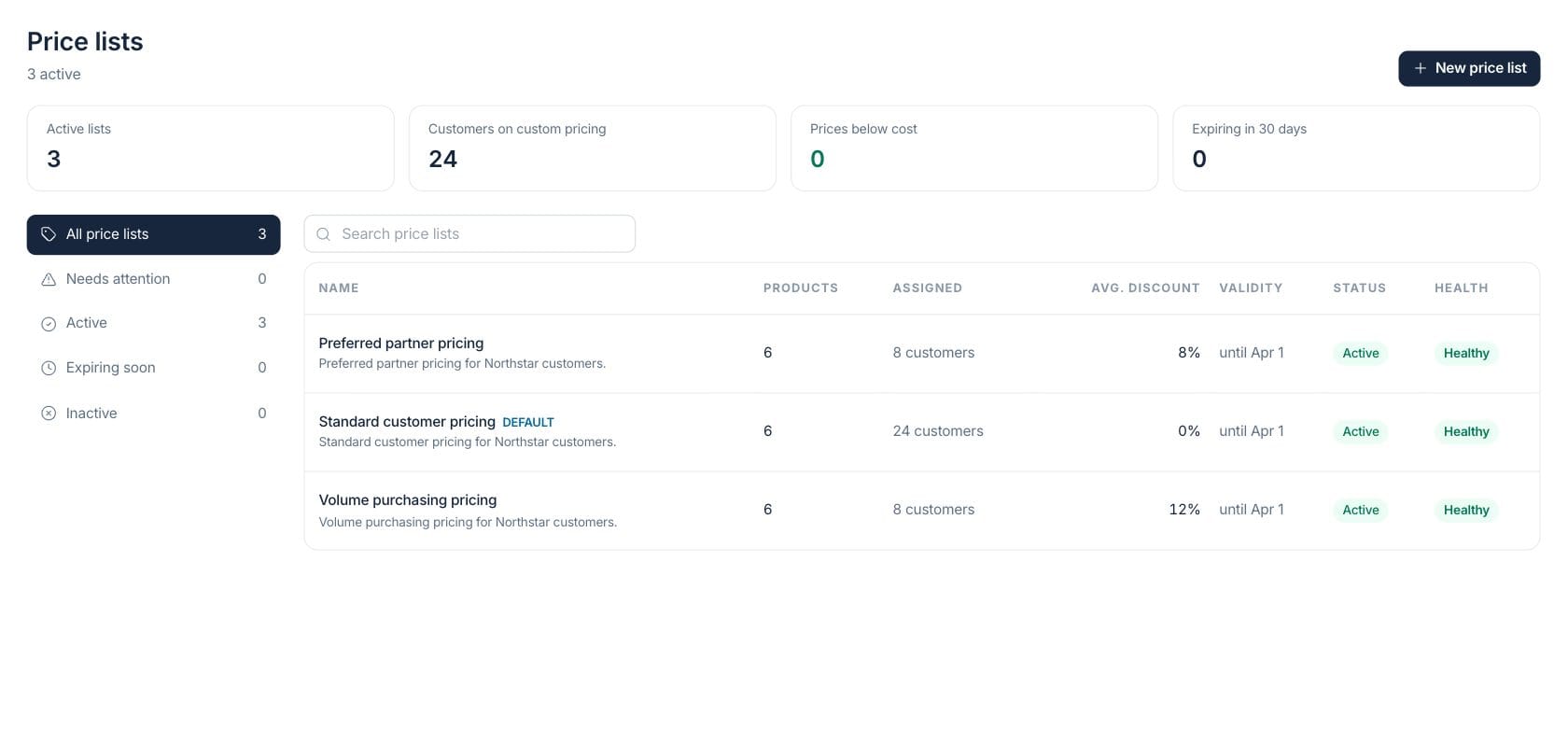
The numbers on your screen, explained
What each Price Lists number means and where it comes from — so you know where to act.
Price lists marked active are counted, including any default list used for standard customer pricing.
Assigned customers on active price lists are deduplicated to show how many receive custom pricing.
Rules are compared with product cost and flagged when the list price is lower than cost.
Active lists with an end date in the next 30 days are counted for renewal review.
Sample numbers from a demo workspace.
Rules
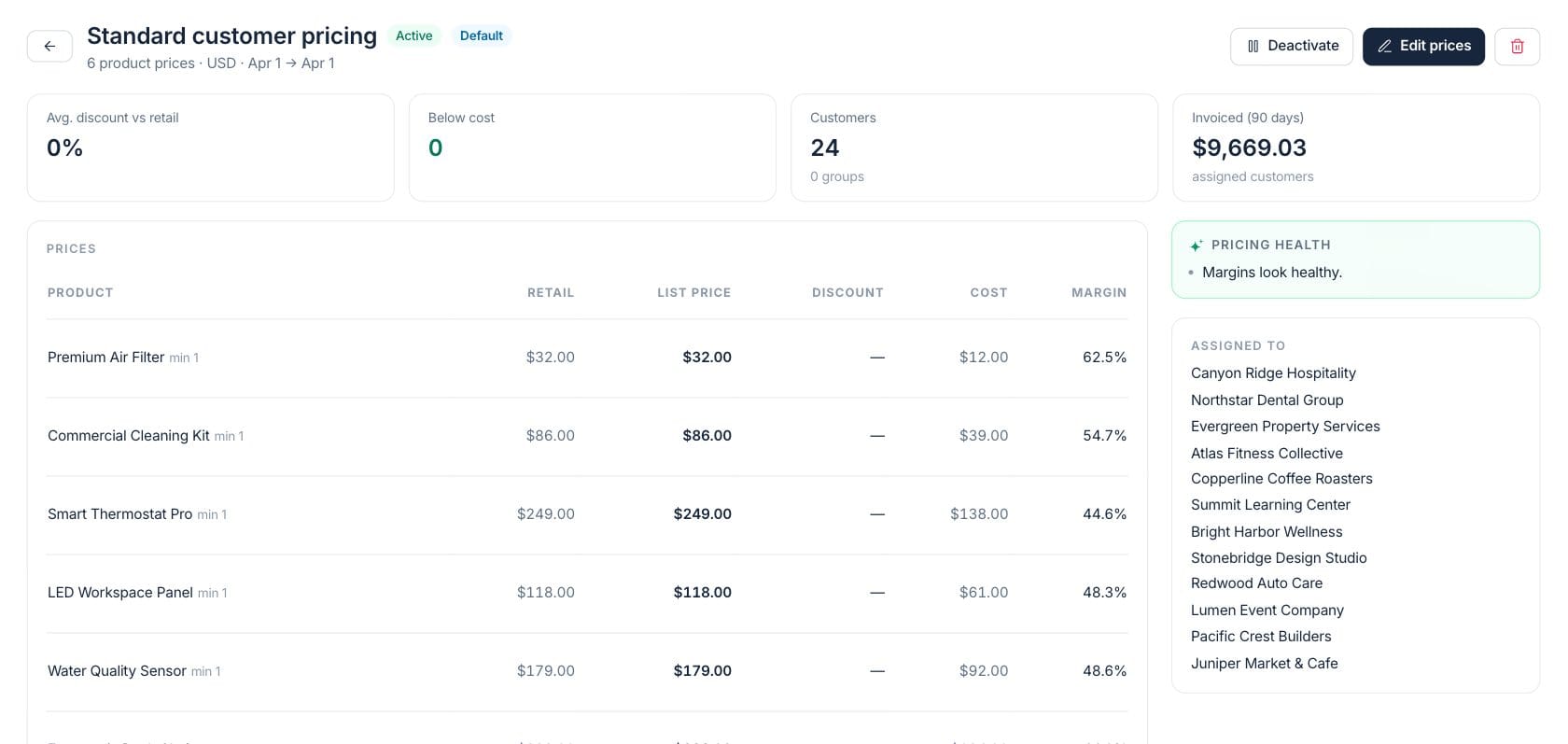
Control the price each customer group should see
A price list stores product-level custom prices or discounts, currency, minimum quantities, and effective dates so teams do not have to remember special agreements.
- Product rules show retail, list price, cost, and margin
- Default and active status are visible on the detail page
- Effective dates support seasonal or contract pricing
Assign
Apply pricing to the right customers and groups
Assign a list to specific customers or customer groups, then review who receives those prices before your sales team prepares documents.
- Customer and group assignments are shown beside the list
- Unassigned lists are flagged as needing attention
- Inactive assigned lists warn that customers may get retail prices
Protect margin
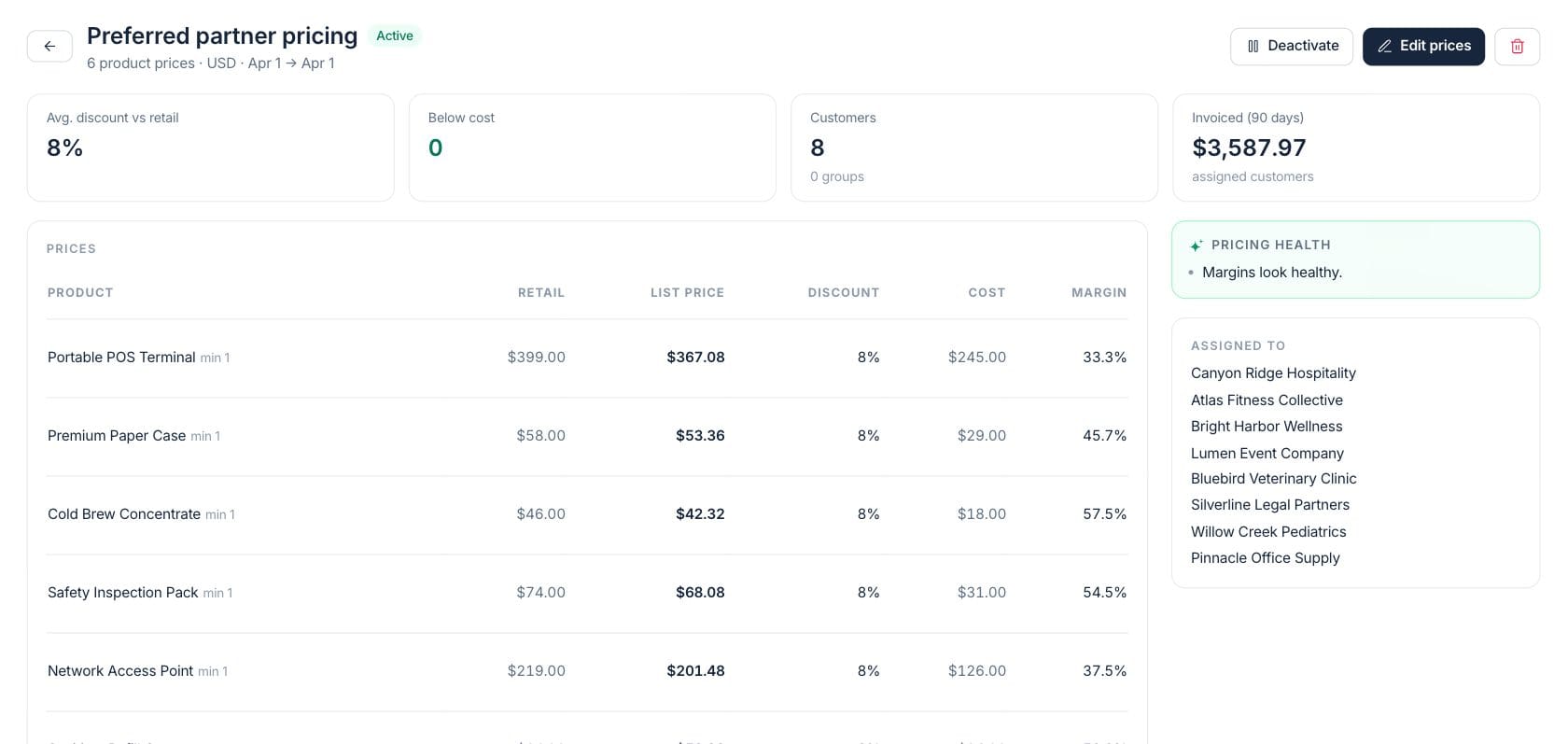
Catch below-cost and low-margin rules before they spread
Pricing health explains when a product is below cost, below the margin threshold, expired, or missing an assignment, giving managers a quick review queue.
- Below-cost count on list and detail pages
- Low-margin warning without hiding the price rule
- Ninety-day invoiced revenue for assigned customers
Everything included
Everything in Price Lists
Use it for wholesale tiers, contract pricing, regional pricing, or seasonal catalogs.
Custom price rules
Set fixed prices or discount percentages at the product and variant level.
Customer assignments
Assign lists to customers or customer groups for contract and wholesale pricing.
Effective dates
Schedule when a list starts and ends so seasonal or contract pricing is clear.
Margin analysis
Compare list price with cost and retail price to flag low-margin or below-cost rules.
Pricing health
Surface expired, unassigned, inactive, low-margin, and below-cost situations for review.
Revenue context
See recent invoiced revenue for customers assigned to a price list.
Default pricing
Maintain a standard list alongside specialized lists for customer segments.
Fast lookup
Search lists by name and filter active, inactive, expiring, and attention views.
How it works
Price Lists, step by step
- 01
Create the list
Name the list, choose currency and dates, then add the products or variants that need special pricing.
- 02
Review margin
Check retail, cost, list price, and margin so the rules make commercial sense before they are used.
- 03
Assign customers
Attach customers or groups that should receive the list and keep unassigned lists out of production.
- 04
Renew or deactivate
Use expiring and needs-attention views to update agreements or deactivate lists that should no longer apply.
Connected
Works with the rest of Fratelli
The same records flow between these workspaces automatically.
FAQ
Price Lists questions
Can’t find what you need? Our team is happy to help.
Yes. Price lists can be assigned to individual customers or groups, which supports contract, wholesale, regional, and other negotiated pricing.
It shows list price against product cost and flags below-cost or low-margin rules, helping managers review pricing before it is used.
Yes. Lists can have start and end dates, and the workspace highlights lists expiring in the next 30 days.
Try Price Lists with the rest of Fratelli
Start free in minutes and bring the rest of your team when you are ready.