

Customers
Give sales, service, and billing one customer record with health, balances, contact details, history, and next action.
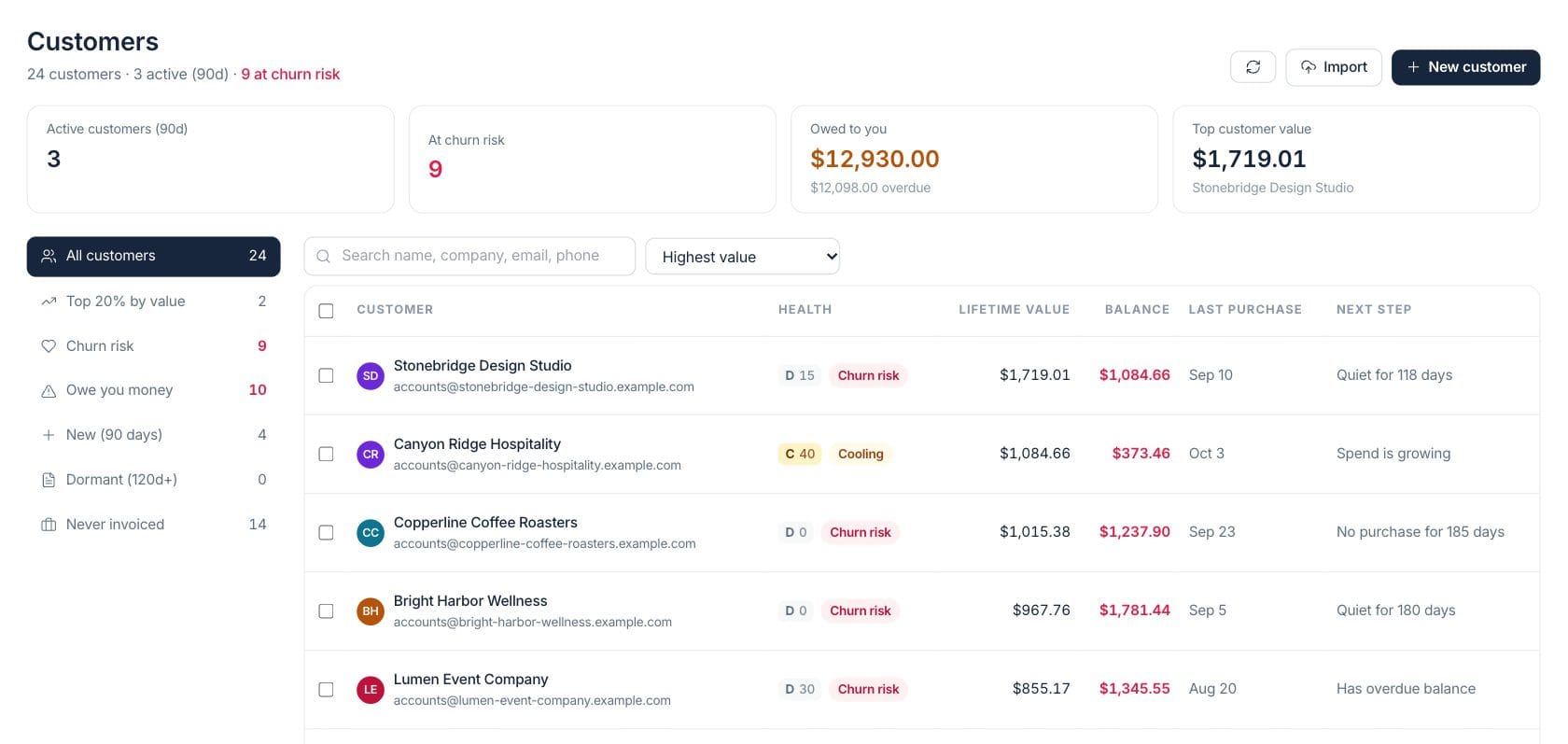
At a glance
The numbers on your screen, explained
What each Customers number means and where it comes from — so you know where to act.
Customers with recent activity or sales movement in the last 90 days.
Customers whose health signals indicate risk, such as quiet accounts or unpaid balances.
Open customer balances from unpaid invoices, with overdue amount shown in the hint.
The highest lifetime value customer in the current customer list.
Sample numbers from a demo workspace.
Health
Spot accounts that are quiet, owing, or cooling off
Customer health grades combine value, balances, recent purchases, and churn risk into an actionable directory. Teams can filter to high-value accounts, customers who owe money, dormant accounts, or accounts never invoiced.
- Health grade and churn-risk badges
- Filters for owing, dormant, new, and top value
- Sortable list by value, balance, health, or recency
- Next-step column for account context
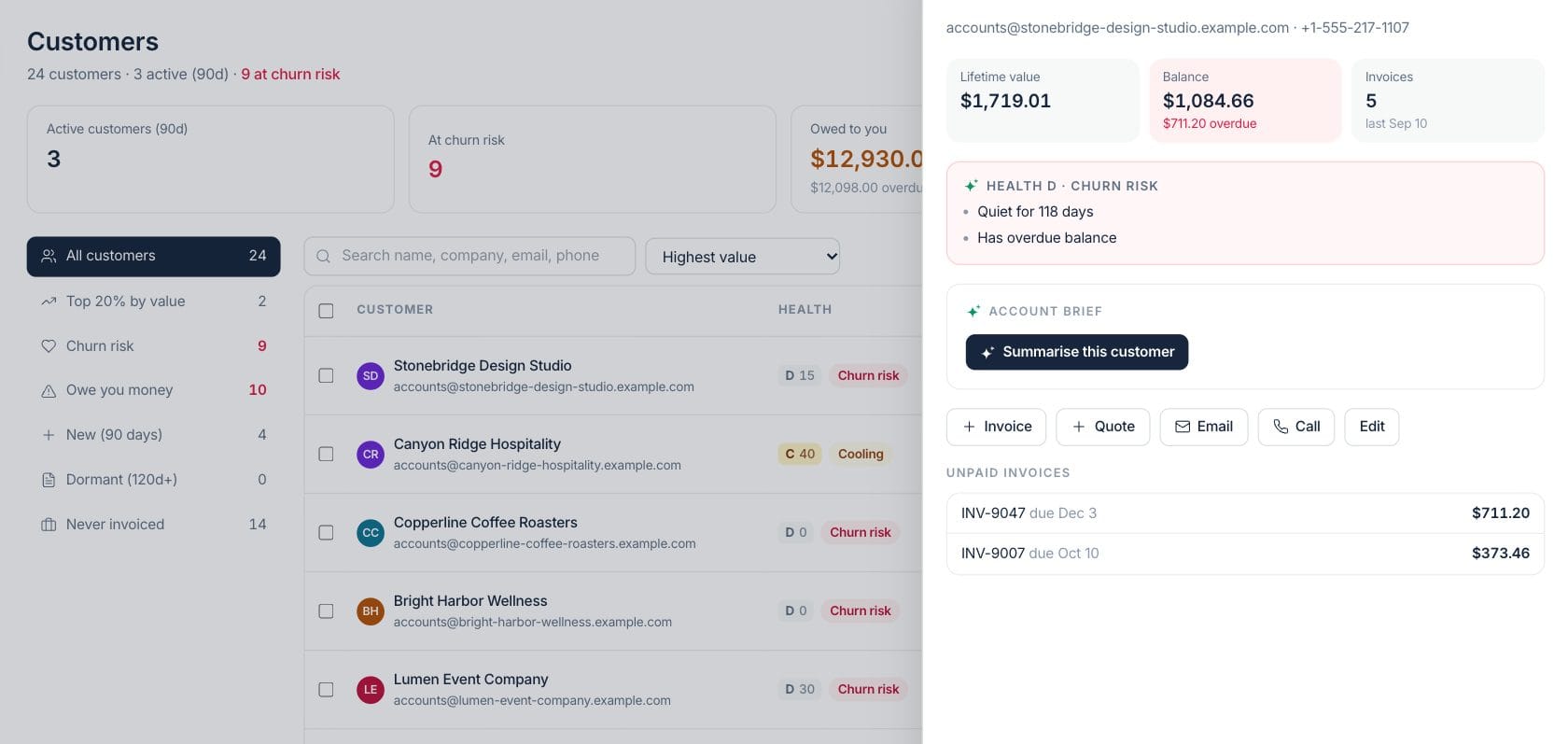
Customer 360
Open one account and see billing, quotes, orders, and communication
The customer profile brings contact information, balance, invoices, quotes, orders, projects, notes, files, and timeline entries into a single account view.
- Lifetime billed, collected, outstanding, and overdue KPIs
- Tabs for billing, quotes, portal orders, files, notes, and timeline
- Quick actions for email, call, quote, invoice, and payment
- Timeline across sales, billing, tasks, and portal orders
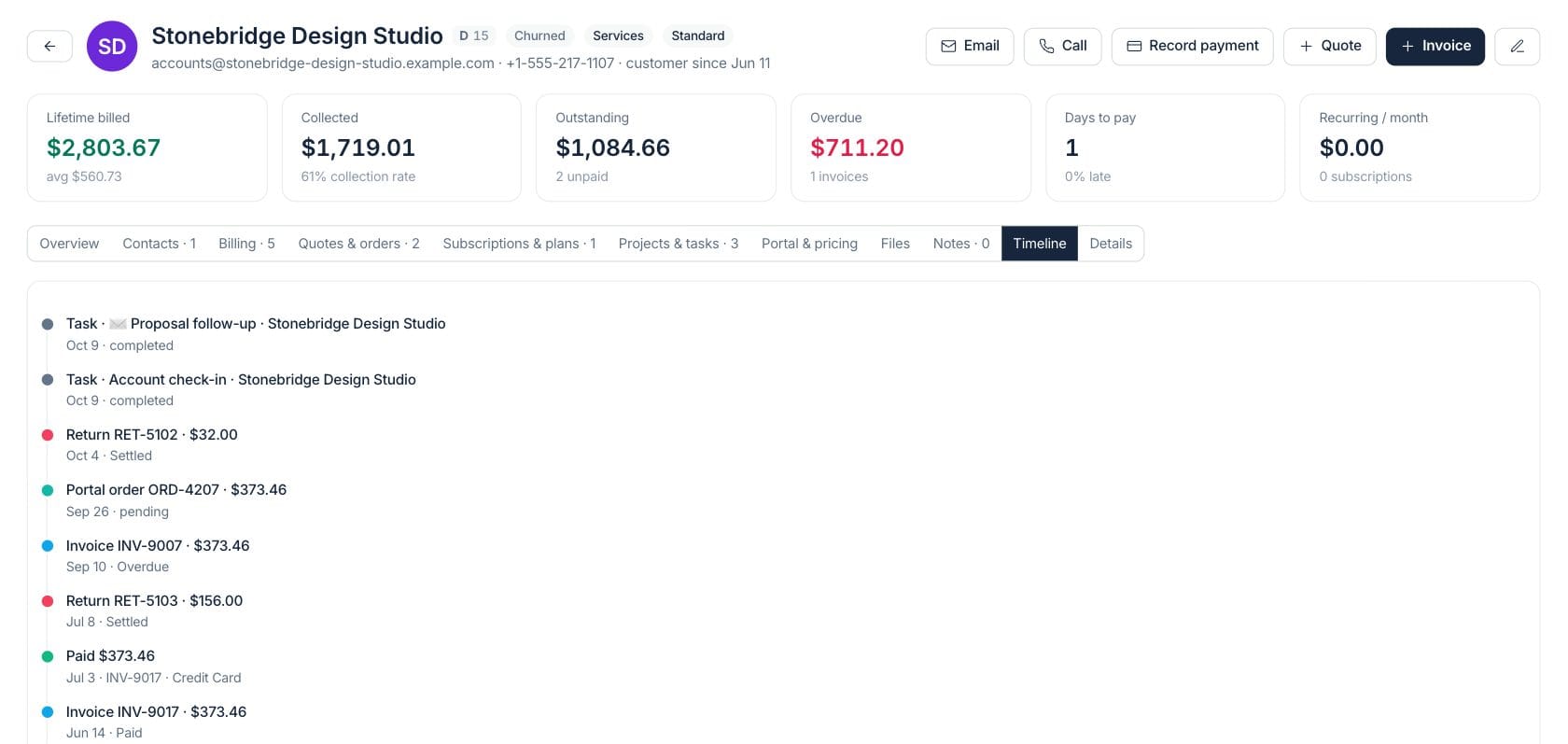
Account brief
Summarize the relationship before you reach out
From the customer drawer, teams can request an AI account brief and then send a check-in email from the same customer context.
- Summarize this customer action
- Health reasons displayed before outreach
- Unpaid invoices listed in the drawer
- Email and call shortcuts stay close to the context
Everything included
Everything in Customers
Use it for account review, service follow-up, billing questions, and relationship handoffs.
Shared customer directory
Search and sort customer records by name, company, email, phone, value, balance, or health.
Health grades
Health score and risk labels highlight customers that need attention.
Balance visibility
Open and overdue balances are visible from the list and each customer profile.
Email and call actions
Start outreach from the customer drawer or full customer profile.
Customer import
Import customer records instead of entering every account manually.
Sales history
Invoices, quotes, orders, subscriptions, and plans stay tied to the customer.
Timeline view
Review account activity across tasks, orders, invoices, payments, and returns.
AI account summary
Generate a concise customer brief when the team needs context before follow-up.
How it works
Customers, step by step
- 01
Import or create the account
Add customer details, contacts, and the basic business context your team uses.
- 02
Review health and balances
Filter for churn risk, owed balances, dormant customers, or top-value accounts.
- 03
Open the profile
Use the customer detail page to see invoices, quotes, orders, projects, notes, and the timeline.
- 04
Take the next action
Email, call, record payment, create a quote, or create an invoice from the same customer context.
Connected
Works with the rest of Fratelli
The same records flow between these workspaces automatically.
FAQ
Customers questions
Can’t find what you need? Our team is happy to help.
Yes. The customer profile shows invoice totals, balances, unpaid invoices, payment-related timeline events, and links into billing records.
Yes. The workspace includes churn-risk filters and health badges based on account signals such as quiet activity and overdue balances.
Yes. Portal orders are visible from the customer timeline and customer profile when they are tied to that account.
Try Customers with the rest of Fratelli
Start free in minutes and bring the rest of your team when you are ready.