

Email Studio
Create reusable customer email templates for automation and campaigns, with categories, tone, variables, preview, and AI-assisted drafting.
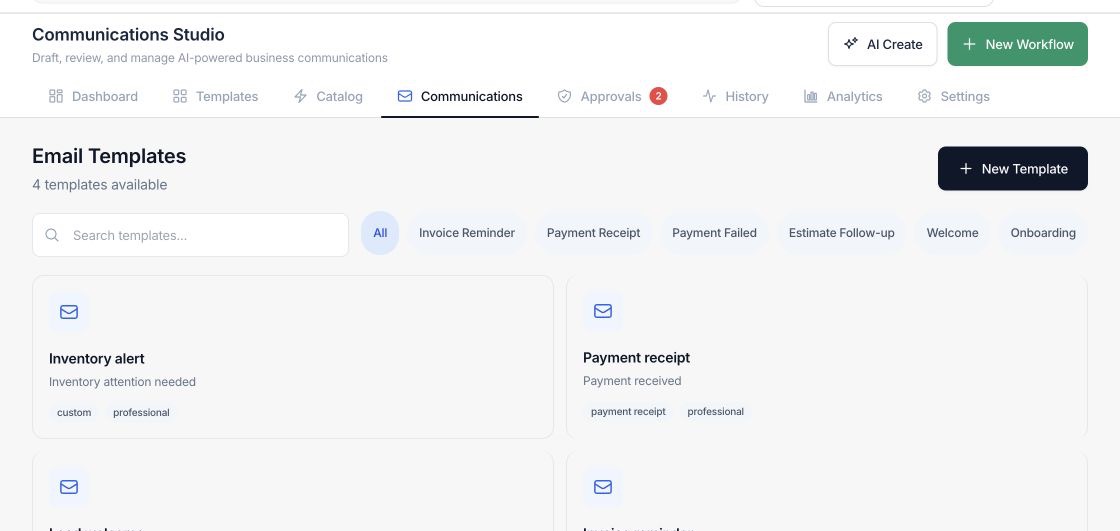
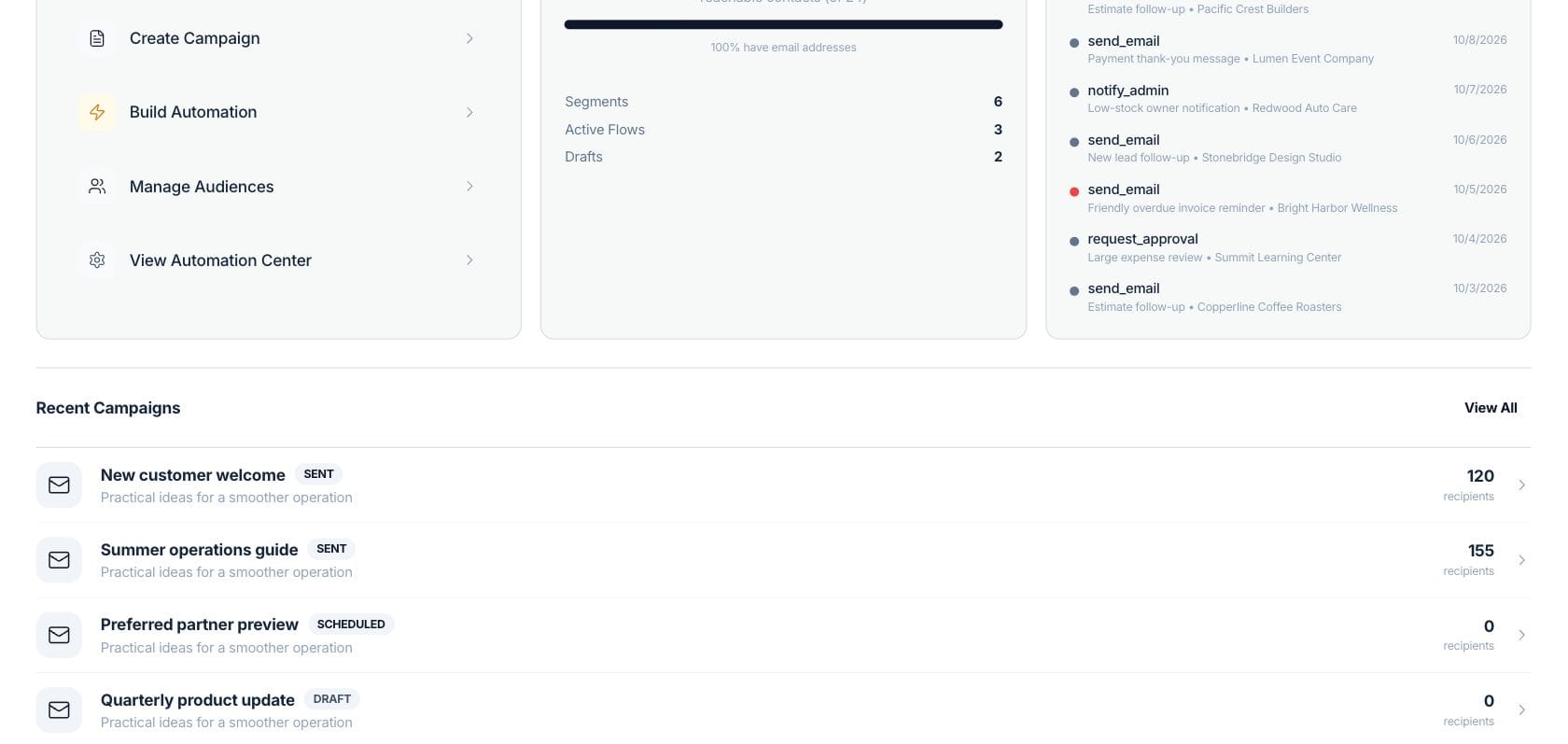
At a glance
The numbers on your screen, explained
What each Email Studio number means and where it comes from — so you know where to act.
Reusable email templates available in the Communications Studio list.
Customer emails sent this month from saved templates or automation message steps.
Payment receipt, failed-payment, and invoice-reminder messages sent from reusable templates.
Email template drafts generated with AI and then reviewed in the studio.
Sample numbers from a demo workspace.
Organize
Keep customer messages reusable and searchable
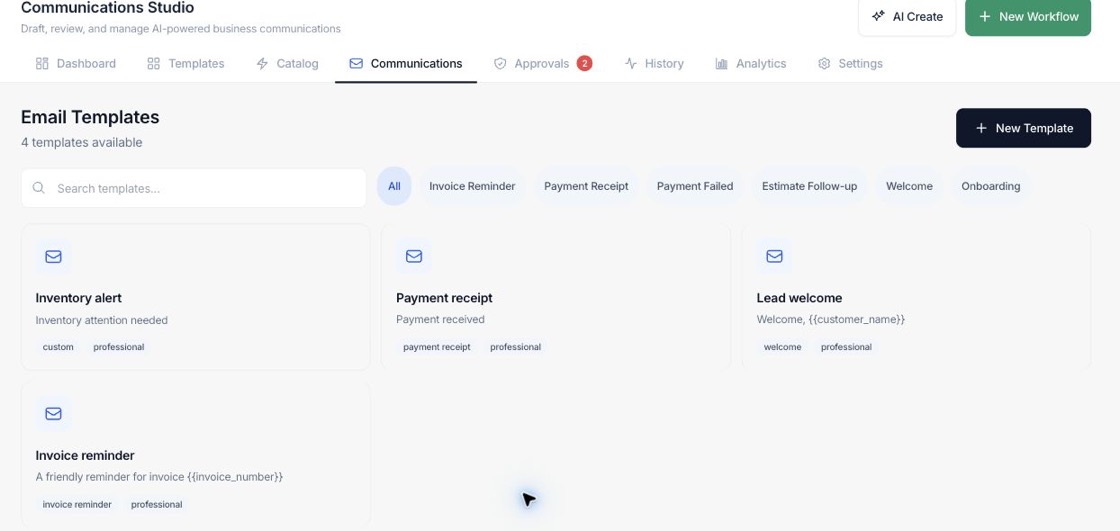
The studio lists email templates by name, category, and tone so teams can reuse the same message patterns across campaigns and workflow actions.
- Search templates by name, subject, or body
- Filter by categories such as reminders, receipts, estimates, welcome, and onboarding
- See tone tags directly on each template card
Write
Draft with variables and tone presets
Template editing supports subject lines, body copy, tone choices, common variables, and AI-assisted generation when the workspace can use AI.
- Use variables like customer name, invoice amount, due date, and payment link
- Pick tones such as professional, friendly, firm, concise, or support
- Preview the message before saving
Reuse
Connect templates to workflow communication
Templates can support payment receipts, overdue reminders, estimate follow-ups, appointment messages, feedback requests, promotions, and other recurring communication.
- Keep message content close to automation setup
- Standardize customer-facing copy
- Update templates without rebuilding every process
Everything included
Everything in Email Studio
Use it for lifecycle messages, service updates, promotions, and follow-up sequences.
Template library
Store reusable subject and body content for customer communications.
Categories
Classify templates for invoice reminders, receipts, estimates, onboarding, promotions, support, and more.
Tone presets
Choose a writing tone such as professional, friendly, firm, concise, support, or celebratory.
Variables
Insert customer, invoice, appointment, company, sender, and payment-link fields.
Preview mode
Review how the email reads before saving it.
AI drafting
Use AI generation when the workspace has AI access enabled.
Search and filter
Find templates by text or category in the studio.
How it works
Email Studio, step by step
- 01
Create or select a template
Start a new message or open an existing template from the Communications Studio.
- 02
Set category, subject, body, and tone
Write the content, choose a tone, and insert supported variables where live data should appear.
- 03
Preview and save
Check the message in preview mode, then save it for reuse in marketing or automation work.
Connected
Works with the rest of Fratelli
The same records flow between these workspaces automatically.
FAQ
Email Studio questions
Can’t find what you need? Our team is happy to help.
Yes. The common variables include payment_link along with invoice number, amount, due date, customer name, and other fields.
No. The AI panel is only usable when the workspace can use AI. Otherwise teams can still write and manage templates manually.
No. Categories include receipts, failed payments, estimates, welcome, onboarding, appointments, follow-up, promotions, feedback, support, announcements, and custom messages.
Try Email Studio with the rest of Fratelli
Start free in minutes and bring the rest of your team when you are ready.