

Locations & Branches
Define branches and operating locations, link warehouses and managers, and review sales, stock, people, and activity by site.
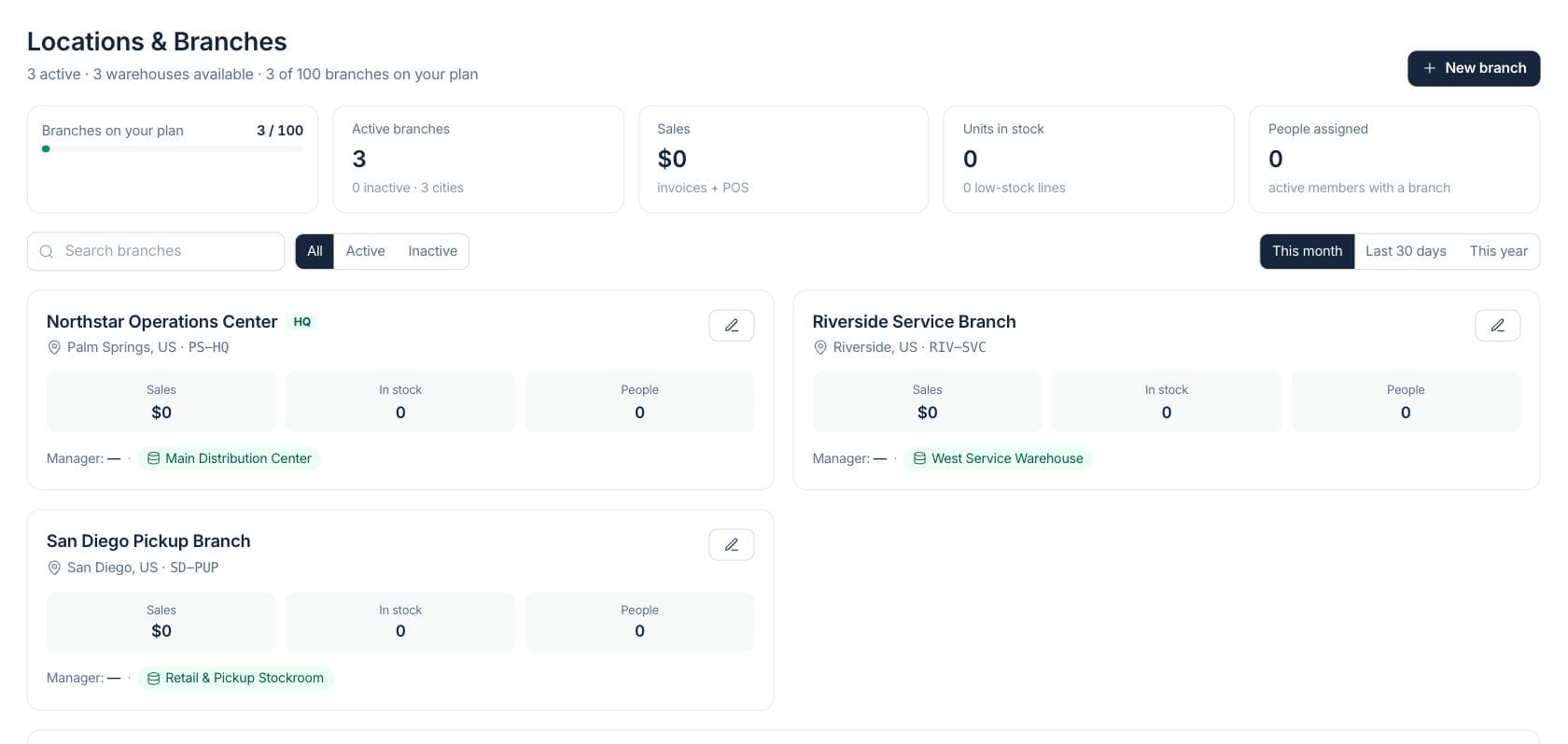
At a glance
The numbers on your screen, explained
What each Locations & Branches number means and where it comes from — so you know where to act.
Counts active branch records and summarizes inactive branches and city coverage.
Totals branch sales from invoices and point-of-sale activity when sales access is available.
Totals on-hand stock for linked branch warehouse context and flags low-stock lines.
Counts active team members assigned to branch context.
Sample numbers from a demo workspace.
Directory
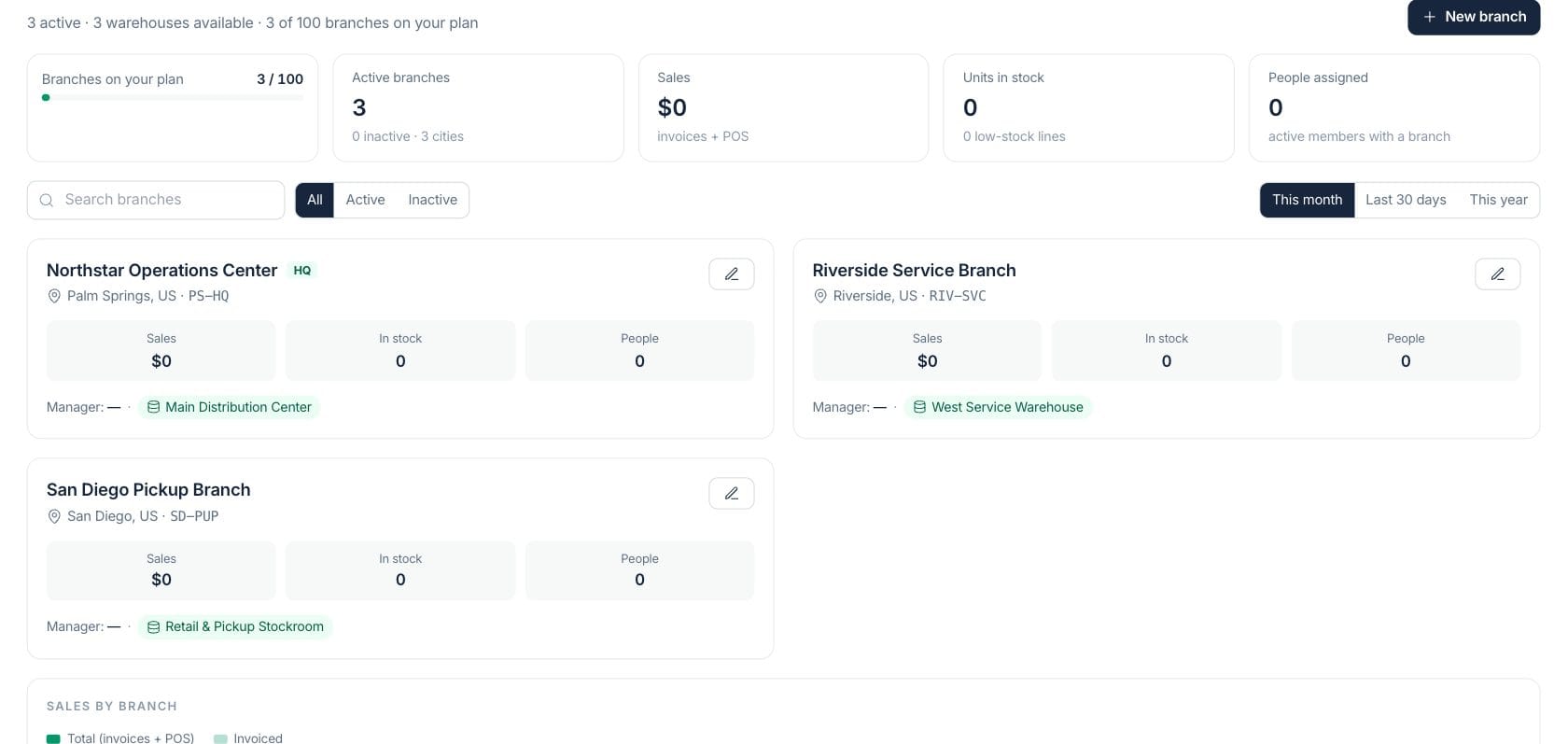
Review every operating location in one branch directory
Branches show name, code, city, country, headquarters status, active state, linked warehouses, manager, and plan-limit usage.
- Active and inactive filters
- Search by name, city, or code
- Headquarters and branch codes
- Linked warehouse badges
Performance
Compare sales, stock, and people by branch
Branch performance combines invoice and POS sales, stock quantities, low-stock lines, and assigned people when the viewer has access.
- Sales by branch
- Invoiced and paid totals
- Units in stock and low-stock lines
- People assigned by site
Setup
Connect managers and warehouses to each location
Branch setup stores address, phone, email, timezone, manager, warehouse links, active state, and headquarters status.
- Manager assignment
- Warehouse links
- Timezone and contact details
- Plan limit meter
Everything included
Everything in Locations & Branches
Use it for multi-branch operations, regional oversight, location setup, and performance review.
Branch profiles
Store branch name, code, address, city, country, contact details, and status.
Location directory
Search, filter, and open locations across the business.
Warehouse links
Connect branches to stocking locations used by inventory workflows.
People assigned
Show active members tied to branch context.
Branch performance
Review sales, stock, low-stock lines, invoices, and POS activity by location.
Manager ownership
Assign a manager to each branch so responsibility is visible.
Plan limit meter
See how many branches are used compared with the current plan limit.
Operating details
Maintain timezone, headquarters status, active state, phone, and email.
How it works
Locations & Branches, step by step
- 01
Create the branch
Add name, code, address, city, country, contact details, timezone, and headquarters status.
- 02
Assign ownership
Choose a manager and connect any warehouses that belong to the location.
- 03
Review performance
Use the dashboard to compare sales, stock, low-stock lines, and people by branch.
- 04
Keep the directory current
Filter active and inactive locations and edit details as operations change.
Connected
Works with the rest of Fratelli
The same records flow between these workspaces automatically.
FAQ
Locations & Branches questions
Can’t find what you need? Our team is happy to help.
Yes. Branch records can include one or more warehouse links, and the branch workspace shows linked warehouses on each location card.
Yes. The branch performance cards show sales and inventory figures only when the viewer has the relevant access.
Try Locations & Branches with the rest of Fratelli
Start free in minutes and bring the rest of your team when you are ready.