

Suppliers
Keep supplier contacts, terms, products, open orders, spend, lead times, and late-order risk in one purchasing workspace.
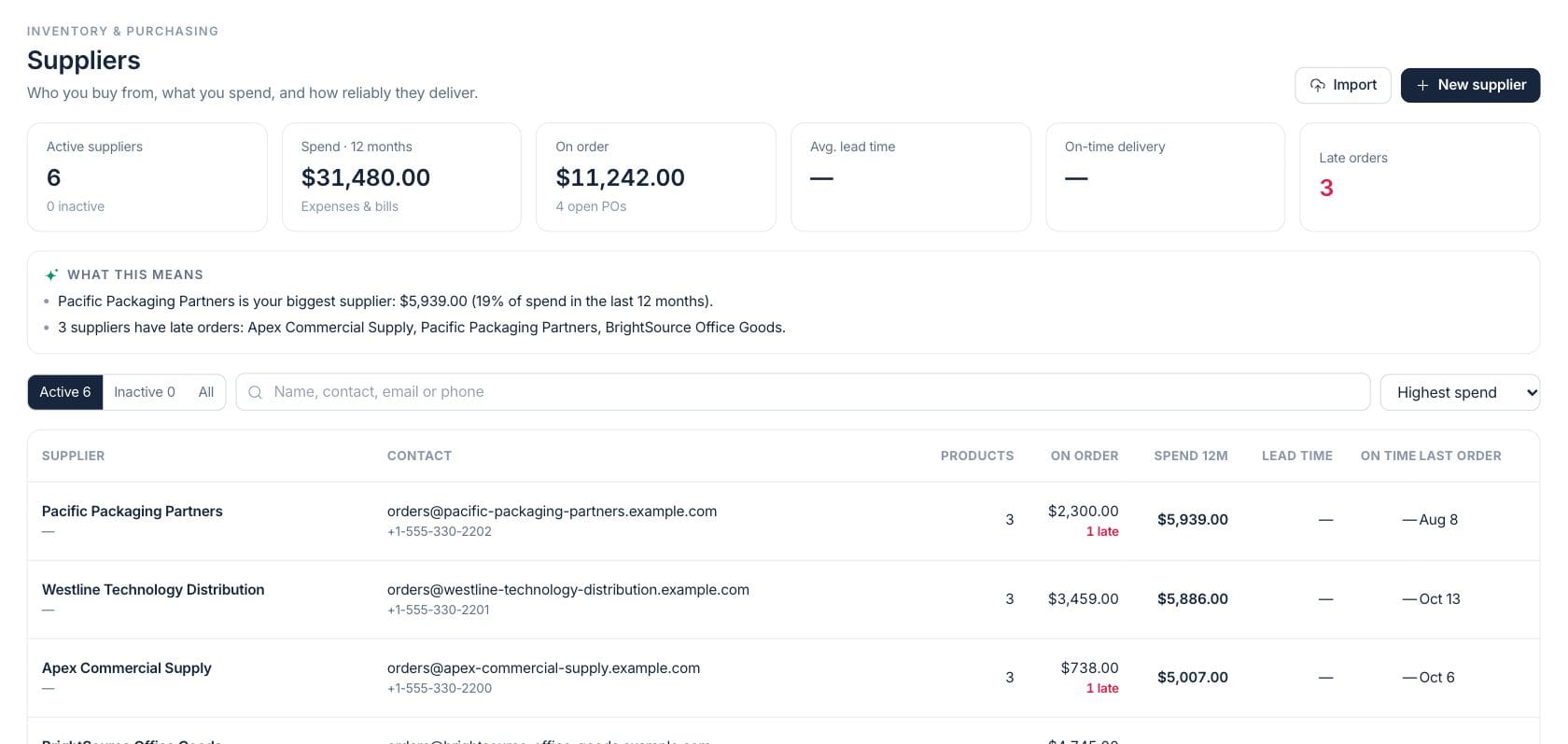
At a glance
The numbers on your screen, explained
What each Suppliers number means and where it comes from — so you know where to act.
Supplier records currently available for new purchasing work.
Expense and bill spend tied to suppliers over the last 12 months.
Remaining value on open purchase orders across active suppliers.
Open supplier orders that have passed their expected arrival date.
Sample numbers from a demo workspace.
Directory
Compare suppliers by products, open orders, spend, lead time, and delivery
The supplier list helps buyers search, filter active or inactive suppliers, sort by spend or open order value, and see purchasing performance beside contact details.
- Search name, contact, email, or phone
- Sort by highest spend, open orders, recent orders, or name
- See products, open value, spend, lead time, on-time rate, and last order
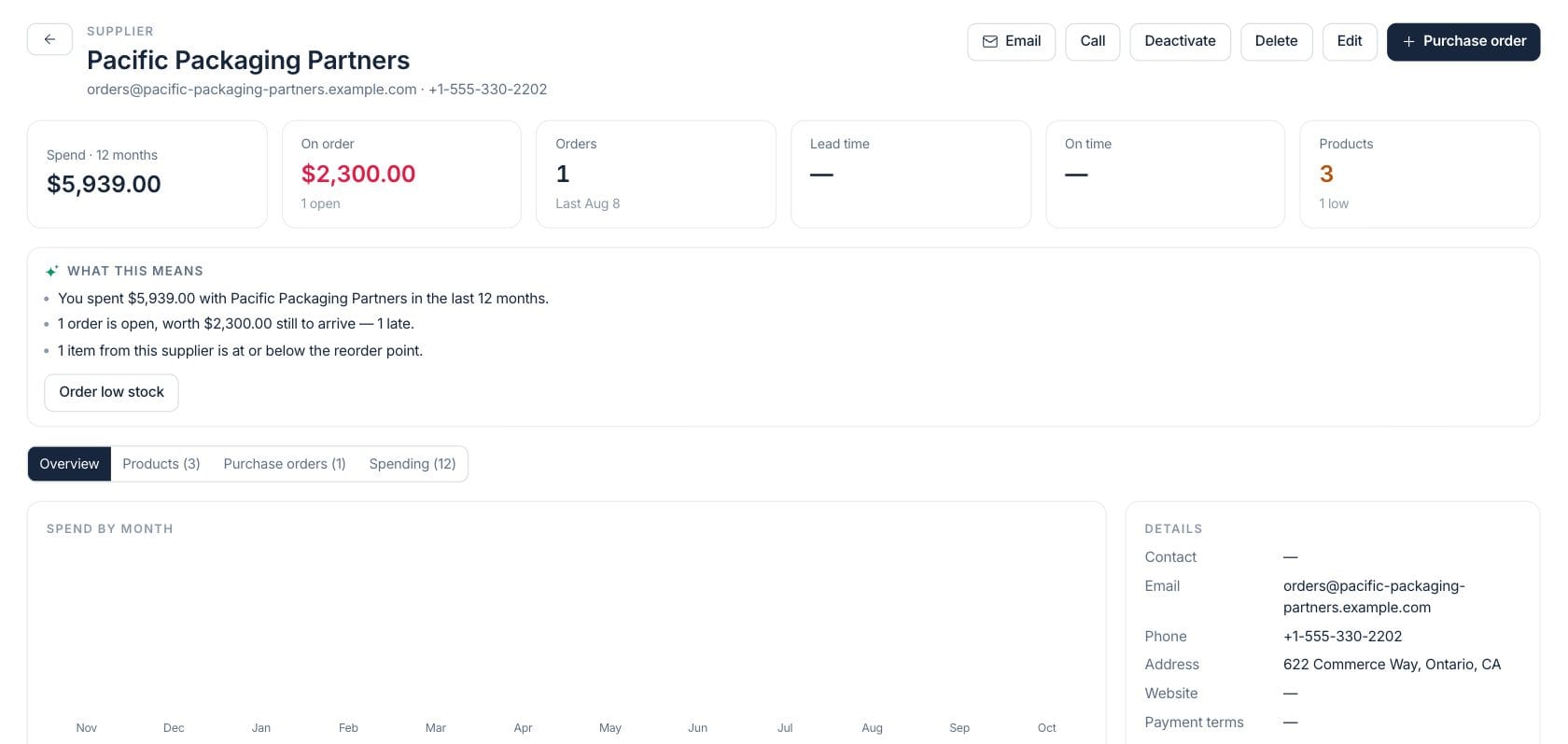
Supplier 360
Open one supplier to review terms, products, orders, and spending
Supplier detail brings together contacts, payment terms, products supplied, purchase order history, expense and bill activity, open value, late orders, fill rate, and spend trend.
- See the products tied to a supplier
- Review purchase orders and expenses in one place
- Track lead time, fill rate, and on-time delivery where available
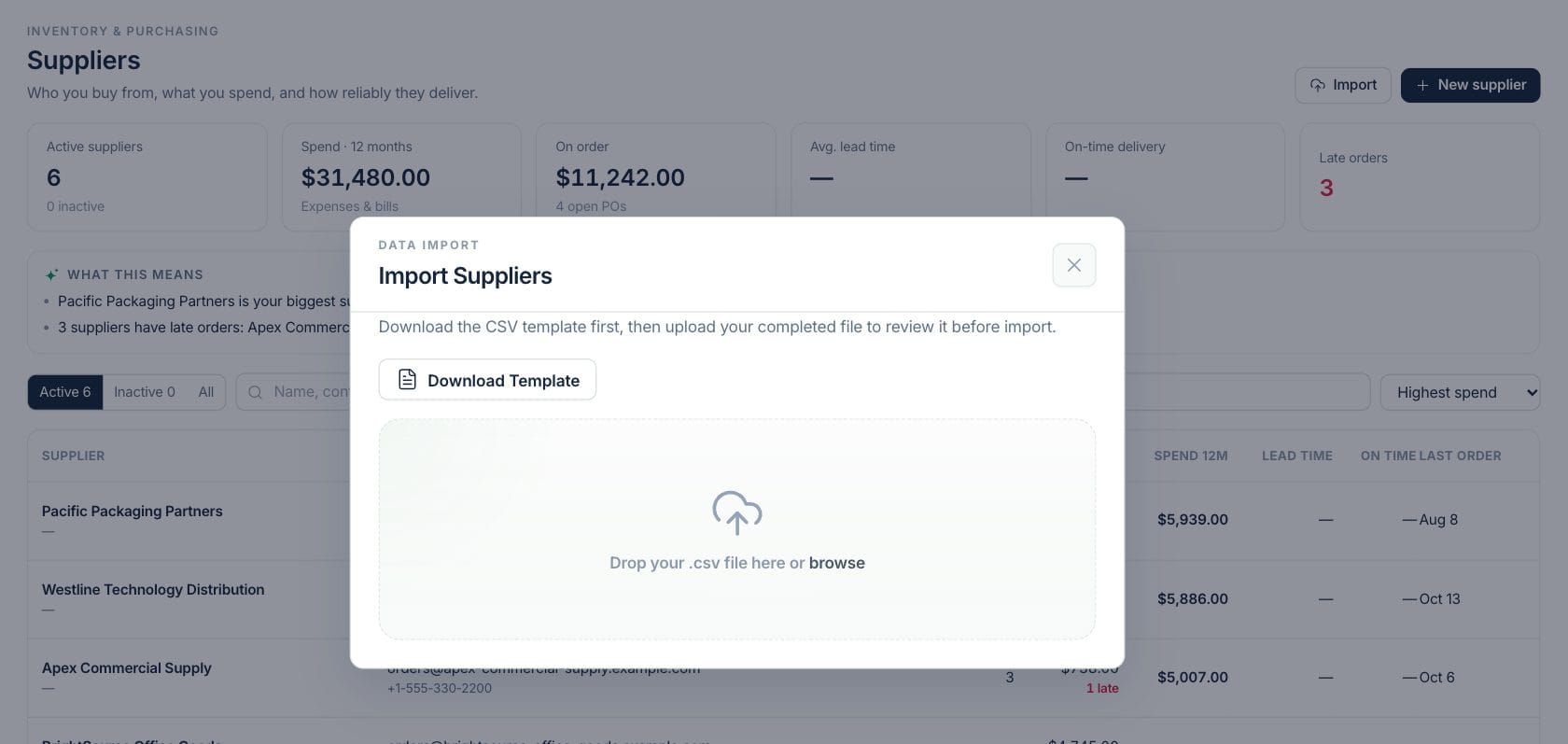
Import
Bring supplier records in without rebuilding them by hand
Supplier import supports structured CSV data for name, contact, email, phone, address, category, payment terms, lead time, website, and notes, while skipping duplicates by name.
- Import supplier contact and terms data
- Classify suppliers by category
- Deactivate suppliers that should not be used for new orders
Everything included
Everything in Suppliers
Use it for vendor review, sourcing decisions, term checks, and purchase preparation.
Supplier contacts
Store contact name, email, phone, address, website, notes, category, and payment terms.
Product relationships
See how many active products are tied to each supplier and open supplied products from detail.
Purchasing history
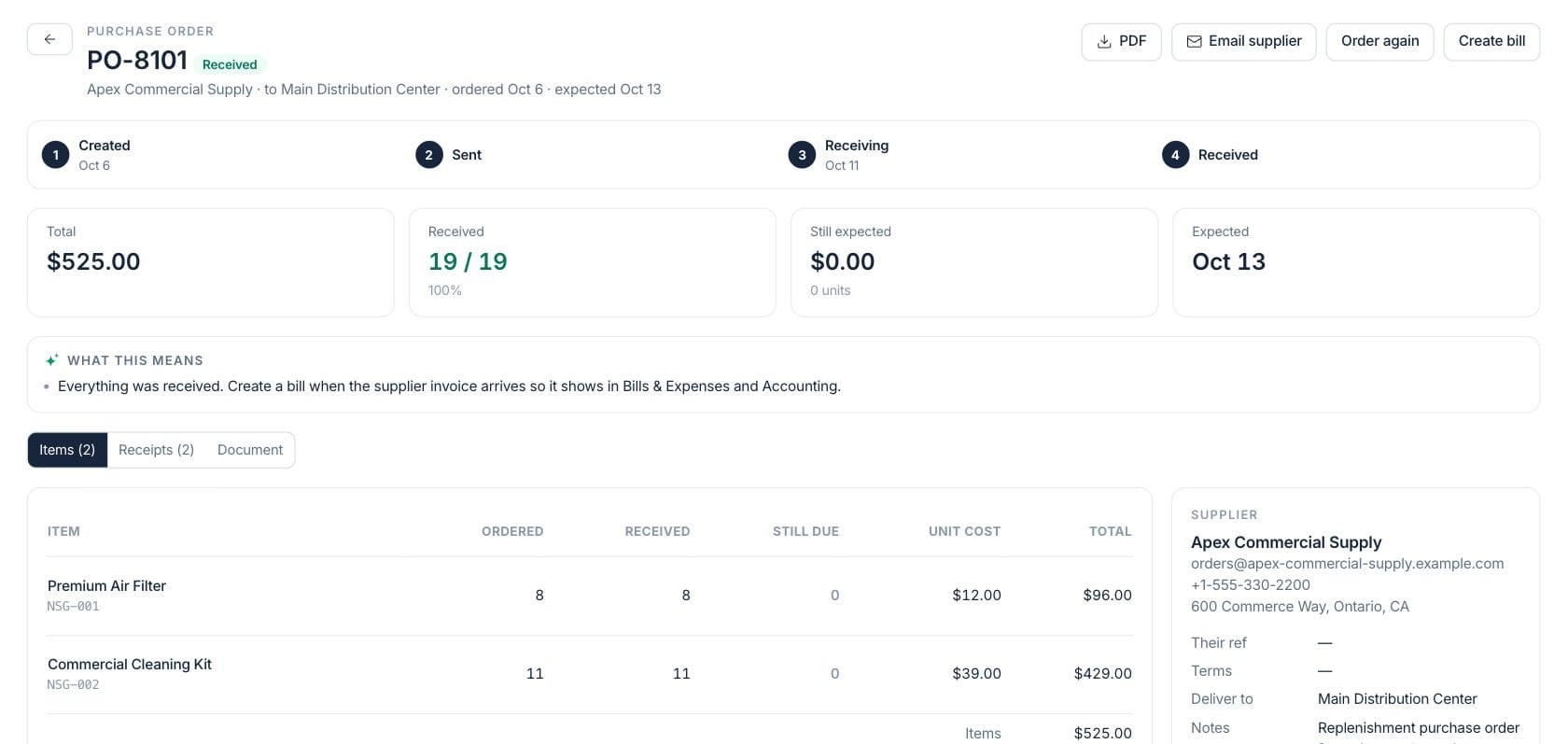
Review purchase orders, open value, late orders, received value, and last order date.
Spend view
Track 12-month spend from expenses and bills linked to supplier records.
Lead time signals
Use configured or observed lead time and on-time delivery rates when buying stock.
CSV supplier import
Import supplier records with contact, terms, lead time, website, and notes fields.
Safe deactivation
Deactivate suppliers with product or order history instead of deleting records the business still references.
How it works
Suppliers, step by step
- 01
Create or import suppliers
Add contacts, addresses, terms, lead time, category, and notes manually or from a CSV.
- 02
Link suppliers to products
Set preferred suppliers on product records so reorders and supplier views have context.
- 03
Review purchasing performance
Use spend, open order value, late orders, lead time, and on-time delivery to spot follow-up needs.
- 04
Open the next purchasing action
Move from the supplier to its purchase orders, products, or expense history.
Connected
Works with the rest of Fratelli
The same records flow between these workspaces automatically.
FAQ
Suppliers questions
Can’t find what you need? Our team is happy to help.
Yes. The supplier workspace includes an import flow with template fields for contact details, category, payment terms, lead time, website, and notes.
Suppliers with products or purchase orders cannot be deleted because those records need the history. Deactivate them instead.
Supplier spend is calculated from expenses and bills tied to the supplier over the last 12 months.
Try Suppliers with the rest of Fratelli
Start free in minutes and bring the rest of your team when you are ready.