

CRM Dashboard
Run the sales day from a CRM command center with an AI brief, target progress, next actions, autopilot approvals, forecast, and lead health.
At a glance
The numbers on your screen, explained
What each CRM Dashboard number means and where it comes from — so you know where to act.
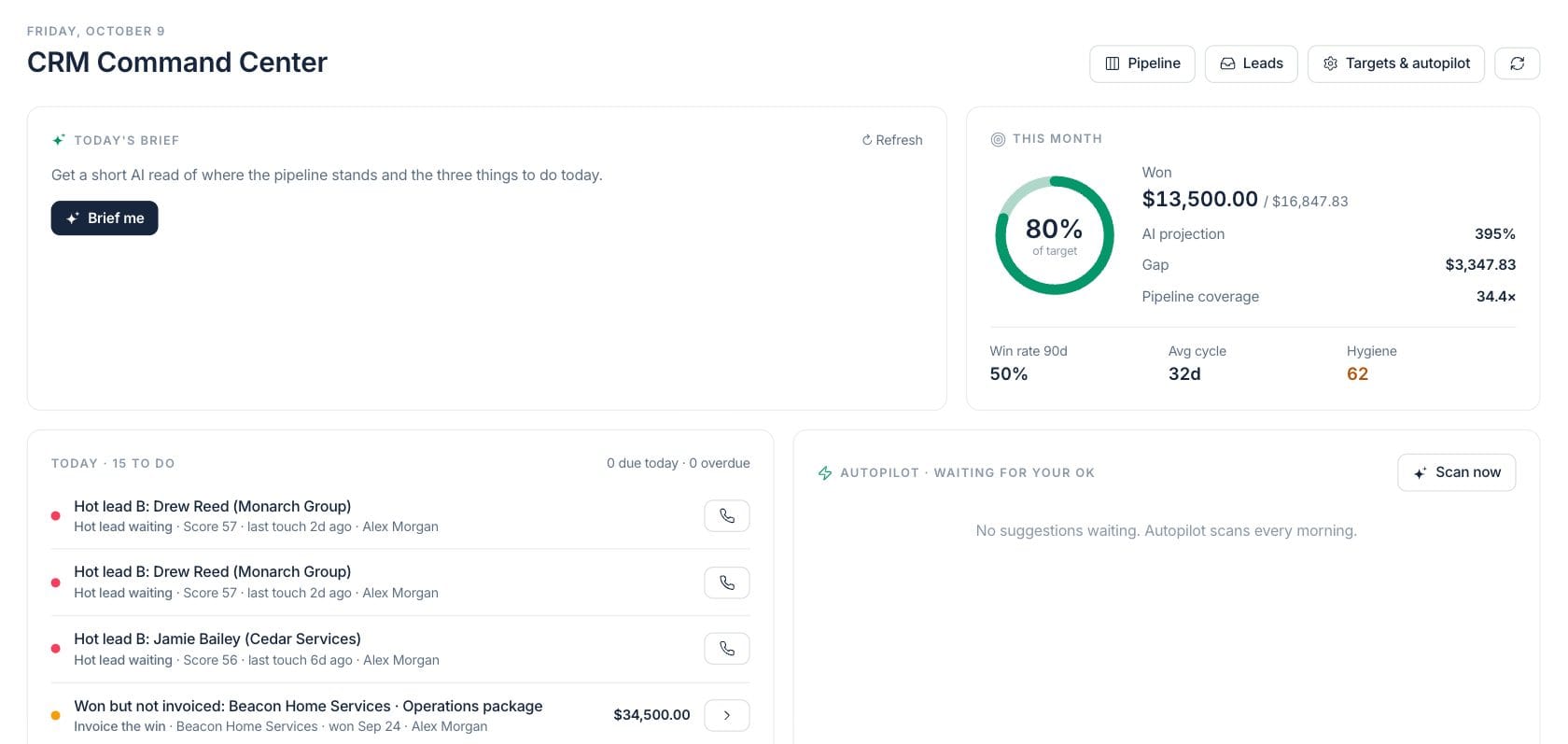
Closed-won deal value for the current month compared with the team target.
Projected attainment based on won revenue and the AI forecast for open pipeline expected this month.
Open pipeline coverage compared with the remaining gap to the monthly target.
A CRM cleanliness score based on missing next steps, overdue activity, aging, and other record health signals.
Sample numbers from a demo workspace.
Morning read
Get the three CRM priorities before stand-up
The command center starts with an AI brief and a target card so managers know what changed, what is at risk, and where the month stands before opening individual records.
- Brief me action for a short daily read
- Won, gap, projection, and coverage in one card
- Win rate, average cycle, and hygiene below target progress
- Links to Pipeline, Leads, and Targets & autopilot
Next actions
Work follow-ups, stuck deals, and uninvoiced wins in one queue
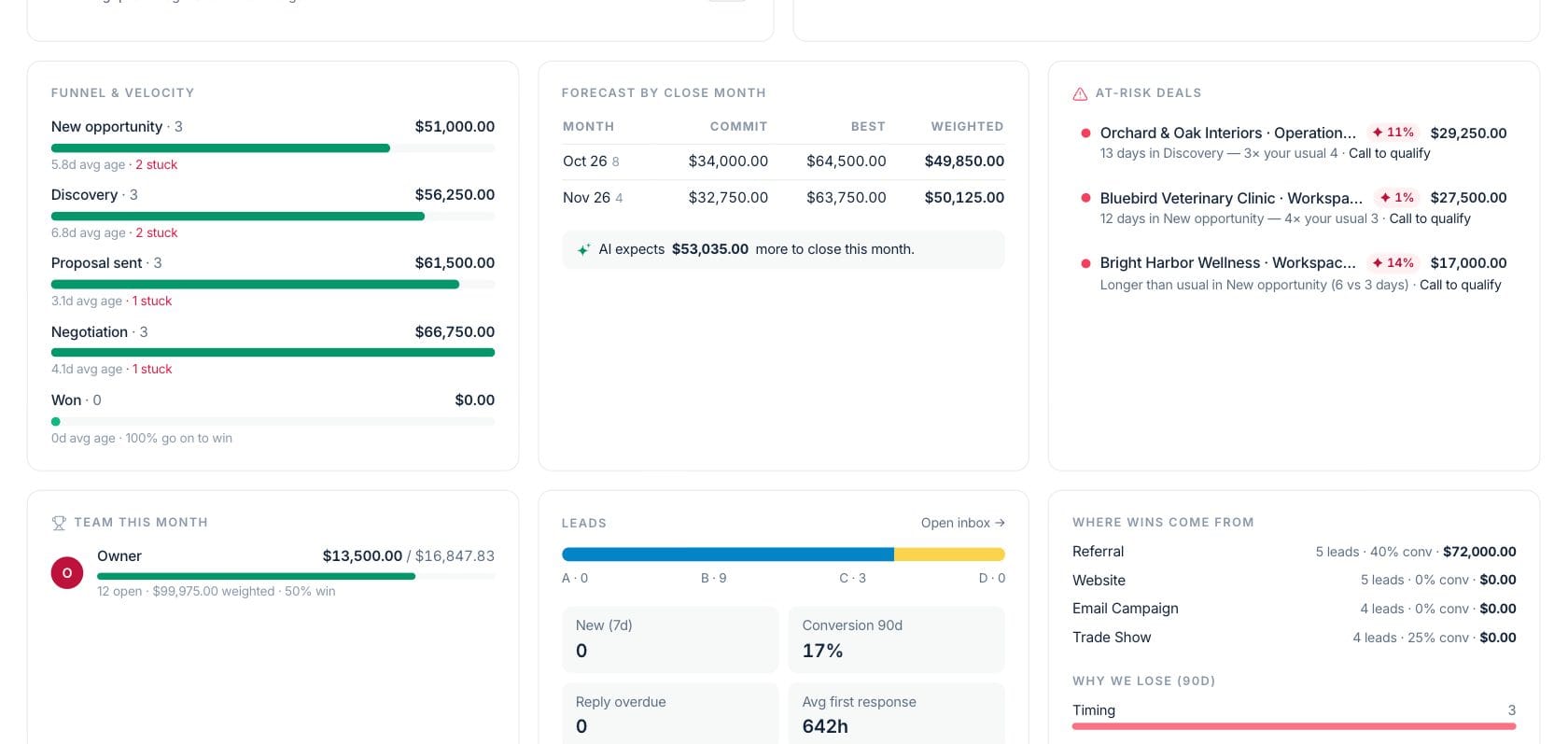
The today queue ranks hot leads, stuck opportunities, won-but-not-invoiced deals, and quiet accounts so each owner can open the right deal, lead, or customer.
- Priority dots for urgent CRM work
- Due and overdue activity counts
- Deal and lead records open from the queue
- Autopilot suggestions wait for approval
Forecast
See funnel health, close-month forecast, and lead quality together
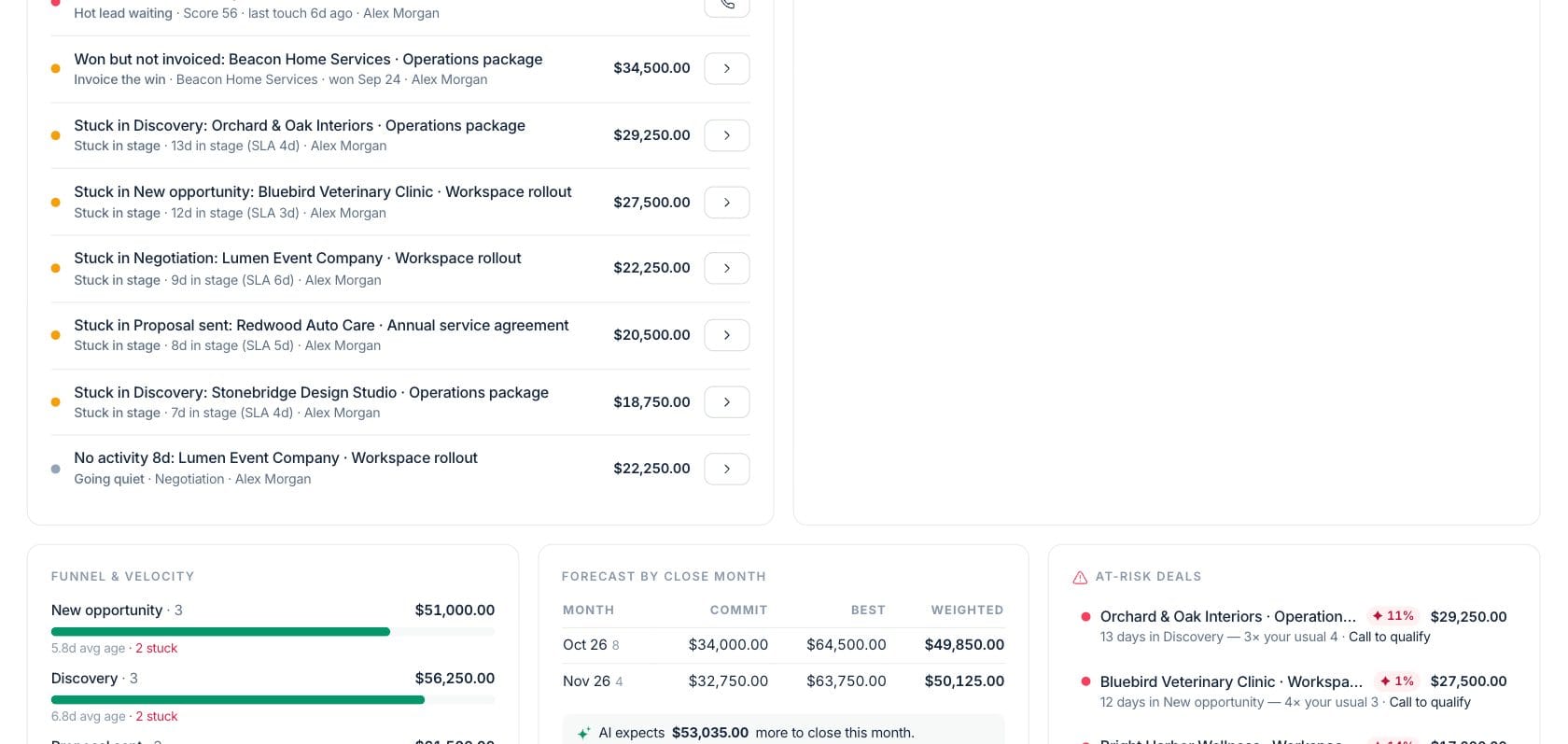
Managers can review stage movement, stuck opportunities, commit and weighted forecast, at-risk deals, team results, lead grades, sources, and loss reasons without leaving the dashboard.
- Funnel and velocity by stage
- Forecast by close month with AI expectation
- At-risk deal list with reasons
- Lead grades, conversion, response time, and sources
Everything included
Everything in CRM Dashboard
Use it for sales stand-ups, account planning, and manager coaching.
AI CRM brief
Generate a short read of pipeline position and the most important actions today.
Target progress
Track won revenue, gap, AI projection, and pipeline coverage against the monthly goal.
Today queue
Rank hot leads, stuck deals, quiet records, and required follow-ups by priority.
Autopilot approvals
Review suggested CRM actions such as follow-up emails before approving or dismissing.
Funnel and velocity
See stage totals, average age, and stuck opportunities across the pipeline.
Close-month forecast
Compare commit, best case, weighted value, and AI expectation by month.
Lead health
View lead grades, new leads, overdue replies, response time, and conversion.
Targets and autopilot
Open target and autopilot settings from the command center.
How it works
CRM Dashboard, step by step
- 01
Read the brief and target card
Start each sales day with won revenue, gap, projection, coverage, and AI priorities.
- 02
Clear the today queue
Open the highest-priority lead, deal, or customer action and update the record.
- 03
Review pipeline health
Use funnel, forecast, at-risk deals, and team results to prepare coaching or forecast calls.
- 04
Approve automation carefully
Scan autopilot suggestions, edit drafts when needed, then approve or dismiss them.
Connected
Works with the rest of Fratelli
The same records flow between these workspaces automatically.
FAQ
CRM Dashboard questions
Can’t find what you need? Our team is happy to help.
Autopilot suggestions wait for approval. Follow-up email proposals can be reviewed and edited before being approved or dismissed.
CRM target settings are shared with the Sales & Billing target view so won revenue and invoiced revenue can be reviewed together.
Yes. The command center has direct buttons for Pipeline and Leads, and queue items open the related record.
Try CRM Dashboard with the rest of Fratelli
Start free in minutes and bring the rest of your team when you are ready.