

Business Intelligence
Ask business questions, read a grounded brief, compare performance, and see risks, opportunities, health, customers, products, and playbooks in one analysis workspace.
At a glance
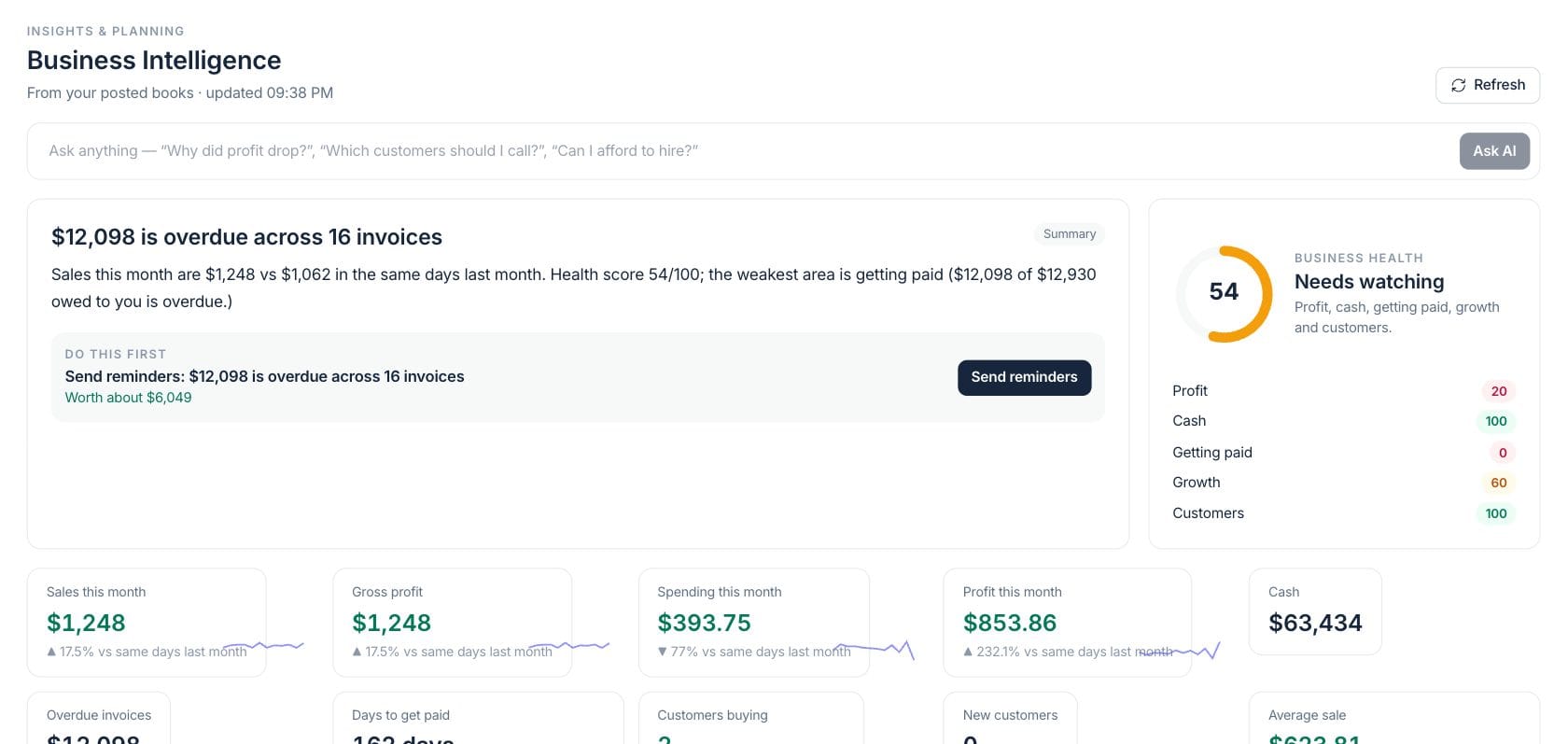
The numbers on your screen, explained
What each Business Intelligence number means and where it comes from — so you know where to act.
Sales this month compares current-month revenue with the same days in the prior month.
Gross profit is revenue after tracked product or service costs for the current comparison period.
Overdue invoices total unpaid invoices past due and show where collections are affecting health.
Days to get paid is the average collection time across recent invoices.
Sample numbers from a demo workspace.
Ask
Ask a business question in plain language
Business Intelligence accepts questions like “Why did profit drop?” or “Which customers should I call?” and opens the assistant with context from books, sales, customers, stock, and cash.
- Ask AI from the top of the workspace
- Answers include the current health score and top signals as context
- Refresh the analysis when you want current numbers
Prioritize
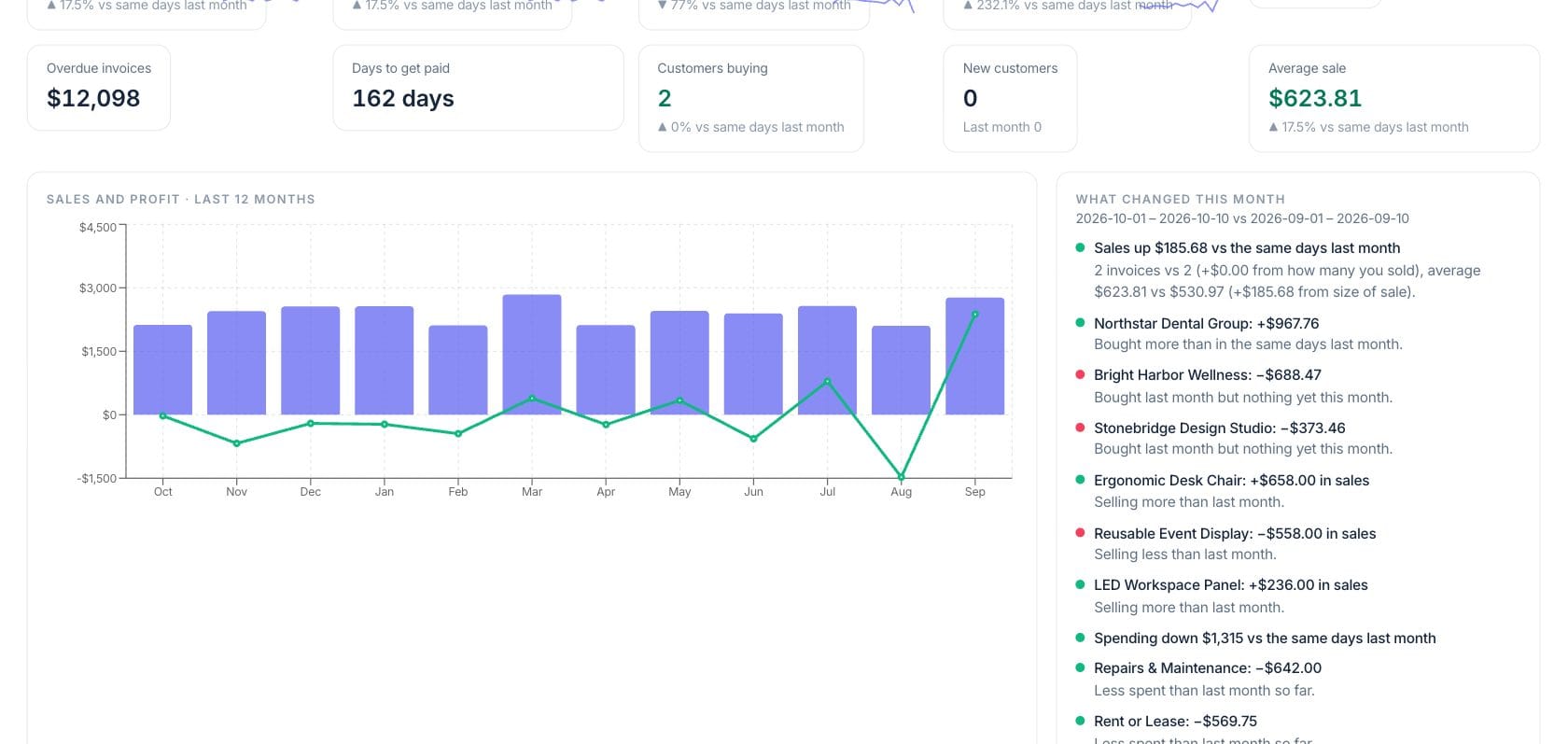
Rank risks and opportunities by money impact
Signals are grouped as risks or opportunities, show why they matter, estimate the money impact and confidence, and offer actions such as sending reminders, opening drafts, or reviewing spending.
- Filter all signals, risks, or opportunities
- Impact and confidence appear beside each recommendation
- Some actions open a confirmation before anything changes
Explain
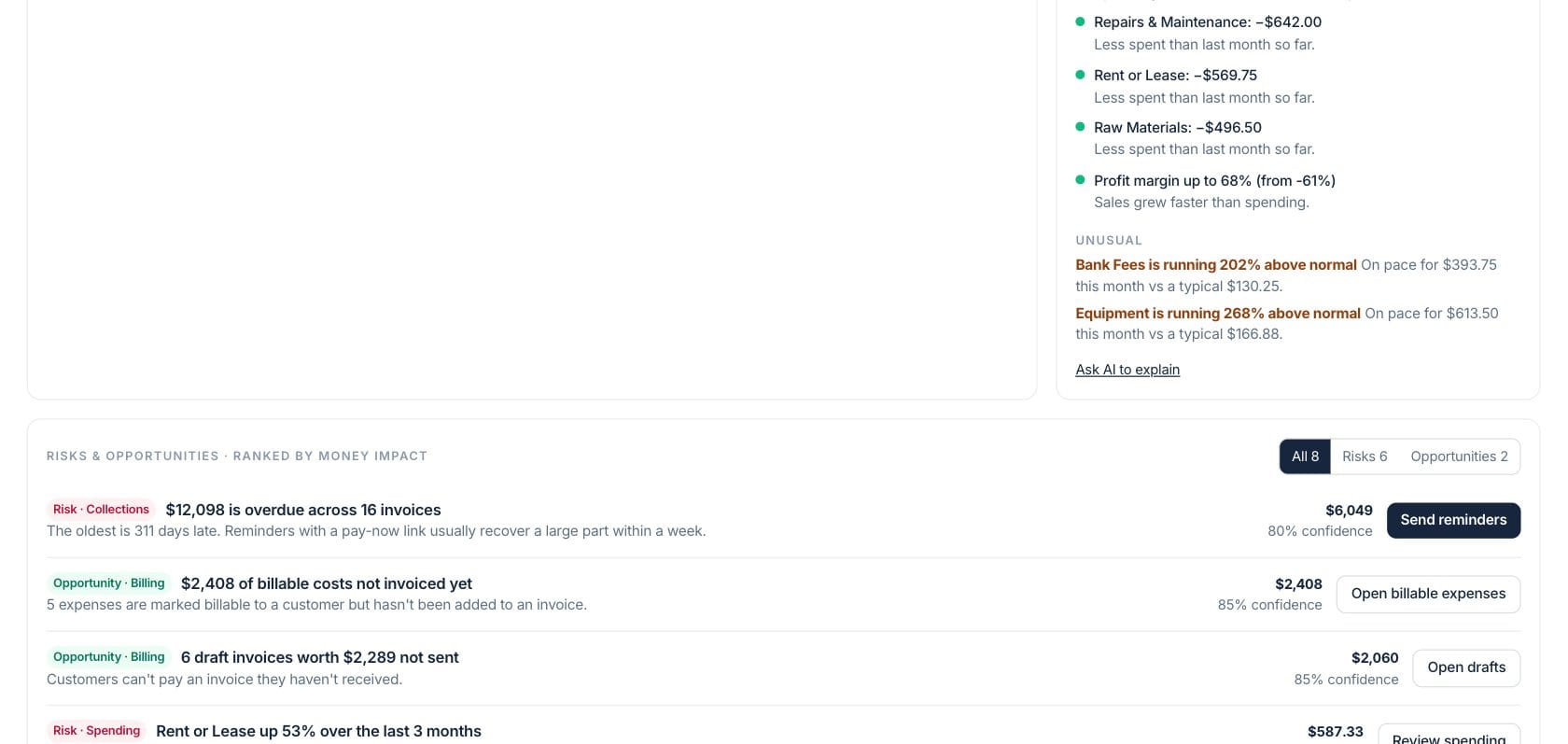
Understand health, trend changes, customers, and products
The workspace explains the health score, charts sales and profit over 12 months, lists what changed this month, flags unusual spending, and shows top customers and products.
- Health pillars explain profit, cash, getting paid, growth, and customers
- Monthly chart compares sales and profit
- Customer and product tables link back to source records
Everything included
Everything in Business Intelligence
Use it for management dashboards, trend review, and cross-functional performance questions.
AI business brief
Plain-English narrative summarizes what changed and what to do first.
Ask anything
Ask operational questions and include current context automatically.
Health score
Profit, cash, getting paid, growth, and customers each show score and reasons.
Sales and profit chart
Review 12 months of sales and profit to see direction and seasonality.
Unusual changes
Spending, margin, customer, or product movements are called out for review.
Ranked signals
Risks and opportunities are sorted by money impact, not just activity date.
Top customers
See which accounts drive revenue and open customer records from the table.
Top products
Review top products, units, revenue, and margin for the last 90 days.
How it works
Business Intelligence, step by step
- 01
Refresh the brief
Load the latest analysis from books, invoices, expenses, products, customers, pipeline, and the cash forecast.
- 02
Review the one thing to do first
Start with the AI brief and the top recommended action before scanning the full signal list.
- 03
Use health and change views
Open the health explanation, monthly changes, unusual activity, customer list, and product list to see why numbers moved.
- 04
Act or ask follow-up questions
Run safe actions after confirmation or ask AI to explain a trend using the same business context.
Connected
Works with the rest of Fratelli
The same records flow between these workspaces automatically.
FAQ
Business Intelligence questions
Can’t find what you need? Our team is happy to help.
No. It is an interactive workspace with a brief, health score, KPIs, charts, ranked signals, source links, actions, and AI follow-up questions.
The workspace uses connected records such as posted books when available, invoices, expenses, products, customers, pipeline, and cash forecast data.
Some recommendations can start actions, such as sending reminders or opening drafts, but action flows require confirmation before changes are made.
Try Business Intelligence with the rest of Fratelli
Start free in minutes and bring the rest of your team when you are ready.