

Dashboard
See the day clearly: an AI brief, ranked priorities, live KPIs, quick actions, and the operating cards that matter most to your business.
At a glance
The numbers on your screen, explained
What each Dashboard number means and where it comes from — so you know where to act.
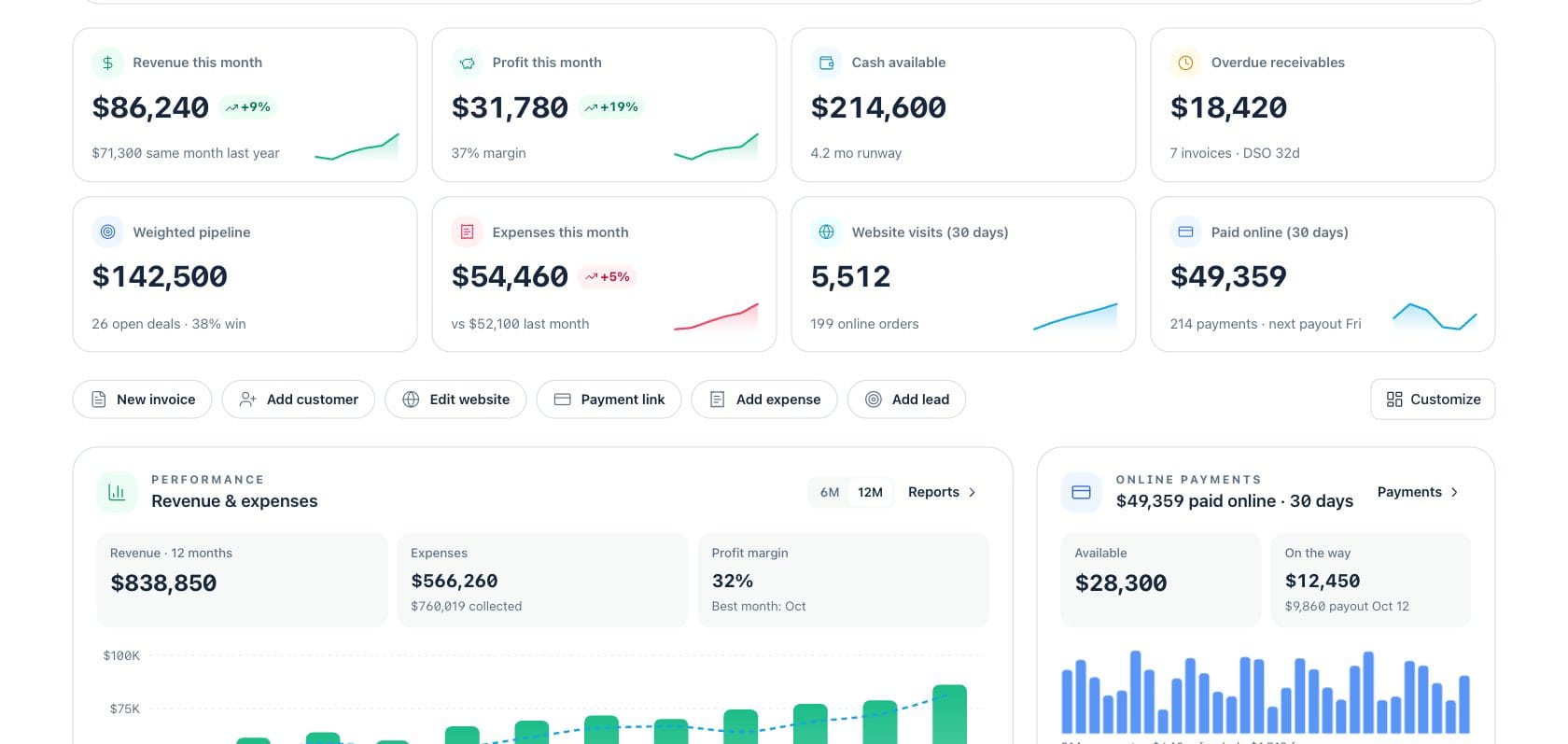
Revenue this month is the invoiced sales total for the current month, compared with the same period last year.
Cash available combines connected cash and payment balances, then estimates runway from recent spending.
Overdue receivables are unpaid invoices past their due date, with average collection speed shown as DSO.
Paid online shows card and online payment volume collected in the last 30 days, including payout context.
Sample numbers from a demo workspace.
Morning brief
Start with the three actions that matter today
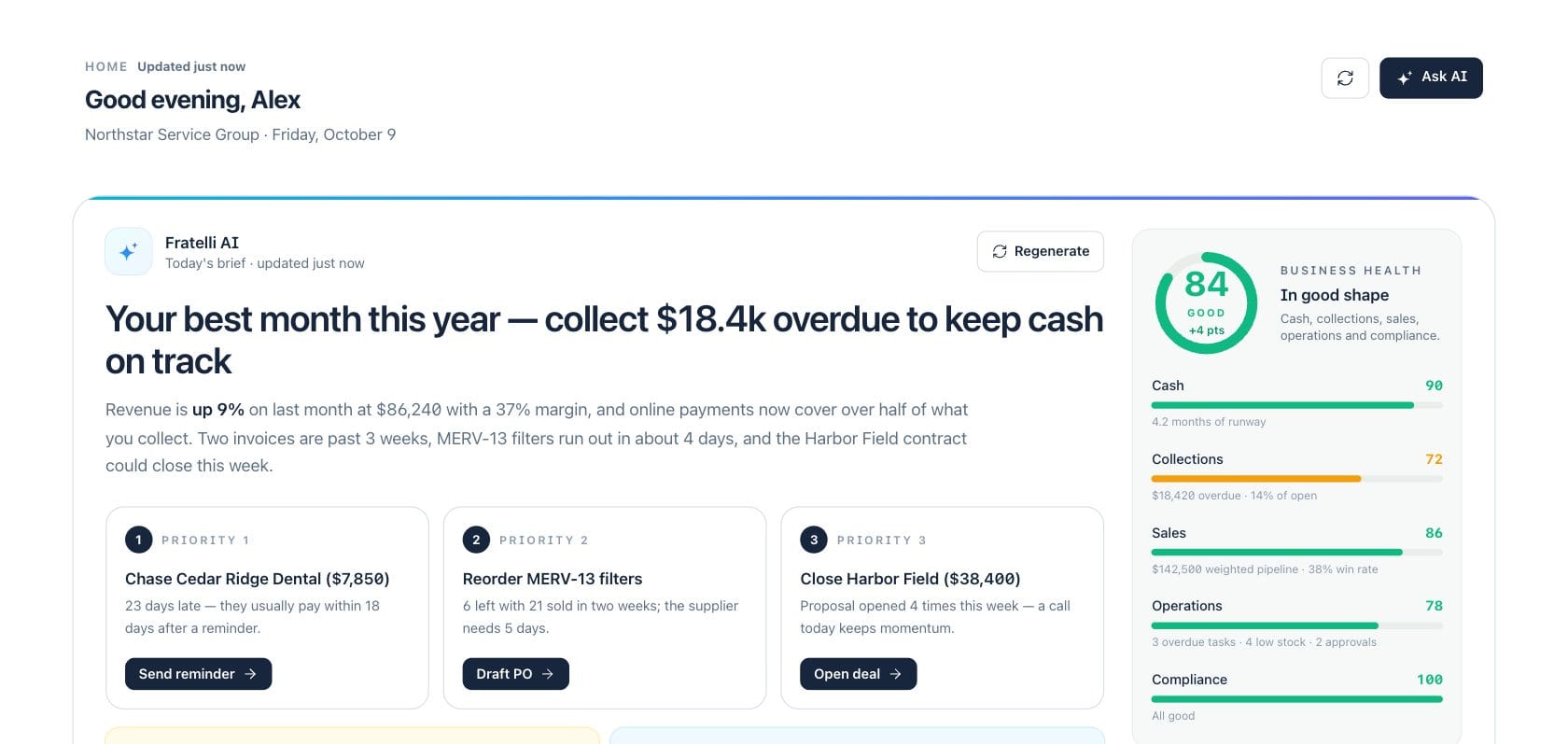
The dashboard opens with a plain-English Fratelli AI brief, business health score, and three ranked priorities such as sending reminders, drafting a purchase order, or opening a deal.
- Health pillars show cash, collections, sales, operations, and compliance
- Priority cards explain why the item matters and where to act
- Regenerate or ask AI when you want a fresh explanation
Financial snapshot
Watch money, pipeline, payments, and trends in one view
KPI cards summarize revenue, profit, cash, receivables, pipeline, expenses, website visits, and online payments. Quick actions let you create invoices, payment links, leads, expenses, customers, or website edits.
- Customize which widgets appear for the way you run the business
- Revenue and expenses chart shows 6 or 12 months with cash collected
- Online payments card shows available balance and payout timing
Operating pulse
Keep website, cash forecast, receivables, and work queues visible
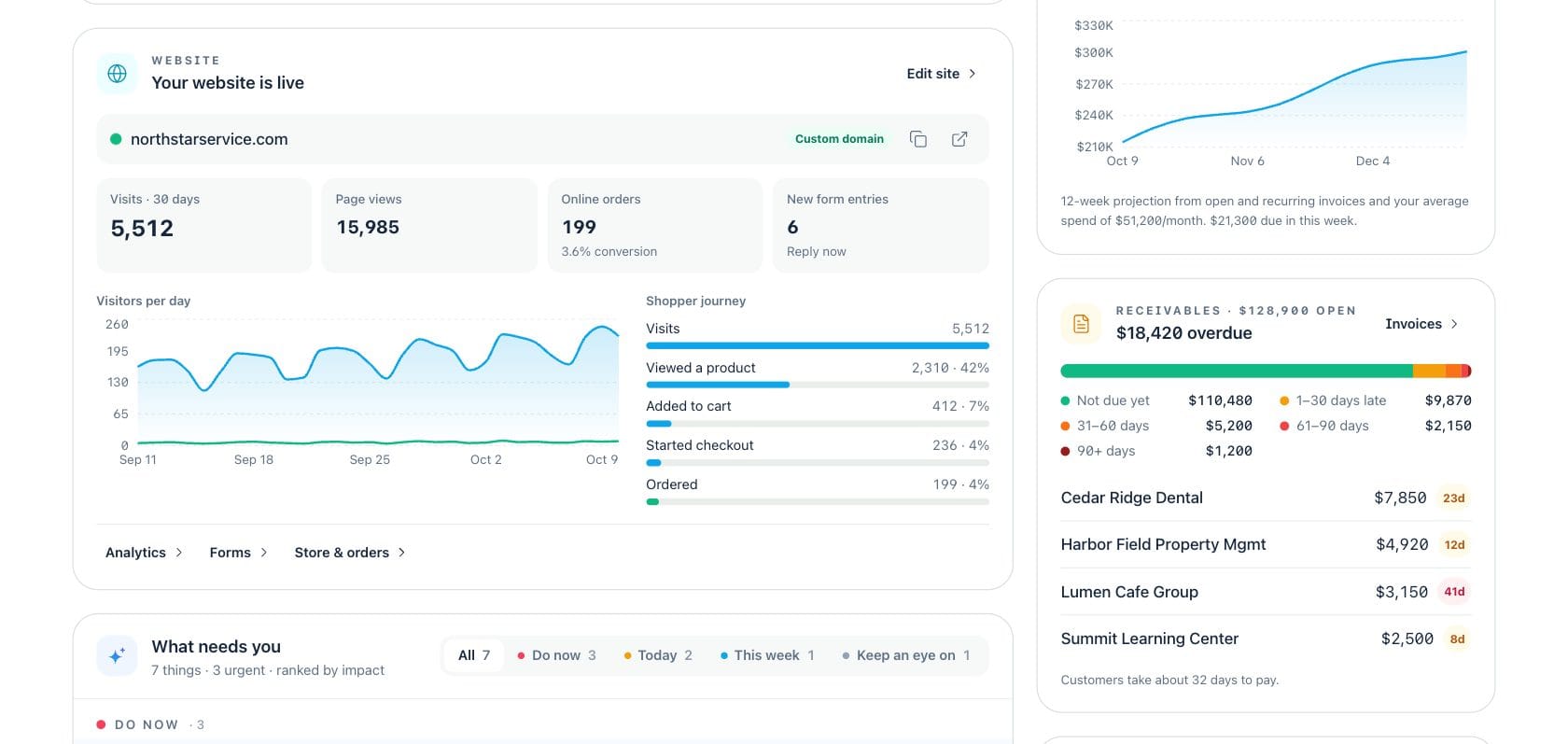
Operational cards show your live website, visitor funnel, 12-week cash forecast, receivables aging, and the “What needs you” feed ranked by urgency and impact.
- Website stats include visits, page views, orders, forms, and shopper journey
- Cash forecast highlights open and recurring invoices plus average spend
- Receivables aging lists overdue customers and amount by age bucket
Everything included
Everything in Dashboard
Use it for an owner check-in, management review, or daily operating brief.
AI daily brief
A grounded summary explains what changed and which actions should happen first.
Business health score
Cash, collections, sales, operations, and compliance roll into a readable health score.
Live KPI cards
Revenue, profit, cash, receivables, pipeline, expenses, website, and payments stay visible.
What needs you
Overdue money, approvals, tasks, inventory risks, and other exceptions are ranked by impact.
Payment snapshot
See online payment volume, available balance, on-the-way funds, and payout timing.
Website pulse
Track site status, visits, page views, orders, forms, and shopper journey from the home screen.
Cash forecast card
A short forecast shows projected cash from open and recurring invoices plus average spend.
Customizable layout
Choose the widgets that matter and keep the dashboard aligned to your daily role.
How it works
Dashboard, step by step
- 01
Open Dashboard each morning
Read the AI brief, check the health score, and scan the top three priorities before opening individual workspaces.
- 02
Act from the cards
Send reminders, open deals, draft purchase orders, create invoices, add expenses, or start payment links from quick actions.
- 03
Review the operating cards
Use revenue, payments, website, cash forecast, receivables, and What needs you to spot changes early.
- 04
Customize as the business changes
Show or hide widgets so the dashboard follows the modules and decisions you use most.
Connected
Works with the rest of Fratelli
The same records flow between these workspaces automatically.
FAQ
Dashboard questions
Can’t find what you need? Our team is happy to help.
No. It summarizes the most useful signals and links back to the source workspace when you need detail or want to take action.
It is grounded in the dashboard brief built from connected records such as invoices, expenses, cash, tasks, products, customer orders, payments, and CRM signals.
Yes. The Customize control lets you choose the dashboard widgets that fit your role and the modules your business uses.
Try Dashboard with the rest of Fratelli
Start free in minutes and bring the rest of your team when you are ready.