

Financial Reports
Build financial statements, operating reports, AI commentary, PDFs, spreadsheets, share links and scheduled report packs from one studio.
At a glance
The numbers on your screen, explained
What each Financial Reports number means and where it comes from — so you know where to act.
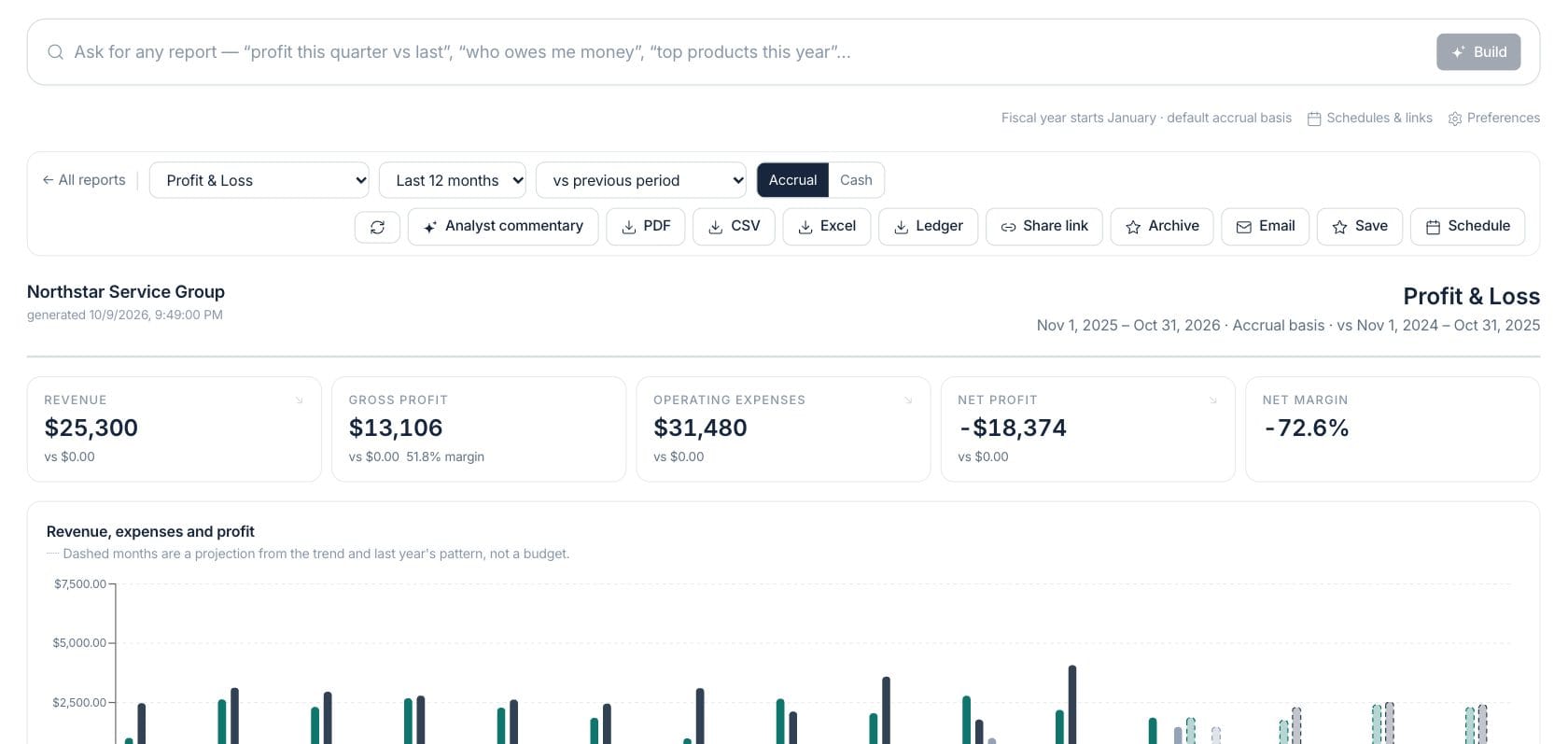
Revenue shown on a generated Profit & Loss report for the selected period and comparison.
Revenue minus cost of goods sold, with the margin shown when revenue exists.
Expense totals included in the selected report period.
Profit after expenses for the selected report period.
Sample numbers from a demo workspace.
Ask
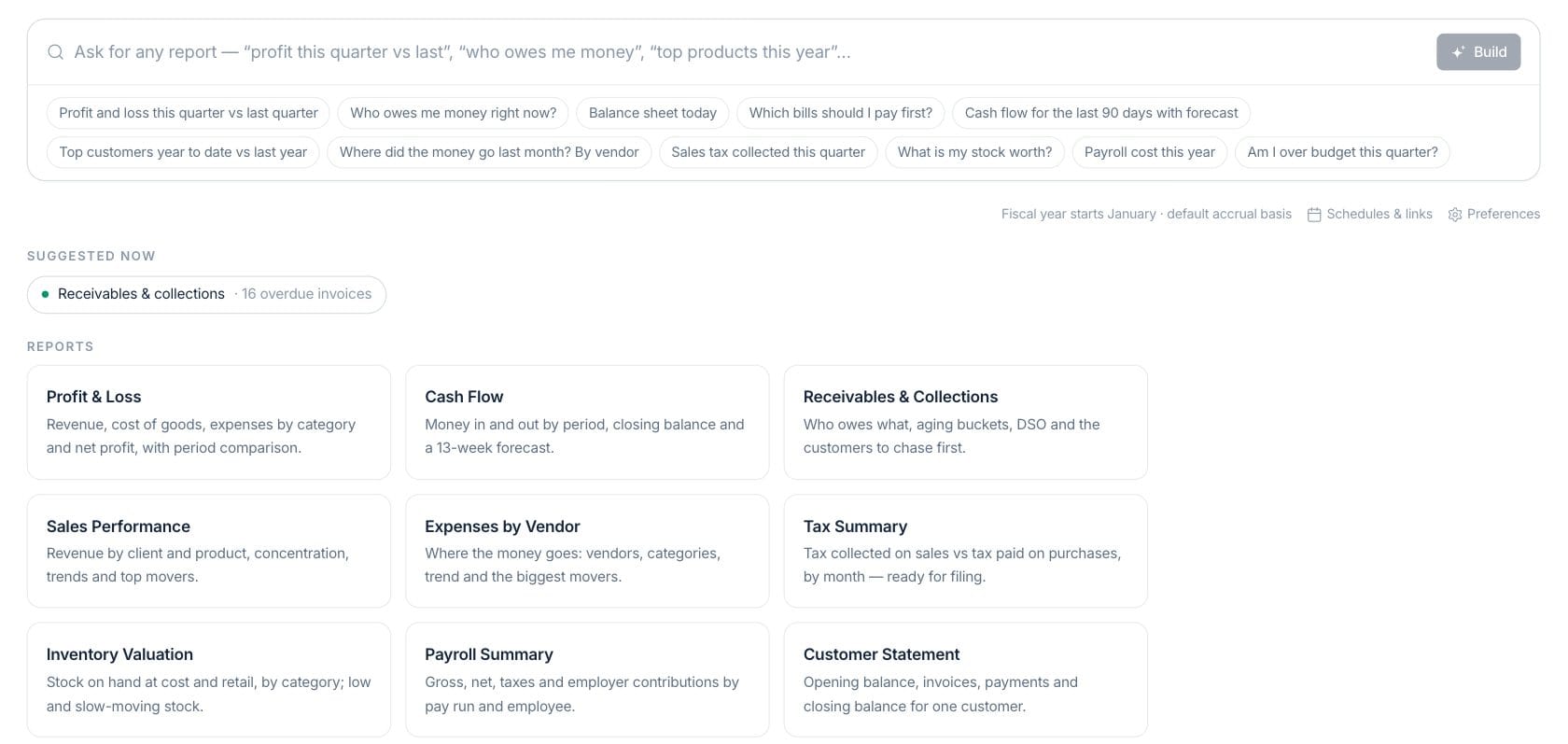
Start with a question or choose a report
Reports Studio accepts plain-language prompts or standard report cards, then lets you choose period, comparison, cash or accrual basis and language.
- Suggested prompts for common owner questions
- Report catalog with financial and operational kinds
- Cash and accrual basis controls
Statements
Review statements with KPIs and supporting charts
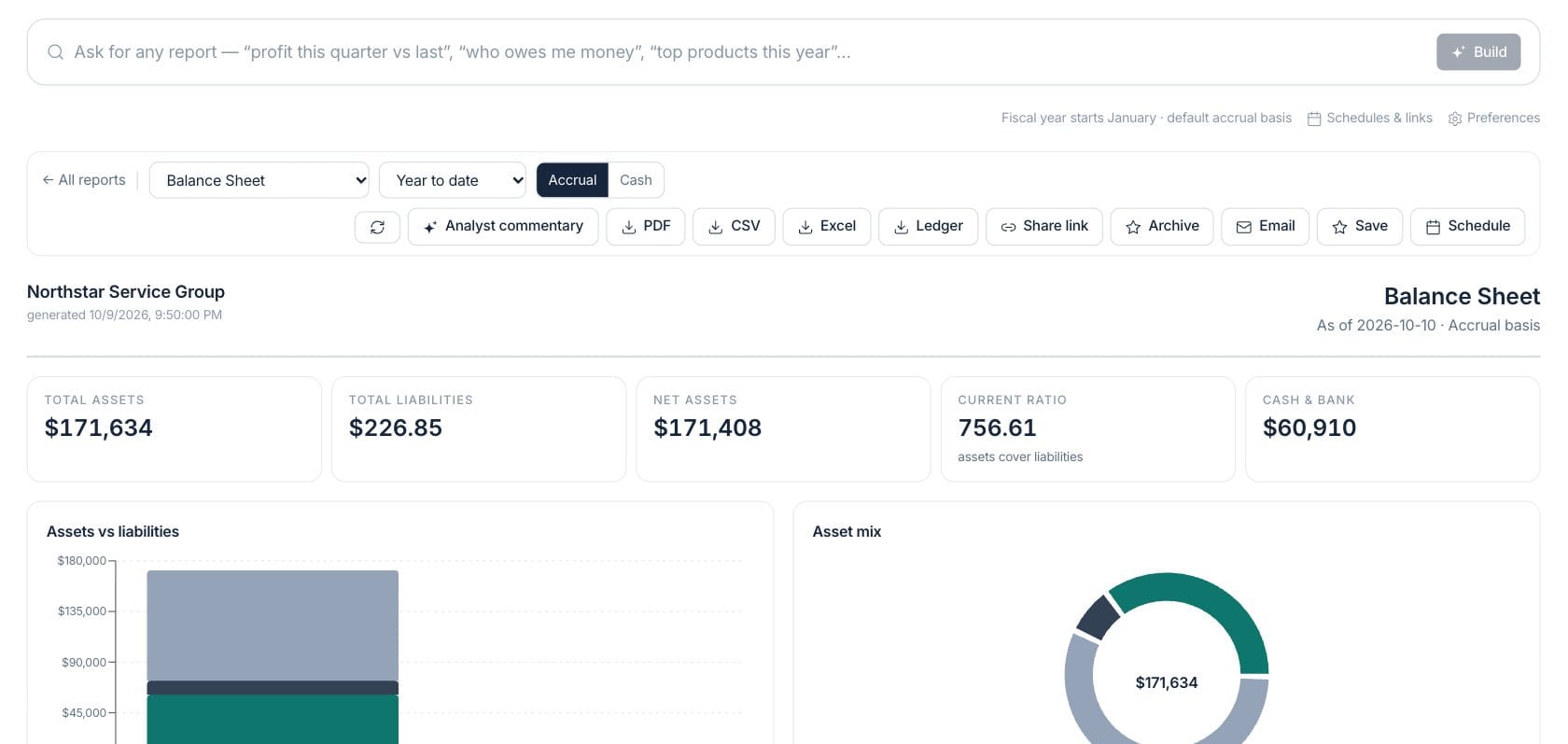
Generated reports render the same model used in chat, including headline KPIs, charts, tables, comparison values and drill-through context where available.
- Profit & Loss and Balance Sheet views
- Receivables, payables, tax, inventory and sales reports
- Forecast points on supported monthly reports
Share
Export, schedule and explain reports
Users can request analyst commentary, download PDFs, CSV, Excel or ledger exports, create share links, archive reports, email them or schedule recurring delivery.
- AI analyst commentary when enabled and allowed
- PDF, CSV, Excel and ledger exports
- Saved reports, schedules, share links and archives
Everything included
Everything in Financial Reports
Use it for management reporting, period review, lender requests, and advisor collaboration.
Plain-language reports
Ask for reports such as profit this quarter, who owes money or cash flow with forecast.
Standard statements
Run Profit & Loss, Balance Sheet, Cash Flow and other finance reports.
Many report kinds
Use receivables, payables, sales, expenses, tax, inventory, payroll and customer reports.
AI commentary
Generate analyst commentary for a report when AI controls and quota allow it.
Export formats
Download branded PDF, CSV, Excel or flat ledger exports depending on the report.
Share links
Create report links for approved recipients and send links by email or SMS where enabled.
Schedules
Save and schedule recurring reports, including language-specific delivery settings.
Report archive
Archive generated PDFs with metadata for later review.
How it works
Financial Reports, step by step
- 01
Choose the report
Ask a question in plain English or select a report kind from the catalog.
- 02
Set period and basis
Pick the date range, comparison, cash or accrual basis and language before building.
- 03
Review the model
Use KPIs, charts, tables and commentary to understand what changed and why.
- 04
Deliver or save it
Export a file, create a share link, email the report, archive it or schedule it for later.
Connected
Works with the rest of Fratelli
The same records flow between these workspaces automatically.
FAQ
Financial Reports questions
Can’t find what you need? Our team is happy to help.
No. The report engine builds the model from business records. AI commentary, when enabled, explains the report using those facts.
Yes. Saved report specs can be scheduled, and report packs can be exported into one PDF.
Reports can export to PDF and CSV, with Excel and ledger exports available from the studio controls where supported.
Try Financial Reports with the rest of Fratelli
Start free in minutes and bring the rest of your team when you are ready.