

Attendance
Review scheduled versus actual time, late arrivals, no-shows, missing punches, breaks, GPS issues, and approvals before hours move forward.
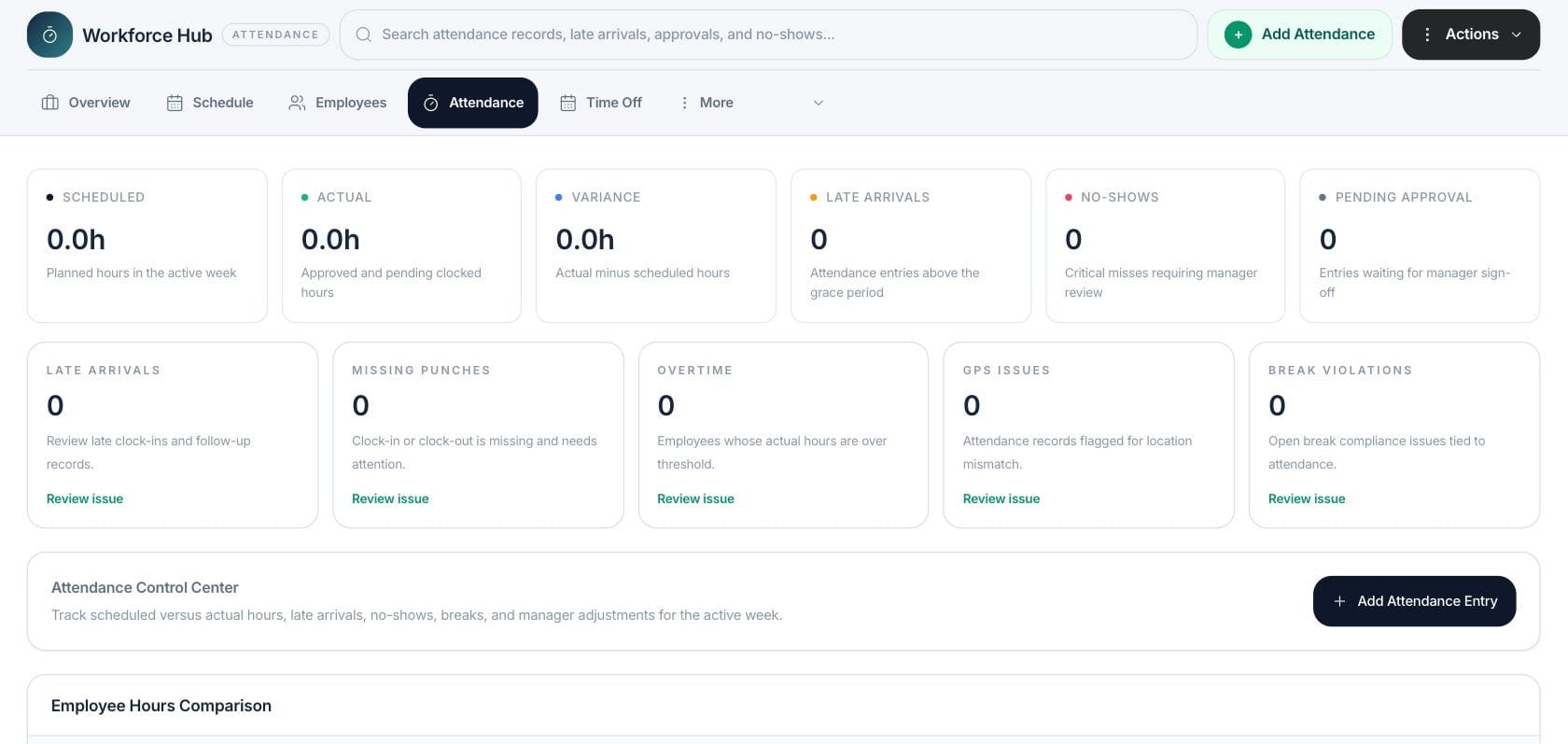
At a glance
The numbers on your screen, explained
What each Attendance number means and where it comes from — so you know where to act.
Totals planned schedule hours for the active week.
Totals clocked attendance hours that are approved or pending review.
Counts attendance entries with late minutes beyond the configured grace period.
Counts attendance entries still waiting for manager approval.
Sample numbers from a demo workspace.
Compare
Track planned hours against clocked hours
Attendance summarizes scheduled, actual, and variance hours so managers can see whether recorded time lines up with the roster.
- Scheduled versus actual hours
- Variance by employee
- Approved and pending time included
- Active-week attendance review
Review
Keep exceptions in one control center
Late arrivals, missing punches, overtime, GPS issues, break violations, no-shows, and pending approvals are grouped for manager follow-up.
- Late and no-show cards
- Missing punch review
- Break and GPS issue counts
- Manager sign-off queue
Adjust
Add attendance records when managers need to correct time
The attendance screen includes an Add Attendance Entry action for clock-in, clock-out, break, and approval workflows that require manual review.
- Manual attendance entry
- Clock-in and clock-out fields
- Break window support
- Approval status tracking
Everything included
Everything in Attendance
Use it for daily attendance checks, corrections, and time review before payroll.
Time-entry review
Review clocked hours against the working schedule before sign-off.
Variance tracking
See actual minus scheduled hours for the active attendance period.
Late arrivals
Highlight entries above the grace period so managers know where follow-up is needed.
Approval queue
Keep entries waiting for manager sign-off visible.
GPS issues
Track attendance records flagged for location mismatch when that data is present.
Break review
Surface open break compliance issues tied to attendance records.
Manual entries
Add attendance records when a correction needs to be captured.
How it works
Attendance, step by step
- 01
Review the weekly totals
Compare scheduled, actual, and variance hours for the active week.
- 02
Open exceptions first
Work late arrivals, missing punches, no-shows, GPS issues, and break violations.
- 03
Approve or correct entries
Add or update attendance entries before managers sign off.
- 04
Use the clean record downstream
Keep reviewed hours ready for workforce reporting and payroll-related review.
Connected
Works with the rest of Fratelli
The same records flow between these workspaces automatically.
FAQ
Attendance questions
Can’t find what you need? Our team is happy to help.
Yes. The Attendance workspace has an Add Attendance Entry action for records that need to be entered or corrected.
Yes. It compares actual clocked hours with scheduled hours and shows the variance for review.
Try Attendance with the rest of Fratelli
Start free in minutes and bring the rest of your team when you are ready.