

Approvals
Bring important decisions out of chat threads and into a queue with requester, source context, urgency, comments, and decision history.
At a glance
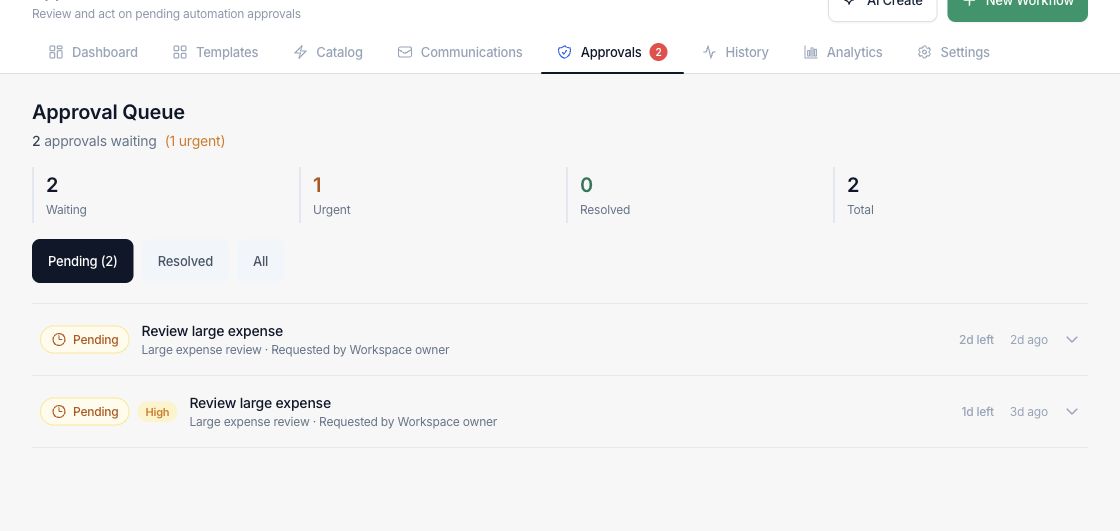
The numbers on your screen, explained
What each Approvals number means and where it comes from — so you know where to act.
Approval requests still waiting for an assigned reviewer to make a decision.
Pending requests flagged high priority or close to their review deadline.
Requests already approved, rejected, expired, or auto-approved in the visible queue.
Every approval request currently available in the queue, including pending and resolved decisions.
Sample numbers from a demo workspace.
Review
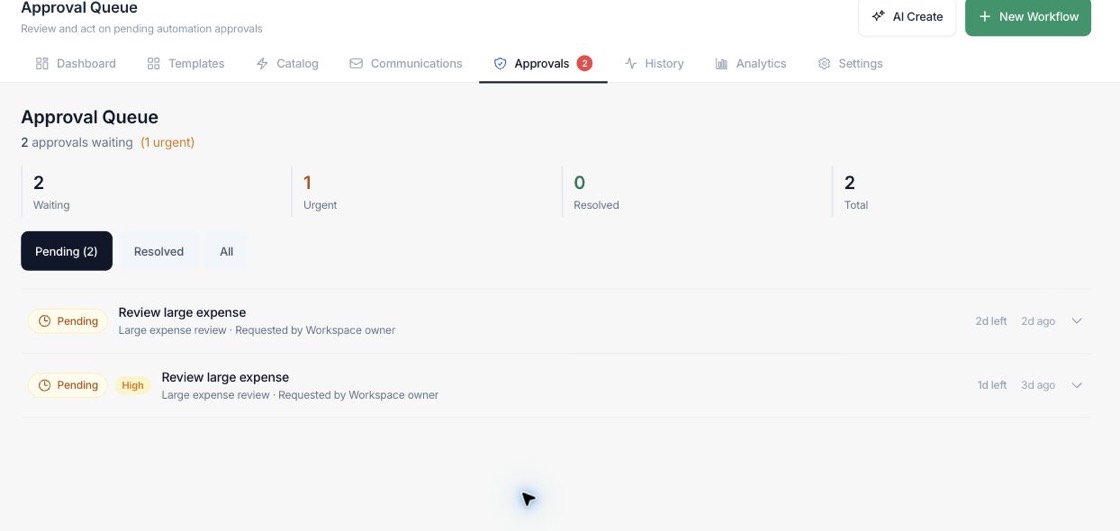
Prioritize requests by urgency and deadline
The queue separates waiting, urgent, resolved, and total approvals so reviewers can handle the most time-sensitive work first.
- Filter pending, resolved, or all approvals
- See priority, requester, status, and remaining time
- Keep high-risk workflow actions from running without review
Decide
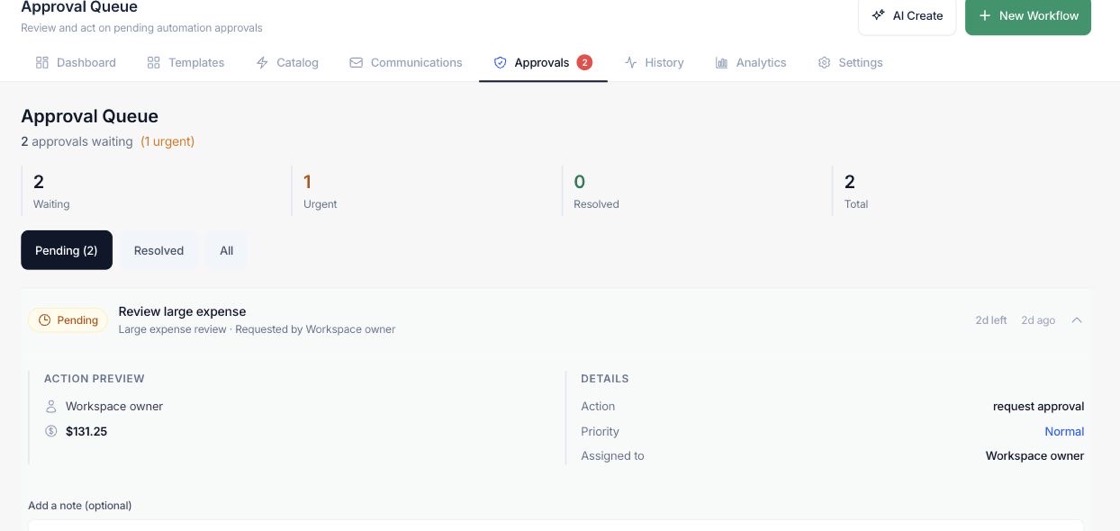
Open the source context before approving
Each approval can expand into the proposed action, source record, assigned reviewers, and decision notes before the reviewer approves or rejects.
- Inspect action type and amount when provided
- Add a reason for approval or rejection
- Approved actions can continue the paused workflow
Control
Use approvals inside automated workflows
Approval gates let a workflow pause for financial, customer, or operational review instead of forcing every process to be fully automatic.
- Place review steps between automated actions
- Escalate or expire requests based on policy
- Keep an audit trail of who decided and why
Everything included
Everything in Approvals
Use it for spend, discounts, purchases, exceptions, and other controlled decisions.
Decision queue
Centralize pending, urgent, resolved, and total requests in one reviewer workspace.
Source preview
Review the proposed action and attached business context before deciding.
Assigned reviewers
Show who is responsible for the decision and who completed it.
Time limits
Track how long a request has left and identify items that need faster review.
Decision notes
Capture the reason for approval or rejection with the request.
Workflow gates
Pause an automation until the decision is complete, then continue or stop safely.
How it works
Approvals, step by step
- 01
A workflow reaches a review point
Approval requests are created when a configured workflow action requires human review.
- 02
The reviewer checks the context
The approval card shows request details, source context, requester, priority, and proposed action.
- 03
The reviewer approves or rejects
A note can be attached to the decision so the workflow record explains what happened.
- 04
The automation continues or stops
Approved gates can continue execution; rejected or expired requests remain visible for follow-up.
Connected
Works with the rest of Fratelli
The same records flow between these workspaces automatically.
FAQ
Approvals questions
Can’t find what you need? Our team is happy to help.
Yes. Approval gates are workflow steps, so they can be used wherever a supported workflow needs review before continuing.
Yes. Approval cards include source context, requested action details, priority, assignees, and decision notes.
Yes. Resolved approvals remain available in the queue filters with the decision and reviewer context.
Try Approvals with the rest of Fratelli
Start free in minutes and bring the rest of your team when you are ready.