

Bills & Expenses
Capture supplier bills, operating expenses, approvals, payment readiness and spending evidence without starting from a dense accounting screen.
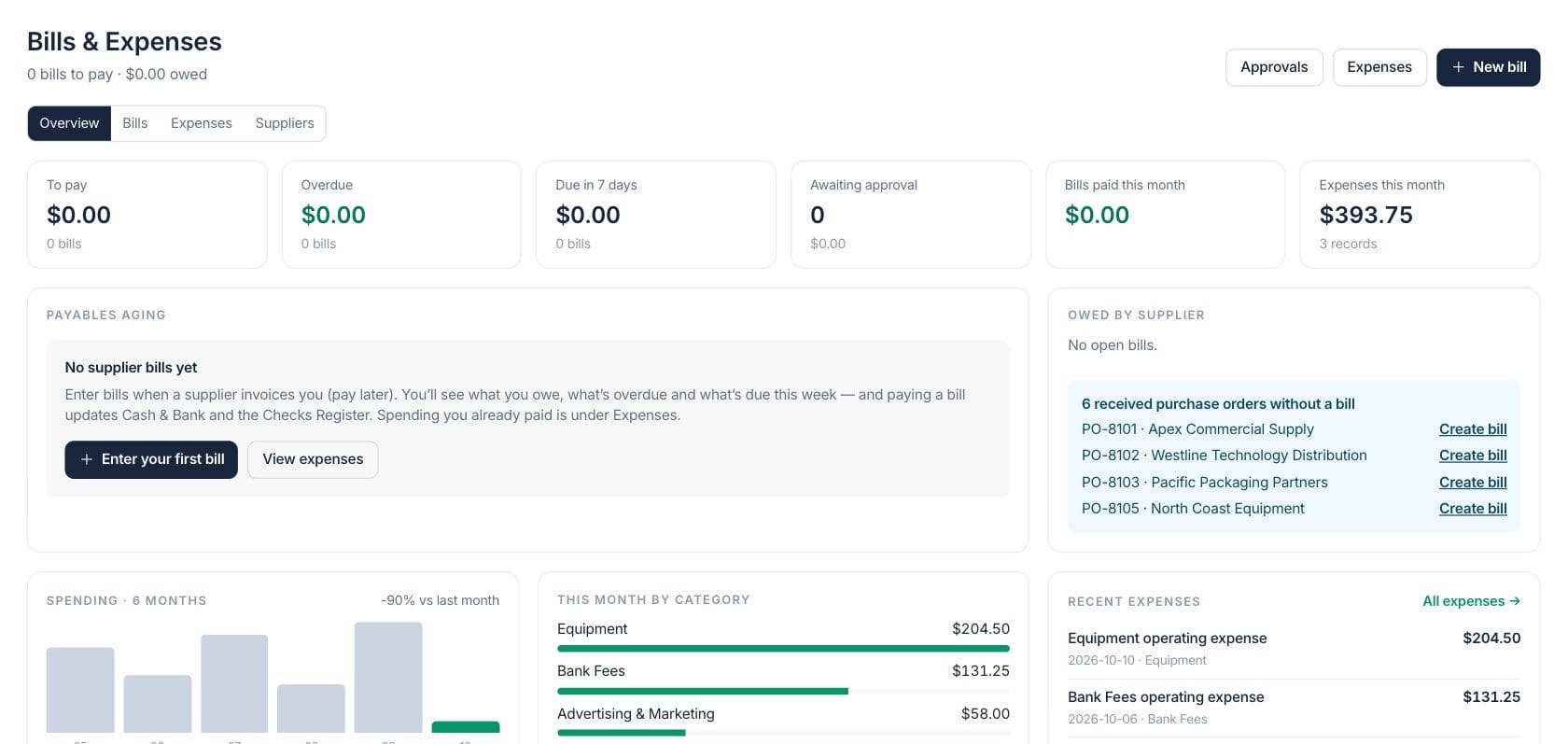
At a glance
The numbers on your screen, explained
What each Bills & Expenses number means and where it comes from — so you know where to act.
Open supplier bills approved or partly paid that still have a balance due.
Open bills with a due date before today.
Bills submitted for approval before they can be booked or paid.
Already-paid expense records dated in the current month.
Sample numbers from a demo workspace.
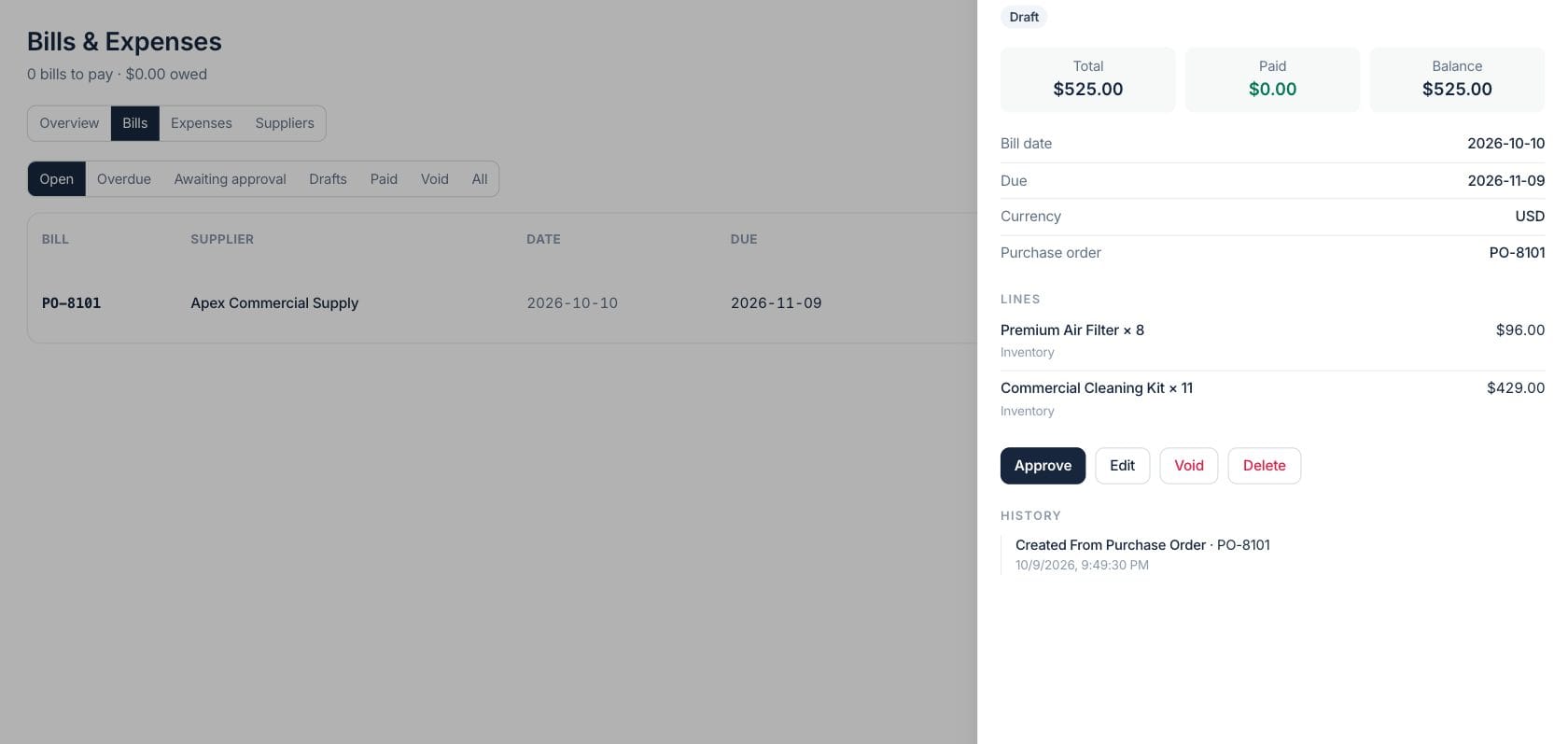
Bills
Track supplier bills from draft to paid
Bills move from draft to approval, approved, partly paid or paid, with supplier, issue date, due date, totals and remaining balance visible.
- Create bills from received purchase orders
- Use default payment terms and due dates
- Pay by cash account, card, transfer or check
Spend
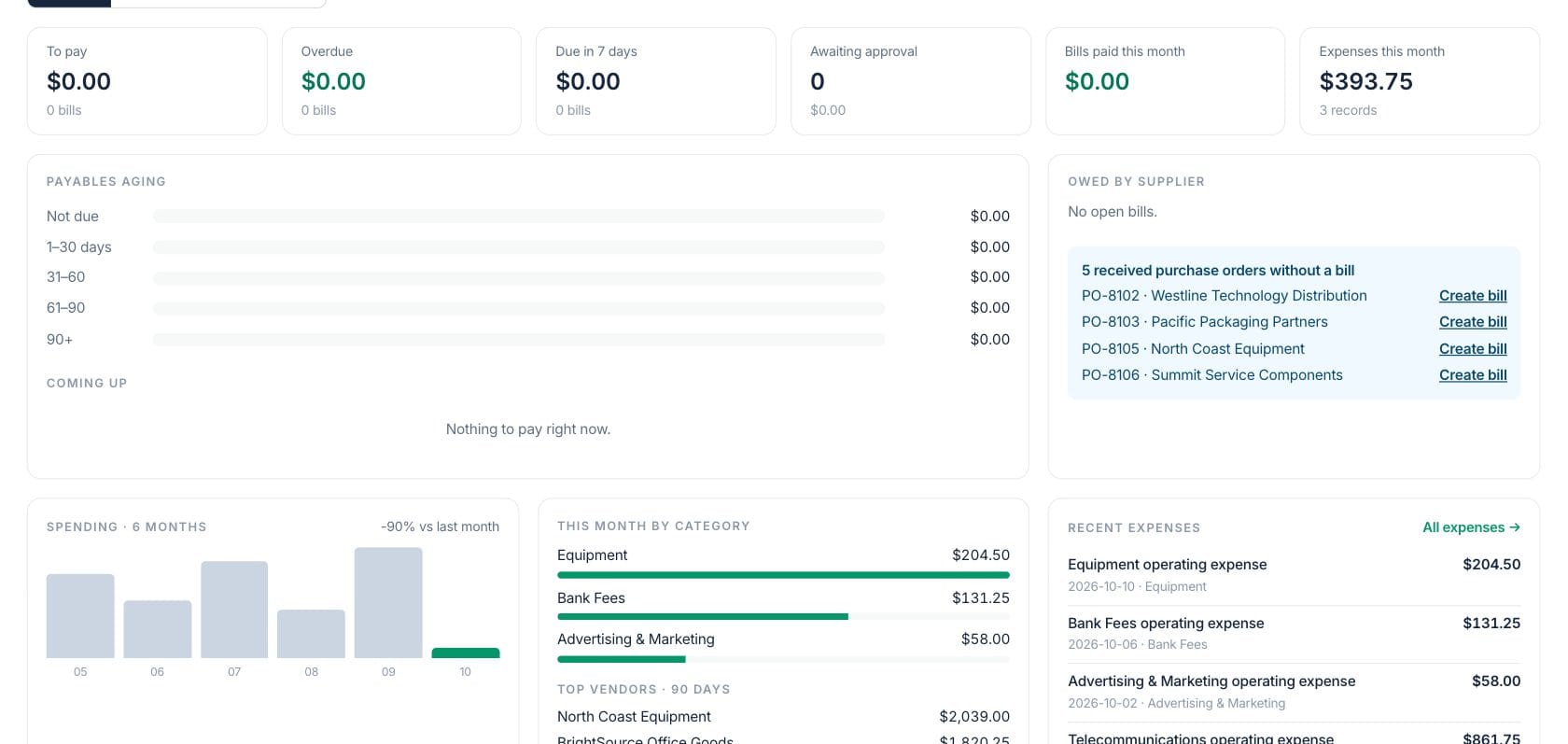
Understand spending by month, category and supplier
The overview combines payables aging, upcoming bills, supplier balances, six-month spend and category concentration for quick review.
- Payables aging by current and overdue buckets
- Top categories for this month
- Recent expense list with quick access
Approvals
Route bills before they hit payment readiness
Approval settings can require review above a threshold, and awaiting bills stay visible until an authorized person approves or rejects them.
- Approval-required status for submitted bills
- Owner or approver actions in the bill list
- Rejection reason shown to the submitter
Everything included
Everything in Bills & Expenses
Use it for operating expenses, vendor invoices, reimbursements, and receipt-backed review.
Bill capture
Enter vendor bills with supplier, terms, categories, line items and purchase-order context.
Approval workflow
Route bills for approval based on settings before they are ready to pay.
Pay from Cash & Bank
Record bill payments from a bank account or outside the bank register.
Check payments
Pay a bill by check and keep the payment connected to the Checks Register.
Payables aging
See current, 1–30, 31–60, 61–90 and 90+ overdue buckets.
Expense categories
Code expenses and bill lines to categories that flow into accounting.
Cost-center filters
Filter expenses by cost center when centers are configured for the workspace.
Supplier view
Review open balances by supplier and jump from received purchase orders to draft bills.
How it works
Bills & Expenses, step by step
- 01
Enter the bill or expense
Capture a supplier bill to pay later, or record an already-paid expense with category and supplier context.
- 02
Review coding and approval
Confirm dates, totals, categories, terms, attachments and whether approval is required.
- 03
Pay or route the item
Approved bills can be paid from Cash & Bank, by check or recorded outside the register.
- 04
Use the spending record
The same expense and bill data supports accounting, cost centers, reports and cash review.
Connected
Works with the rest of Fratelli
The same records flow between these workspaces automatically.
FAQ
Bills & Expenses questions
Can’t find what you need? Our team is happy to help.
A bill is money you owe a supplier and plan to pay later. An expense is spending that has already happened.
Yes. The overview highlights received purchase orders that do not yet have a bill and can create a draft bill from them.
Try Bills & Expenses with the rest of Fratelli
Start free in minutes and bring the rest of your team when you are ready.