

Smart Pricing
See real margins after discounts and returns, find price changes worth reviewing, simulate changes, spot discount leakage, and monitor demand trends.
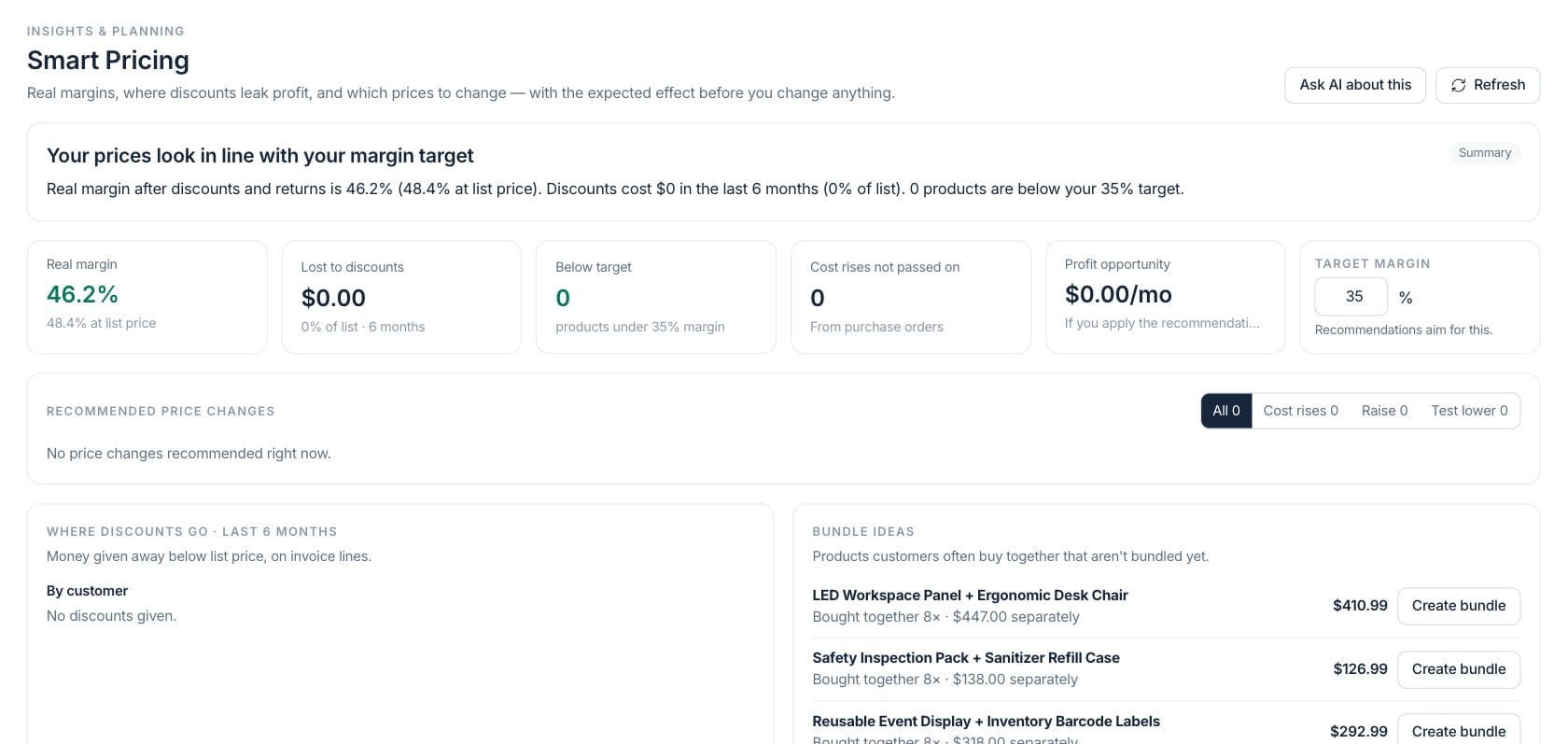
At a glance
The numbers on your screen, explained
What each Smart Pricing number means and where it comes from — so you know where to act.
Real margin is margin after discounts and returns, compared with margin at list price.
Lost to discounts totals money given away below list price on invoice lines over six months.
Below target counts products with real margin below the target margin set in Smart Pricing.
Profit opportunity estimates monthly profit lift if recommended price changes are applied.
Sample numbers from a demo workspace.
Recommendations
Review recommended price changes before applying them
Smart Pricing sorts products by price actions such as raising prices, passing on supplier cost increases, or testing a lower price, with suggested price, confidence, and profit effect.
- Recommendations show current price, suggested price, unit effect, and monthly profit
- Confidence explains whether sensitivity is measured or assumed
- Apply selected prices only when you have product edit permission
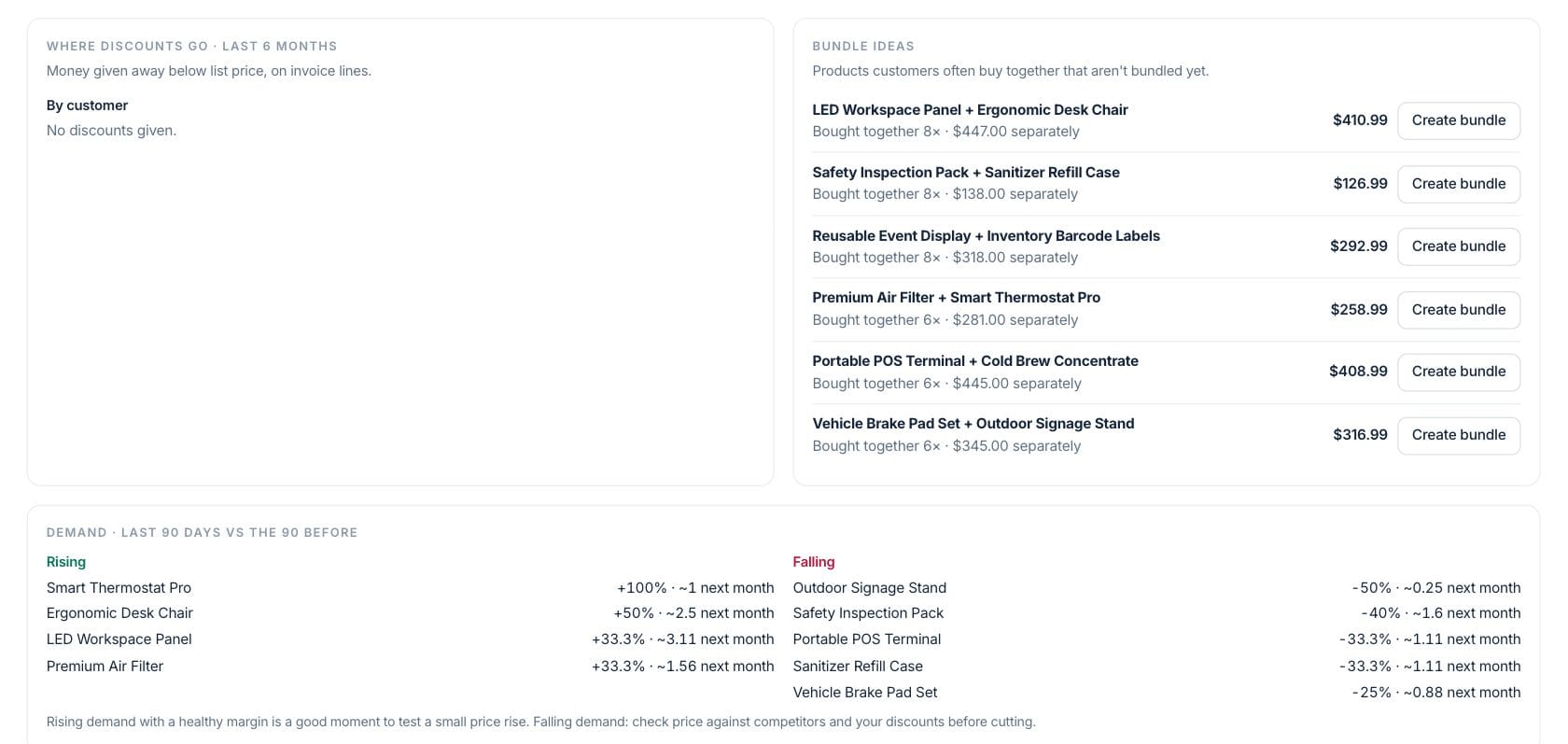
Simulator
Try a product price and see margin and volume change
Open a product drawer to review list price, realised price, cost, real margin, units sold, returns, and a slider that simulates price changes before you save.
- Charm pricing rounds suggested values
- Simulation estimates units, revenue, and profit
- Open the source product or ask AI about the decision
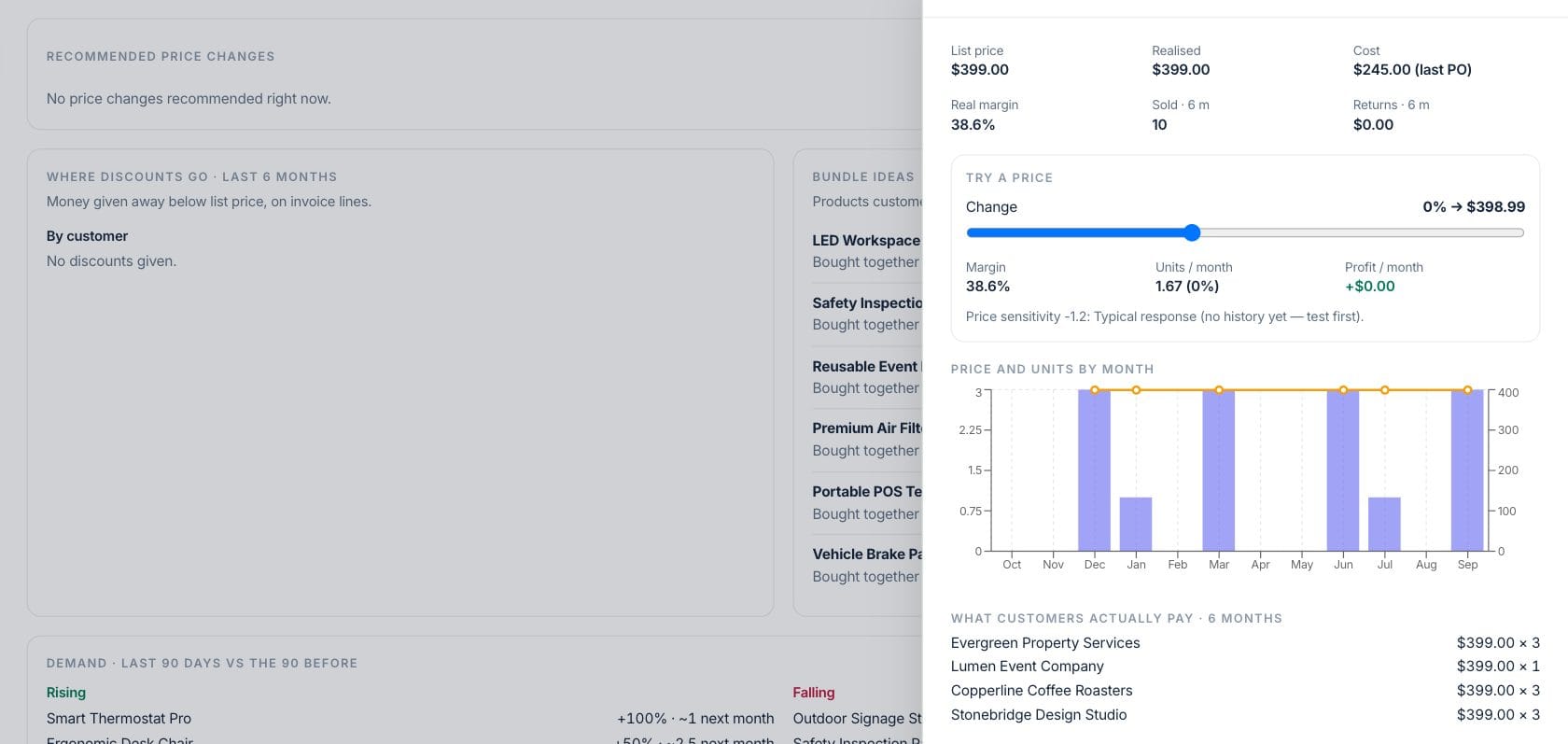
Demand
Use demand movement before changing prices
The demand section, formerly Market Intelligence, compares the last 90 days with the 90 before and lists products rising or falling with expected next-month units.
- Rising demand with healthy margin can support a small price test
- Falling demand prompts review of price, discounts, and competitors
- Product table includes list, realised, cost, margin, sold, discounts, demand, and sensitivity
Everything included
Everything in Smart Pricing
Use it for price review, margin pressure, catalog updates, and offer preparation.
Price recommendations
Review suggested prices based on margin, cost movement, demand, and sensitivity.
Real margin math
Compare list margin with realised margin after discounts and returns.
Discount leakage
See discounts by customer and by product over the last six months.
Bundle ideas
Find products customers often buy together and start a bundle.
Demand trends
Compare product demand in the last 90 days against the previous 90 days.
Target margin control
Set the target margin that recommendations should aim for.
Permission-aware updates
Applying prices depends on product or inventory edit permission.
Ask AI about pricing
Ask which prices to change first or ask about a specific product decision.
How it works
Smart Pricing, step by step
- 01
Refresh pricing intelligence
Load current products, costs, discounts, sales, returns, demand, and target margin.
- 02
Review the recommendation list
Filter all recommendations, cost rises, raise suggestions, or lower-price tests before selecting anything.
- 03
Inspect the product detail
Open a row to simulate price changes, check margins, view demand, and ask AI if needed.
- 04
Apply carefully
Confirm selected retail price changes; Smart Pricing records what was applied and lets you watch results.
Connected
Works with the rest of Fratelli
The same records flow between these workspaces automatically.
FAQ
Smart Pricing questions
Can’t find what you need? Our team is happy to help.
No. It shows recommendations and simulations. Applying a price requires permission and a confirmed update.
The screen labels sensitivity as measured from past changes, based on similar products, or assumed when there is not enough history yet.
No. The current market-style demand view lives inside Smart Pricing as the demand section, comparing recent product demand and margin context.
Try Smart Pricing with the rest of Fratelli
Start free in minutes and bring the rest of your team when you are ready.