

Product Bundles
Package products and services into reusable offers that show bundle price, component cost, margin, current stock support, and where the bundle can be sold.
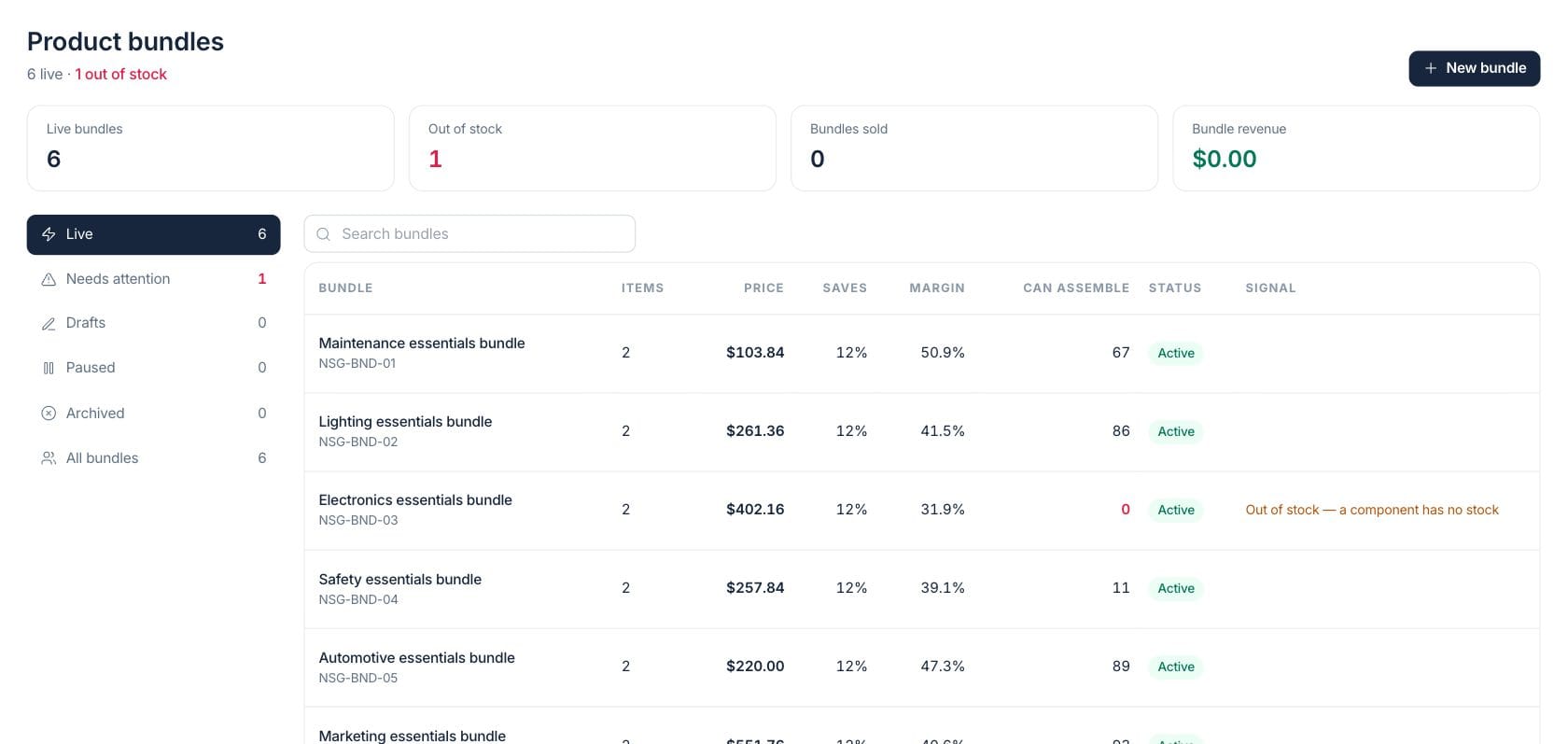
At a glance
The numbers on your screen, explained
What each Product Bundles number means and where it comes from — so you know where to act.
Bundles with an active status are counted as live and available according to their dates and channel settings.
Live bundles are flagged when a required component has no available stock to assemble the package.
Invoice activity for bundle items is counted to show how many packages have been sold.
Revenue from invoices containing bundle items is summed across the selected bundle set.
Sample numbers from a demo workspace.
Package
Create a reusable bundle with its own selling price
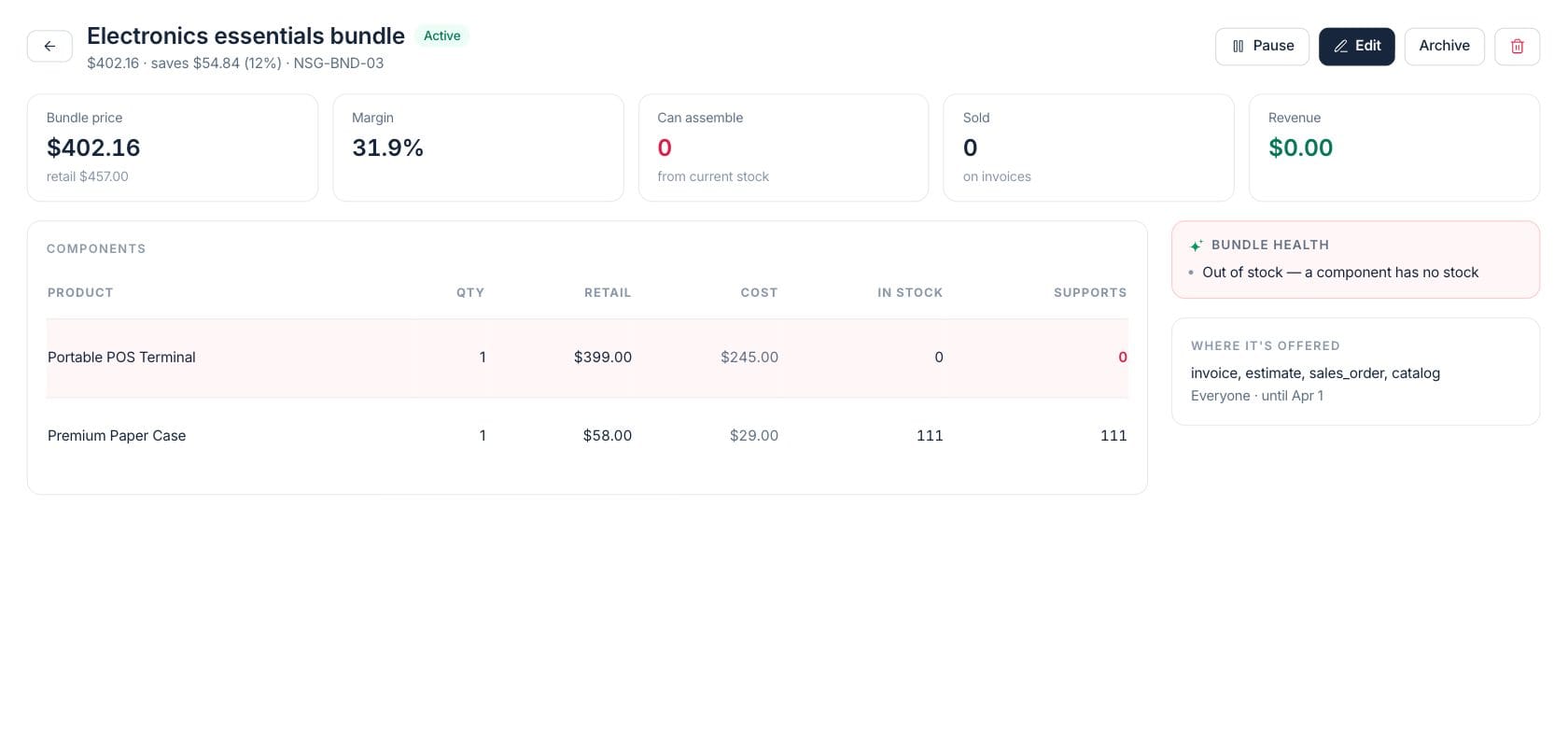
Bundle detail shows the packaged price, retail comparison, savings, SKU, selling status, and channels where it is offered.
- Bundle price and retail savings stay visible
- Active, draft, paused, and archived lifecycle states
- Channel and customer availability shown beside health
Components
See every item behind the package before you sell it
The components table lists each product, quantity, retail price, cost, current stock, and how many complete bundles that stock can support.
- Required and optional components are shown separately
- In-stock and supports counts expose fulfillment risk
- Cost and retail values support margin review
Margin
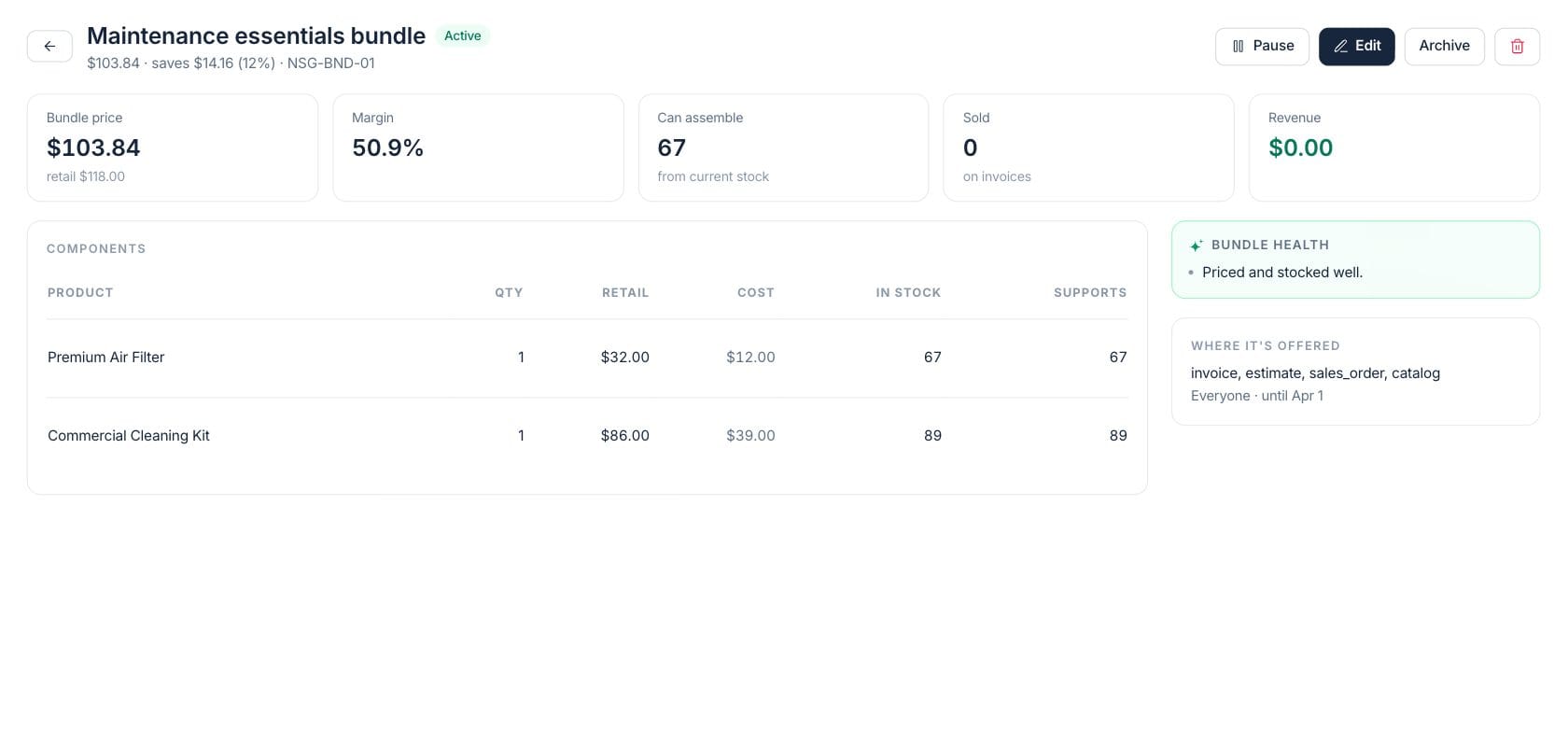
Protect package profitability and availability
Bundle health highlights out-of-stock components, below-cost pricing, low margin, unusually deep savings, and bundles ending soon.
- Out-of-stock bundles appear in needs-attention
- Margin and below-cost warnings on detail
- Sold and revenue KPIs show commercial usage
Everything included
Everything in Product Bundles
Use it for service packages, kits, onboarding offers, and recurring combinations.
Reusable packages
Bundle related products or services into one commercial offer for quotes, invoices, sales orders, or catalog use.
Margin review
Compare bundle price with retail value and component cost before selling.
Stock support
See how many bundles can be assembled from current stock across required components.
Savings display
Show package savings as a dollar amount and percentage against component retail prices.
Sales channels
Control where the bundle is offered, including invoice, estimate, sales order, and catalog channels.
Customer scope
Offer bundles to everyone or limit them by customer and customer group.
Bundle health
Flag stock, pricing, margin, savings, and ending-soon concerns for review.
Sales tracking
Track bundles sold and revenue from invoices that include the packaged offer.
How it works
Product Bundles, step by step
- 01
Choose the package contents
Add required and optional components with the quantities needed for one bundle.
- 02
Set the commercial terms
Enter bundle price, dates, channels, customer scope, SKU, and status.
- 03
Check stock and margin
Review current stock support, cost, savings, and health warnings before making it live.
- 04
Track sales and adjust
Use sold and revenue metrics to decide whether to restock, reprice, pause, or archive the bundle.
Connected
Works with the rest of Fratelli
The same records flow between these workspaces automatically.
FAQ
Product Bundles questions
Can’t find what you need? Our team is happy to help.
Yes. A bundle can include multiple components with quantities, and the detail view shows the items behind the package.
It shows current stock and how many complete bundles that stock can support, then flags live bundles that cannot be assembled.
Yes. Bundle detail shows where it is offered, such as invoices, estimates, sales orders, or catalog, along with customer scope and dates.
Try Product Bundles with the rest of Fratelli
Start free in minutes and bring the rest of your team when you are ready.