

Barcode Generator
Generate, batch-create, save, download, and print barcode labels for product, inventory, shipping, asset, location, and custom identifiers.
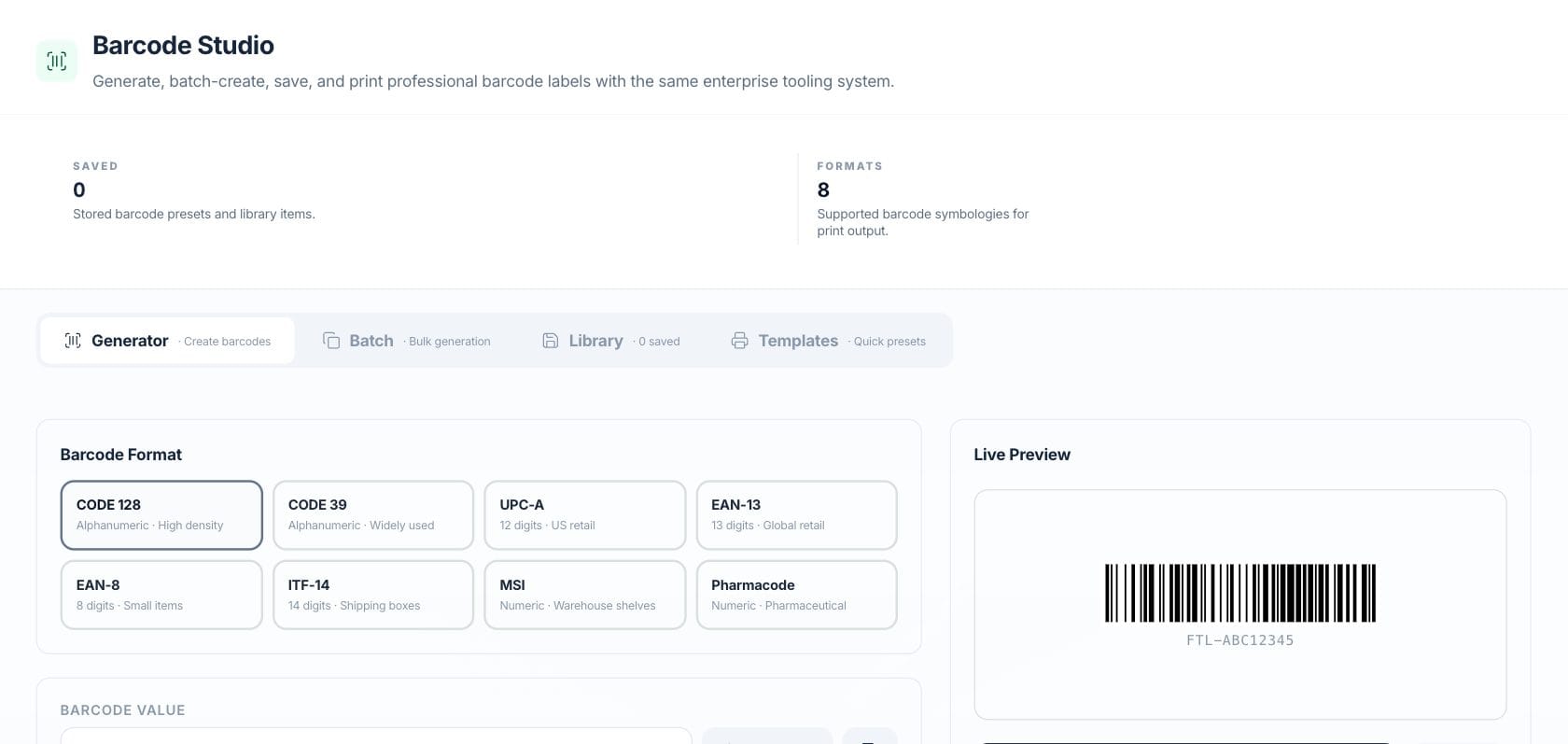
At a glance
The numbers on your screen, explained
What each Barcode Generator number means and where it comes from — so you know where to act.
Stored barcode presets and library items saved in the browser library.
Supported barcode formats available for preview and print output.
Barcode labels printed this month from generator, batch, template, or product-based output.
Maximum number of generated barcode items allowed in one batch print set.
Sample numbers from a demo workspace.
Create
Pick a format and preview the barcode live
Barcode Studio supports common formats such as CODE 128, CODE 39, UPC-A, EAN-13, EAN-8, ITF-14, MSI, and Pharmacode with a live preview.
- Choose from eight barcode symbologies
- Generate a random valid value for the selected format
- Preview the barcode and display value before printing
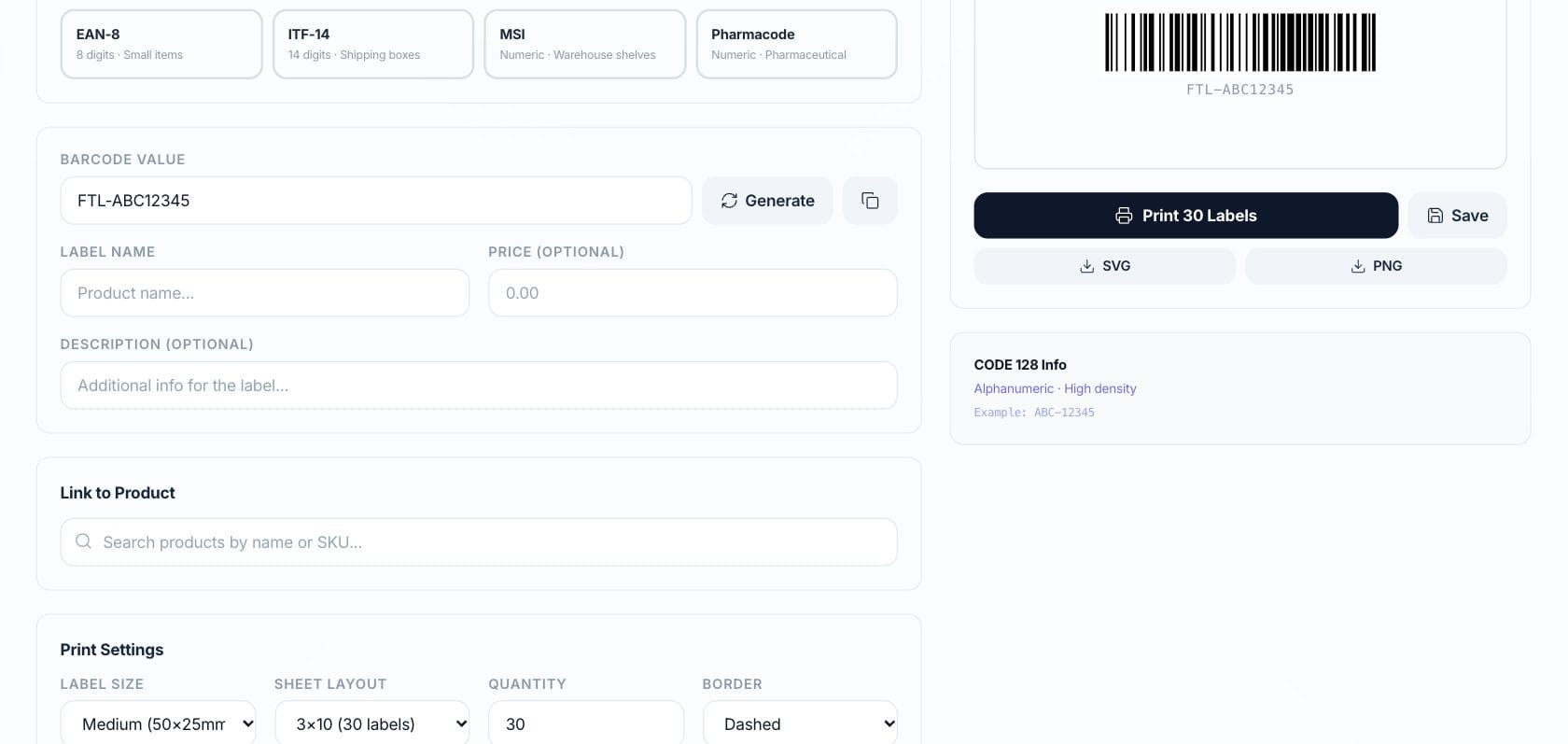
Configure label size, layout, and batch output
Choose label sizes, sheet layouts, and batch prefixes so teams can print shelf, product, box, or asset labels without leaving the tool.
- Small, medium, large, and custom label sizes
- Sheet layouts from single label to 65-label sheets
- Batch print with prefix and count controls
Reuse
Save barcodes and start from presets or products
Saved barcodes create a quick library, templates provide common label setups, and product variants can be loaded when a product catalog is available.
- Save and reload barcode presets
- Use quick-start templates for retail, warehouse, shipping, asset, and price labels
- Generate from existing product SKUs or barcode values
Everything included
Everything in Barcode Generator
Use it for product labels, shelf labels, stock handling, and internal identification.
Eight barcode formats
Create CODE 128, CODE 39, UPC-A, EAN-13, EAN-8, ITF-14, MSI, and Pharmacode labels.
Live preview
See the barcode and value before printing or downloading.
Random value generator
Generate an example value that matches the selected format.
PNG download
Download the current barcode as a PNG asset.
Print layouts
Print single labels or sheet layouts such as 3×7, 3×10, 2×5, 4×12, and 5×13.
Saved library
Save barcode presets and reload them later.
Product import
Load SKU and barcode values from product variants when products are available.
Quick templates
Start from retail, warehouse, shipping, small-item, asset, price, and bulk SKU presets.
How it works
Barcode Generator, step by step
- 01
Select a format
Choose the barcode symbology that matches the product, shelf, asset, or shipping use case.
- 02
Enter or generate a value
Type the identifier or generate a sample value, then confirm the live preview looks right.
- 03
Configure label output
Pick size, layout, displayed value, and batch settings if printing multiple labels.
- 04
Save, print, or download
Store the barcode in the library, print labels, or download the barcode PNG.
Connected
Works with the rest of Fratelli
The same records flow between these workspaces automatically.
FAQ
Barcode Generator questions
Can’t find what you need? Our team is happy to help.
The tool supports CODE 128, CODE 39, UPC-A, EAN-13, EAN-8, ITF-14, MSI, and Pharmacode.
Yes. When products are available, the Templates view can load product variants and use their SKU or barcode values.
Yes. The Batch view supports a prefix and count, with count limited to 100, and can print all generated labels.
Try Barcode Generator with the rest of Fratelli
Start free in minutes and bring the rest of your team when you are ready.