

Payment Connections
Manage Stripe, Plaid bank feeds, Gmail sending, Twilio SMS and automation webhooks from one administrator-friendly integrations hub.
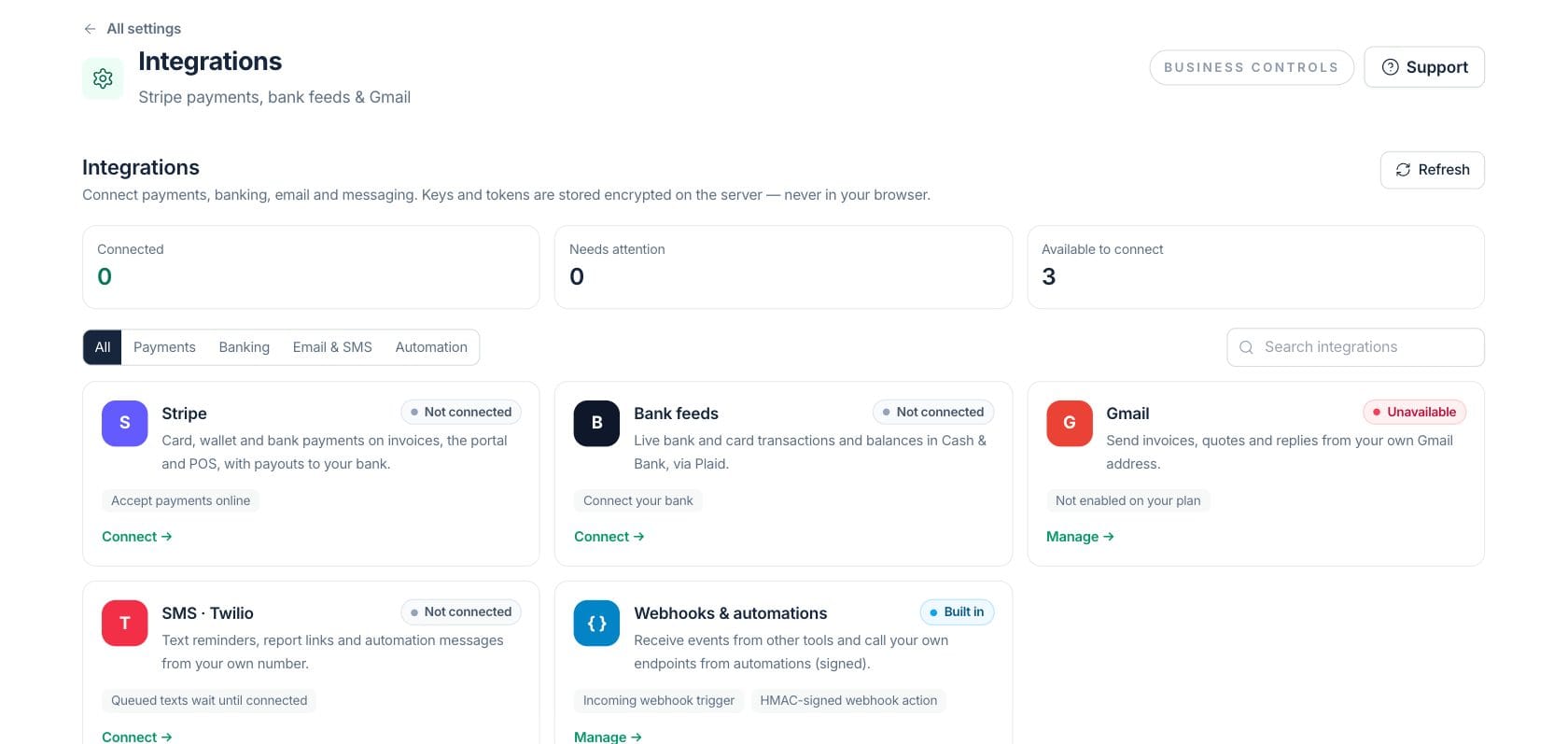
At a glance
The numbers on your screen, explained
What each Payment Connections number means and where it comes from — so you know where to act.
The number of integrations that are configured and passing their current health check.
Connections that require verification, reconnection, plan access or updated settings before use.
Supported integrations that can be connected by an owner or administrator.
Sample numbers from a demo workspace.
Payments
Connect Stripe for payments and payouts
The Stripe card shows whether charges, payouts and verification are ready, then sends owners into onboarding, account update or the Payments Center.
- Start or refresh Stripe Connect onboarding
- Open the Stripe dashboard when connected
- Jump directly to the Payments Center
Banking
Connect Plaid bank feeds for Cash & Bank
Bank feed connections show institution status, synced accounts, last sync timing and reconnect or disconnect actions when permitted.
- Connect or reconnect a bank through Plaid Link
- Sync bank feeds on demand
- Keep imported transactions if a bank is disconnected
Messages
Send from Gmail and SMS providers you control
Gmail sending and Twilio SMS settings live beside payment connections, with OAuth, shared sender controls, test messages and masked SMS credentials.
- Connect Gmail to send invoices, quotes and replies
- Choose private, workspace or selected-user sender visibility
- Verify and test Twilio SMS settings
Everything included
Everything in Payment Connections
Use it when adding a provider, reviewing a connection, or changing payment configuration.
One integrations hub
Review payments, bank feeds, email, SMS and automation webhooks from Settings.
Stripe status
Track charges, payouts, verification requirements and account update actions.
Plaid bank feeds
Connect bank accounts for read-only balances and transactions in Cash & Bank.
Gmail sending
Send invoices, quotes and replies from connected Gmail accounts without inbox read access.
Twilio SMS
Store SMS credentials server-side and send test messages before automation uses them.
Webhooks built in
Use signed incoming webhook triggers and outbound webhook actions in Automations.
Masked secrets
Keys and tokens stay encrypted on the server and are not shown in the browser.
How it works
Payment Connections, step by step
- 01
Choose the provider
Open Settings → Integrations and filter by payments, banking, email and SMS or automation.
- 02
Complete provider setup
Use the guided connect, OAuth, Plaid Link or Twilio verification flow for the selected provider.
- 03
Check health and access
Review connected, needs-attention and not-connected states before using the integration in workflows.
- 04
Use it in daily work
Payments, bank activity, invoice emails, SMS reminders and automation steps use the configured connections.
Connected
Works with the rest of Fratelli
The same records flow between these workspaces automatically.
FAQ
Payment Connections questions
Can’t find what you need? Our team is happy to help.
Stripe payments, Plaid bank feeds, Gmail sending, Twilio SMS and built-in automation webhooks are surfaced in the hub.
No. The Gmail panel states that Fratelli requests permission to send from the connected address, not read the inbox.
Management actions are shown only when the current user has the required owner or administrator access for that integration.
Try Payment Connections with the rest of Fratelli
Start free in minutes and bring the rest of your team when you are ready.